

Are you wondering why your account is being charged with Amazon Provision for Receivables, but have no idea why or how it works? This hidden fee can quietly slice your profits without you even realizing it.
There are a lot of fees and deductions Amazon vendors pay for, but most of these charges aren’t clearly explained, which is why vendors are surprised when they see unexpected amounts removed from their balance. One of the most overlooked fees is Amazon Provision for Receivables, and it can impact your cash flow more than you think.
When vendors notice this charge, they often feel frustrated because they don’t understand why it happened and don’t know how to address it. Without a clear strategy, this provision can continue to affect your account and limit your ability to reinvest in your business.
This guide will talk about what Amazon Provision for Receivables is, why it happens, and how vendors can check, reduce, and dispute these charges. Our Amazon agency will also share practical steps to protect vendor cash flow and recover funds efficiently.
Table of Contents
Simplify Vendor Account Management
We help you monitor, track, and manage provisions for smooth operations.
What Is the Amazon Provision for Receivables?
Amazon Provision for Receivables is a temporary deduction Amazon places on your account to cover expected costs like returns, marketing fees, or rebates. Many vendors are surprised to learn that these hidden charges can eat up to 30% of their profits if they don’t monitor them closely.
Essentially, Amazon looks at your account and estimates future liabilities, then holds a portion of your payout to make sure it isn’t at risk. You might see this as a line item labeled “YYMMDD_PROVISION_FOR_RECEIVABLES”, and it’s important to understand that this is an anticipated hold, not a permanent deduction.
These provisions are recalculated daily and reversed when Amazon determines the risk has passed or the actual costs are settled. For vendors, knowing how this works is crucial because unanticipated provisions can reduce immediate cash flow and create budgeting challenges for your business.
Reasons Vendors Get Charged with Amazon Provision for Receivables
There are several reasons why Amazon vendors get charged with Amazon Provision for Receivables, and depending on your account activity, the amount can vary significantly. In most cases, it comes down to Amazon predicting future costs and holding your money in advance to cover them.
1. High Return Rates
When Amazon expects a spike in returns, they hold a portion of your funds to cover those refunds before they happen. This is especially common after peak seasons or when your return rate starts increasing.
2. Marketing Fees and Promotions
If you run ads, deals, or promotions, Amazon may reserve funds to cover those costs before they are fully billed. This includes discounts, co-op fees, and other promotional expenses tied to your sales.
3. Chargebacks and Operational Issues
Problems like shipment discrepancies, missing inventory, or policy violations can lead to chargebacks. Amazon may place a provision to make sure those potential penalties are already covered.
4. Low Sales or Cash Flow Risk
If your sales suddenly drop, Amazon may see a higher risk in recovering future fees from your account. To protect themselves, they hold back more funds to avoid a negative balance.
5. Rebates and Contracted Discounts
Agreements such as volume discounts or rebates can trigger provisions if they have not yet been deducted. Amazon sets aside funds to ensure those commitments are paid.
6. Account Changes or Transitions
When accounts shift between programs or undergo major changes, Amazon may apply provisions as a safety measure. This helps them cover any delayed returns, claims, or adjustments that may still come in later.
How to Spot Amazon Provision for Receivables
Checking if Amazon has applied a provision for receivables is simple, as long as you follow the right steps. You can find it directly inside your payment reports in just a few clicks.
- Log in to “Amazon Vendor Central“.
- Navigate to “Payments” > “Remittance”.
- Find a recent payment (Remittance) and click on the “Remittance ID”.
- Look for the line item description. It will follow this format: “YYMMDD_PROVISION_FOR_RECEIVABLES“.
- To see if it has been paid back, look for the same code ending in “-R“.
Resolve Provision Discrepancies Efficiently
Let professionals handle disputes to ensure accurate payouts from Amazon.
How to Minimize the Impact of Amazon Provision for Receivables
Amazon Provision for Receivables can temporarily tie up cash flow, so vendors need a proactive approach to monitor, manage, and recover funds. While you can’t eliminate provisions entirely, following these steps helps protect your account and reduce unnecessary holds.
1. Monitor Remittance Reports Regularly
Regularly review your Vendor Central remittance reports for any “PROVISION_FOR_RECEIVABLES” entries. Spotting unexpected holds early allows you to submit disputes before they affect your cash flow.
2. Review Returns and Chargebacks
Keep track of returns, credits, and chargebacks to identify patterns that may lead to provisions. Addressing high-risk items with your Amazon category manager can prevent unnecessary future holds.
3. Reconcile Marketing and Promotional Charges
Verify that co-op funds, promotional discounts, and advertising charges are correctly applied in Vendor Central. This prevents Amazon from reserving funds preemptively for anticipated costs.
4. Dispute Incorrect Provisions Promptly
If a provision seems inaccurate, gather supporting documentation such as invoices, Proof of Delivery (POD), and shipment records. Submit a Finance Reconciliation case in Vendor Central to recover held funds efficiently.
5. Ensure Shipment Accuracy
Confirm all shipments match purchase orders in quantity, SKU, and delivery documentation. Accurate shipments reduce the likelihood of provisions triggered by operational errors or discrepancies.
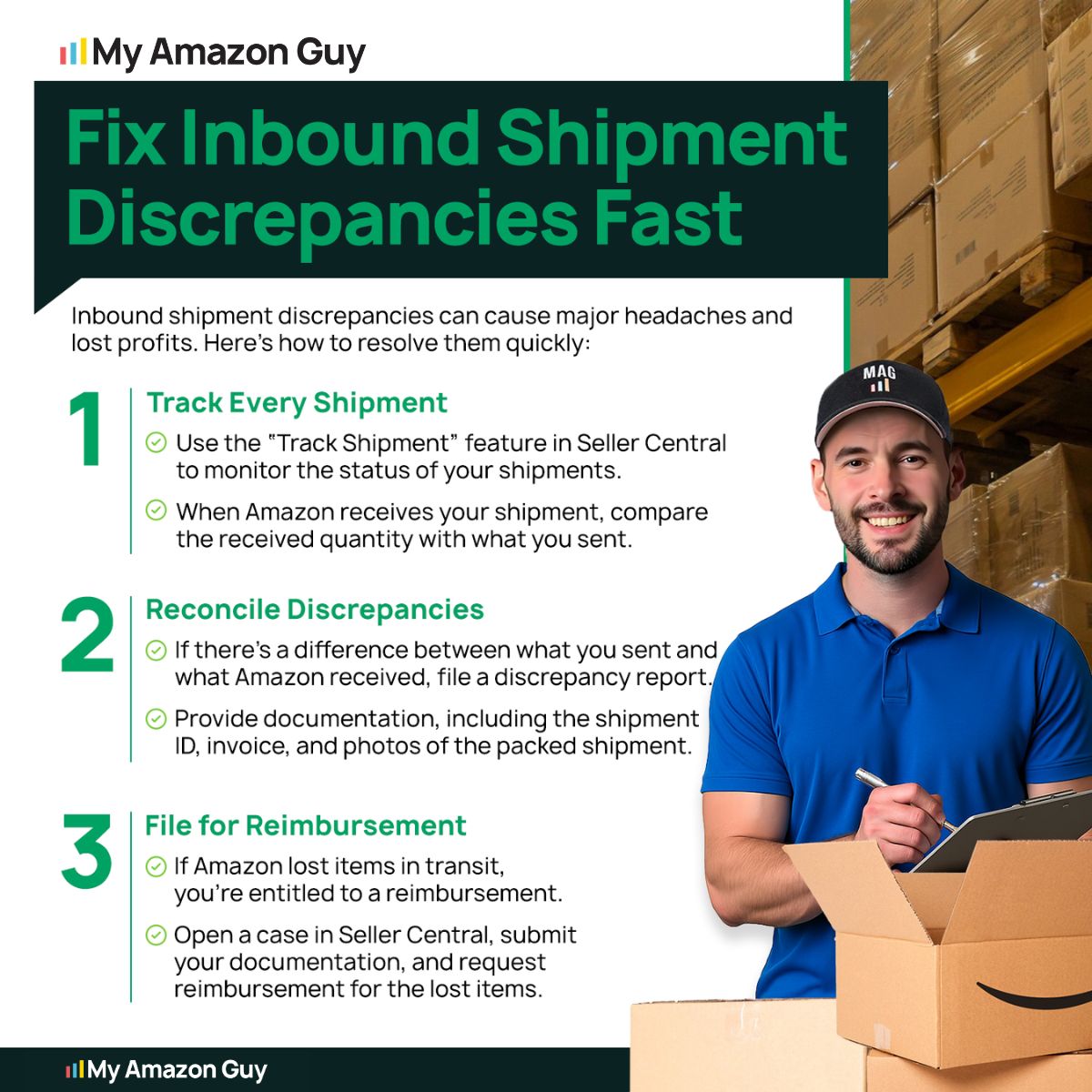
Steps to Resolve Discrepancies with Amazon Provision for Receivables
Amazon may sometimes apply a Provision for Receivables incorrectly, and vendors need to act quickly to protect cash flow. Reviewing and disputing these holds promptly can prevent unnecessary financial strain.
Step 1: Identify the Provision Type
Check your remittance report to see which provision was applied, such as returns, marketing allowances, or shipment discrepancies. Knowing the type helps you focus on the right supporting documents for a dispute.
Step 2: Review the Remittance and Payment Details
Open the remittance in Vendor Central and locate the “PROVISION_FOR_RECEIVABLES” line item. Look for any corresponding reversal code to see if Amazon has already adjusted the amount.
Step 3: Collect Supporting Evidence
Gather invoices, Proof of Delivery, shipment confirmations, and any relevant promotional or marketing documentation. This shows Amazon whether the original provision was accurate or needs correction.
Step 4: Submit a Finance Reconciliation Case
In Vendor Central, open a case under Payments > Reconciliation > Other Payment Issues. Include the provision ID, date, amount, and a clear explanation with your supporting documents.
Step 5: Follow Up or Escalate if Needed
If the issue isn’t resolved within the normal timeframe, escalate through Amazon Finance or your Vendor Manager. Present all documentation and clearly explain why the hold is excessive or incorrect.
Step 6: Seek Expert Help
For complex disputes or large amounts, get help from a professional like My Refund Guy. My Refund Guy can help identify errors, file disputes properly, and maximize the funds you recover.
FAQs About Amazon Provision for Receivables
How long does Amazon hold funds for a provision?
Provisions are temporary and last until Amazon finalizes estimated costs or reverses the hold. The timing can vary from a few days to several weeks, depending on returns or fees.
Can I dispute a provision if I believe it’s incorrect?
Yes, you can submit a finance reconciliation case with supporting evidence like invoices or Proof of Delivery. Disputing quickly ensures you recover funds before the hold causes larger cash flow issues.
What happens if I don’t pay or address the provisions?
The held funds remain with Amazon and are unavailable for your use, tying up cash flow. Over time, unpaid or unresolved provisions can reduce future payouts and limit your operational funds.
Take Control of Your Amazon Earnings
Being aware of all the charges on your vendor account is the first step to understanding how you can protect your profits. One of the most overlooked charges is the Amazon Provision for Receivables, which can slice your earnings if not monitored closely.
Many vendors don’t track provisions carefully or take steps to reduce them, which is a costly mistake. Regularly checking, understanding, and disputing these charges can prevent unnecessary financial losses and keep your cash flow healthy.
Are you worried about unexpected deductions from Amazon? Contact our full-service Amazon agency and let our experts help you manage provisions, recover funds, and optimize your vendor account for maximum profitability.
Stay Ahead of Unexpected Deductions
Our agency helps vendors proactively manage remittance reports and provisions.