
Last Updated: October 2, 2026
Are you wondering why your Amazon optimization efforts aren’t working, and your products seem to slide backward instead of forward? There’s a strong chance you’re making Amazon listing optimization mistakes that quietly hurt clicks, rankings, and conversions.
When it comes to Amazon selling, listing optimization is not optional since it’s the foundation of visibility and sales. The problem is that most sellers think they’re doing it right, when small mistakes in keywords, images, and content are doing real damage.
Those mistakes add up fast and push your products deeper into the sea of over 600 million items on Amazon. Learning where listings go wrong is the first step to fixing them and staying visible to buyers who are ready to purchase.
In this blog, our Amazon agency breaks down the 10 most common listing optimization mistakes that hurt visibility, clicks, and sales, and shows how to fix them. We also explain why new sellers struggle with Amazon product detail page optimization and cover the 2026 title and AI shopping changes that reset the rules.
Table of Contents
Our listing team will check your detail page against all ten mistakes for free, with no contract and no obligation.
TL;DR - Amazon Listing Optimization Mistakes
Most Amazon listing optimization problems trace back to ten fixable errors on the product detail page. New sellers feel them hardest because the title rules changed twice since January 2025.
- Guessing keywords instead of researching
- Writing vague or stuffed titles
- Listing features without real benefits
- Running a weak main image
- Ignoring what reviews reveal
- Picking the wrong category attributes
- Wasting the 250-byte backend field
- Skipping competitor listing teardowns
- Pricing without watching the market
- Forgetting how listings look on mobile
Each one costs clicks or conversions, and most cost both. Audit your top ASIN against all ten this week, then fix the main image and title first.
Why New Sellers Struggle With Amazon Product Detail Page Optimization
New sellers struggle with Amazon product detail page optimization because one page has to rank in search, convince a shopper scrolling on a phone, and answer questions inside Alexa for Shopping. Most first-year listings we review get one of those jobs right and fail the other two.
Amazon Product Detail Page Elements and Where New Sellers Slip
| Detail page element | What it controls | Typical new seller slip |
|---|---|---|
|
Title (75 characters max) |
Search match and the click |
Packing every keyword into the title |
|
Item Highlights (125 characters max) |
Extra searchable detail beside the title |
Leaving the new field blank |
|
Main image |
Click-through rate in search results |
Props, text, or a shrunken product |
|
Bullet points |
Buying reasons and AI assistant answers |
Feature lists with no use case |
|
A+ Content |
Conversion below the fold |
Skipping it after Brand Registry |
|
Customer reviews |
Trust and conversion |
Treating reviews as out of their control |
|
Category and attributes |
Filters and browse placement |
Blank or wrong attribute fields |
|
Backend search terms |
Hidden indexing |
Repeating front-end words or going over 250 bytes |
|
Price |
Featured Offer and click appeal |
Setting a price once and never checking it |
The top three rows decide whether a shopper ever sees the rest of the page, so fix them before anything below the fold. A listing that loses the click never gets the chance to show off its A+ Content or its reviews.
Why does my Amazon listing get traffic but no sales?
Traffic with no sales points at the detail page, not the ads sending people to it. Open the Detail Page Sales and Traffic by Child Item report in Business Reports and compare each ASIN’s Unit Session Percentage before you raise a single bid.
Ads only amplify what the page already does, like a megaphone held up to a bad sales pitch. After managing over $1.4B in ecommerce revenue across 400+ brands, our team sees two repeat offenders on new accounts, a weak main image and bullets that never name the buyer.
Why do Amazon's listing rules keep changing on new sellers?
The rules really do keep moving, so a title written from a 2024 tutorial is likely out of compliance today. Amazon capped most titles at 200 characters in January 2025, then cut non-media titles to 75 characters starting July 27, 2026 and added a searchable Item Highlights field.
Titles left over the limit get rewritten by Amazon’s AI, and brand owners have 14 days to review each change before it goes live. Sellers who never check Seller Central news usually discover the rewrite when a title suddenly reads like a stranger wrote it.
Does Alexa for Shopping change how I should write my listing?
Yes, because Amazon’s AI assistant now reads your detail page and answers shopper questions with it before anyone clicks. Amazon folded Rufus into a new assistant called Alexa for Shopping on May 13, 2026, and it now shows up inside Amazon search results.
Write bullets as plain claims a shopper could check, covering who the product is for, what it is made of, and which problem it solves. A keyword string gives the assistant nothing to quote, while a line like “holds a 15-inch laptop plus charger” answers a real question.
Why can't new sellers copy the top listing in their niche?
Top listings carry proof a new ASIN does not have yet, like years of reviews and Brand Registry tools such as A+ Content. Copying their layout without that proof gives you the same promises with none of the evidence behind them.
Follow Amazon’s own onboarding first, then earn proof one review at a time. Amazon reports roughly 6x higher first-year sales, on average, for sellers who work through its New Seller Guide in the opening 90 days.
What should a new seller fix first on a product detail page?
Fix what shoppers see in search results first, then what they see after the click. Money flows in that order, since a page with no clicks has no conversions left to improve.
- A main image that fills the frame on pure white
- A title of 75 characters or fewer with the core search phrase up front
- Item Highlights that carry size, material, and use case
- Bullets rewritten as benefits with proof attached
- Backend search terms kept under 250 bytes
- A+ Content once Brand Registry is approved
Our team reworked search terms and detail pages for a hair care brand with 24 SKUs whose split variations were watering down its reviews. Conversion rate rose 12.4% over the prior year, and monthly sales reached $53,130.64.
Top 10 Amazon Listing Optimization Mistakes and How to Solve Them
Even the most experienced sellers can unknowingly sabotage their own listings with small errors. Here are the most common Amazon listing optimization mistakes that hurt visibility, clicks, and sales, and how to avoid them.
Mistake 1: Poor Keyword Research and Usage
Keywords are the bridge between your product and potential buyers on Amazon. When sellers guess keywords, rely only on short-tail terms, or stuff irrelevant phrases, their listings can disappear from search results and fail to attract clicks.
Neglecting proper keyword research hurts visibility, sales, and even the customer experience, because shoppers can’t find or understand your product. The solution is to use dedicated tools, target long-tail and relevant terms, and integrate them naturally across titles, bullet points, descriptions, and backend fields while updating them regularly to match trends.
Mistake: Using irrelevant keywords or not enough keywords.
Solution:
- Conduct thorough keyword research:
- Use Amazon search bar suggestions.
- Try keyword research tools (Jungle Scout).
- Analyze competitor keywords.
- Include relevant keywords naturally in your product listing:
- Title
- Bullet points
- Description
Mistake 2: Incomplete Product Titles
Your product title is the first thing shoppers see, and a weak or confusing title can turn them away before they even click. Many sellers either leave titles too vague or overload them with irrelevant information, which hurts both clicks and conversions.
Incomplete titles also damage SEO by missing essential keywords and can even trigger mobile truncation or listing suppression. The fix is to craft clear, benefit-driven titles that include key details like brand, size, and color, while staying concise and integrating high-intent keywords naturally.
Mistake: Unclear and stuffed product titles that are too vague or have too much information.
Solution:
- Craft clear and concise titles:
- Include key features and benefits.
- Use relevant keywords.
- Keep it short and sweet:
- Keep the title at 75 characters or fewer, spaces included, which applies to all non-media categories since July 27, 2026.
- Focus on what your product is and does.
Amazon now splits product naming across two fields, a title capped at 75 characters and a searchable Item Highlights field of up to 125 characters. Put the brand, product type, and the one spec shoppers filter by in the title, then move materials, sizes, and use cases into Item Highlights.
Review Amazon’s AI title suggestions under View enhancements before you accept them. The rewrite usually keeps the product name but can drop the search phrase that actually drives your sales.
Mistake 3: Lack of Compelling Product Descriptions
A product description is your chance to sell before the buyer even clicks “Add to Cart”, but many listings fail because the text is generic or confusing. When descriptions don’t highlight benefits, answer questions, or explain why the product matters, shoppers quickly move on to competitors.
Weak descriptions also hurt conversions and engagement by making listings feel incomplete or untrustworthy. The solution is to focus on benefits over features, use bullet points for readability, naturally include relevant keywords, and use A+ Content when possible to tell a richer, persuasive story that convinces buyers to purchase.
Mistake: Generic descriptions that don’t focus on the product.
Solution:
- Focus on benefits:
- Don’t just list features.
- Explain how your product makes life better.
- Highlight what’s special:
- What makes yours unique?
- Use bullet points to showcase notable features.
Mistake 4: Not Optimizing the Main Image
Your product listing’s main image is the first thing shoppers notice, and a poor image can turn them away before they even read your title. Common mistakes like low resolution, excessive white space, or unclear product views reduce clicks, hurt trust, and lower your listing’s visibility.
Not optimizing this prime real estate can cost sales and suppress your listing in search results. A strong main image should fill the frame, be zoomable, clearly show the product, use a clean background, and stand out from competitors to grab attention and encourage clicks.
Mistake: Main image unclear, low-quality, or not attention-grabbing
Solution:
- Use high-resolution images that fill at least 85% of the frame.
- Ensure the product is clearly visible and not cropped.
- Use a pure white background (RGB 255, 255, 255), which Amazon requires on every main image.
- Make images zoomable so buyers can inspect details.
- Stand out by analyzing competitors and creating a better, value-driven image.
Mistake 5: Neglecting Customer Reviews
Customer reviews contribute to building credibility, boosting exposure, and increasing sales on Amazon since 95.3% of shoppers read reviews before purchasing, yet many sellers ignore them. Failing to request reviews or act on what they reveal can make your listing look untrustworthy and reduce buyer confidence.
Neglecting reviews also hurts your ranking because Amazon favors products with active engagement and positive feedback. Ignoring insights from reviews means missing opportunities to improve your listing, address customer pain points, and optimize future products for better sales.
Mistake: Neglecting customer feedback.
Solution:
- Encourage customers to leave reviews (within Amazon’s guidelines).
- Use the Request a Review button and enroll eligible new ASINs in Amazon Vine to build early reviews.
- Positive reviews boost credibility and ranking.
- Report reviews that break Amazon’s rules using our guide to removing negative product reviews.
Sellers cannot post public replies under product reviews, and Amazon removed the option to contact buyers after a critical review. Treat the detail page as your reply, so every repeat complaint changes a bullet, an image, a size chart, or the product itself.
Mistake 6: Mismanaged Product Categories and Attributes
Choosing the wrong category or leaving key attributes blank can seriously hurt your product’s visibility on Amazon. When listings are miscategorized, your product may appear to shoppers who aren’t interested while missing the audience most likely to buy.
Missing or inaccurate attributes like size, color, or material can lead to suppressed listings and a poor customer experience. Properly managing categories and attributes ensures your product appears in relevant searches and browse paths, improving both discovery and conversions.
Mistake: Mismanaged product categories and attributes.
Solution:
- Research Amazon’s categories and attribute guidelines.
- Use relevant keywords in your attributes.
- Ensure your product appears in relevant searches and browsing categories.
Mistake 7: Ineffective Use of Backend Keywords
Many sellers either ignore backend keywords or fill them with irrelevant terms, thinking they don’t matter. This mistake limits search visibility and prevents your product from showing up in relevant customer searches.
Repeating front-end keywords, exceeding character limits, or only using broad terms wastes valuable backend space. Properly optimized backend keywords include relevant synonyms, spelling variations, and long-tail phrases, helping your listing rank for more searches without cluttering the visible content.
Mistake: Ineffective use of backend keywords.
Solution:
- Research and include relevant backend keywords:
- Use terms customers might search for but aren’t in your title/bullet points.
- Describe your product accurately and avoid keyword stuffing.
- Keep the whole field under 250 bytes, because Amazon ignores every term in it once you go over.
- Skip misspellings and punctuation, since Amazon’s search already corrects common typos for shoppers.
Mistake 8: Overlooking Competitor Analysis
Failing to study competitors means missing valuable insights on keywords, pricing, and customer preferences. Without this knowledge, your listings can end up generic, failing to stand out or rank effectively against similar products.
Ignoring competitor reviews and listings also prevents you from identifying gaps or opportunities to improve your product and messaging. Learning from what works (and what doesn’t) for others helps you refine your unique value proposition and attract more buyers.
Mistake: Overlooking competitor analysis.
Solution:
- Analyze competitor listings, pricing, keywords & reviews:
- Identify gaps in the market and unique value propositions.
- Learn from their successes (and avoid their mistakes).
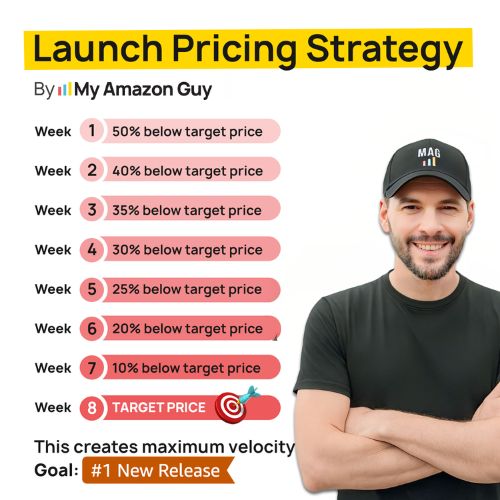
Mistake 9: Poorly Managed Pricing Strategies
Setting prices too high or too low can confuse buyers and reduce clicks, making your product appear untrustworthy or overpriced. Many sellers ignore market trends or competitor pricing, which causes them to miss opportunities and lose potential sales.
Static pricing or pricing that strays too far from Amazon averages can also trigger warnings or even deactivation. The solution is to use dynamic, data-driven pricing, monitor competitors, and balance perceived value with profitability to maximize both clicks and conversions.
Mistake: Poorly managed pricing strategies.
Solution:
- Conduct competitive pricing analysis:
- Understand market trends and customer expectations.
- Consider these factors when setting prices:
- Product quality, brand reputation, perceived value.
- Regularly review and adjust your pricing strategy:
- Based on market conditions and competitor actions.
Mistake 10: Inadequate Optimization for Mobile Users
With 1.65 billion mobile shoppers globally, failing to optimize your Amazon listings for mobile is a major mistake. Many sellers overlook how their titles, descriptions, and images appear on small screens, which can frustrate shoppers and reduce clicks.
Poor mobile optimization leads to truncated titles, unreadable text, and images that don’t show product scale or benefits clearly. The solution is to create concise, visually-driven listings with key info upfront, high-resolution images, bullet points, and mobile-friendly A+ Content to capture attention and drive conversions.
Mistake: Inadequate mobile optimization.
Solution:
- Ensure your listing looks great on mobile devices:
- Optimize product images, titles, descriptions, and CTAs for smaller screens.
- Test your listings on various devices for fast loading and proper display.
- Capture every sale, no matter the device!
Send us your top ASIN and we will flag every title, image, and backend issue before Amazon’s AI changes it for you.
Proven Amazon Listing Optimization Strategies for Boosting Sales
There are proven ways for sellers to fix common listing mistakes and improve both visibility and conversions. These optimization strategies help your products stand out, attract more clicks, and ultimately boost sales on Amazon.
1. High-Quality Images
Use professional, high-resolution images that clearly showcase your product and its benefits. Images should fill the frame, highlight key features, and help shoppers visualize using the product.
2. Optimized Titles & Bullet Points
Craft titles and bullet points that include core keywords and essential product details. Focus on benefits and features in a concise, scannable format to improve both search ranking and conversions.
3. A+ Content
Enhance your listing with A+ Content, including detailed descriptions, rich visuals, and alt text for images. This creates a more compelling, trustworthy presentation that helps shoppers understand your product’s value.
Amazon puts the lift from Basic A+ Content at as much as 8% of sales, and as much as 20% for well-built Premium A+ Content. On an ASIN selling $50,000 a month, that is $4,000 to $10,000 in monthly sales at the top of each range.
4. Competitive Pricing & Avoiding Suppression Triggers
Set prices based on market trends and perceived value while avoiding Amazon listing errors that can suppress visibility. Monitor competitors and adjust pricing to stay attractive without compromising profit or quality signals.
5. Target “Strike Zone” Keywords & Badges
Use high-intent keywords that drive clicks and conversions, and highlight badges like the Small Business Badge when eligible. These small signals can increase trust, discoverability, and buyer confidence.
6. Case Study Analysis
Regularly analyze high-performing listings in your niche to see what works. Learn from competitor strategies and apply insights to your own listings for measurable improvements.
From Blunder to Bestseller: Avoid These Listing Landmines
This ASIN review video highlights common listing mistakes and shows step-by-step strategies to fix them. It offers visual guidance to help sellers identify weaknesses and improve their Amazon product pages.
The video reinforces the importance of avoiding pitfalls like poor keyword usage, incomplete titles, and neglecting customer reviews. By following these strategies, sellers can turn underperforming listings into high-converting, visible products.
Optimizing Your Catering Tray Listing for Amazon Sales
Optimizing your product listing goes beyond basic fixes because it’s about creating a page that converts browsers into buyers. Using a real example like a catering tray, we can demonstrate how strategic images, keywords, and content work together to boost sales.
1. Image Presentation
Avoid floating products in your images. Placing catering trays on a box or in context clearly showcases functionality and improves click-through rates.
2. Keyword Optimization
Include relevant keywords in your title and bullets, such as “Sushi”, to accurately reflect the product’s use cases and improve discoverability. Remove irrelevant details like “warranty” and focus on key benefits like “Leakproof” and “Durable.”
3. Compelling Content Creation
Craft detailed product descriptions covering dimensions, materials, and ideal uses to educate shoppers. Enhance your listing further with A+ Content modules like brand stories and high-quality visuals to elevate the customer experience.
Case Study: Amazon Listing Optimization for Tent and Table
Tent and Table, a 25-year-old provider of commercial-grade bounce houses, wedding tents, and inflatables, faced challenges with fragmented catalog architecture and unoptimized product content. Their listings lacked proper Amazon listing optimization for tents and inflatables, which led to suppressed listings, poor conversions, and confused customers.
Our Amazon agency stepped in with a full-service strategy, including catalog management, listing optimization, and content refreshes. We implemented advanced SEO, refined creative assets, and developed seasonal content strategies to capture search trends and maximize sales during peak periods.
The results were dramatic: conversion rates increased by 50-100%, and Tent and Table achieved a 167% year-over-year revenue growth in June 2022. Operational fixes like GS1 UPC updates, inventory compliance improvements, and B2B pricing strategies further strengthened profitability, proving the value of professional listing optimization for sustained Amazon success.
FAQs About Amazon Listing Optimization Mistakes
Why is Amazon listing optimization important?
Optimized listings improve visibility, attract more clicks, and increase conversion rates by matching customer search intent. Without proper optimization, even high-quality products can get buried under millions of competing listings.
What are the main reasons Amazon listings fail?
Listings often fail due to poor keyword usage, incomplete titles, unoptimized images, and weak product descriptions that confuse shoppers. Other common issues include neglected customer reviews, mismanaged categories, and a lack of mobile optimization.
How can sellers fix underperforming listings quickly?
Focus on updating titles, bullet points, images, and backend keywords while addressing customer feedback and compliance issues. Leveraging professional Amazon listing optimization strategies can also boost visibility and conversion faster than trial-and-error adjustments.
Why do new sellers struggle to optimize Amazon product detail pages?
They are writing for search, shoppers, and an AI assistant at once, usually with no sales data to show which part is failing. The title rules alone changed twice in 18 months, from a 200-character cap in January 2025 to a 75-character cap in July 2026.
How long can an Amazon product title be in 2026?
Keep every non-media title at 75 characters or fewer, spaces included, and move size, material, and use case into Item Highlights. A 15-character brand name and a 20-character product type already use 35 of those 75 characters, which is why Amazon added a 125-character Item Highlights field for the rest.
Can I respond to negative reviews on my Amazon listing?
Not publicly, so fix the product or detail page problem the review exposes and answer buyers who message you first. Amazon ended brand-initiated contact on 1 to 3 star reviews, which leaves listing fixes and the Request a Review button as your main levers.
Don't Let Listing Mistakes Sink Your Sales: Mastering Amazon Optimization
Amazon listing optimization mistakes can be the reason why your products aren’t reaching the right customers or converting clicks into sales. Learning about these mistakes is essential to prevent lost visibility, poor engagement, and wasted advertising spend.
Understanding how to fix common listing errors, from weak titles and images to neglected keywords and reviews, can significantly boost your product performance. By applying the strategies outlined in this article, sellers can improve conversions, rank higher in search results, and stand out from the competition.
Do you need help optimizing your Amazon listings? Contact our full-service Amazon agency and let our team audit your listings, implement proven optimization strategies, and help you maximize visibility and sales.
Our team has managed over $1.4B in ecommerce revenue across 400+ brands, and a free listing review shows exactly where yours leaks sales.