
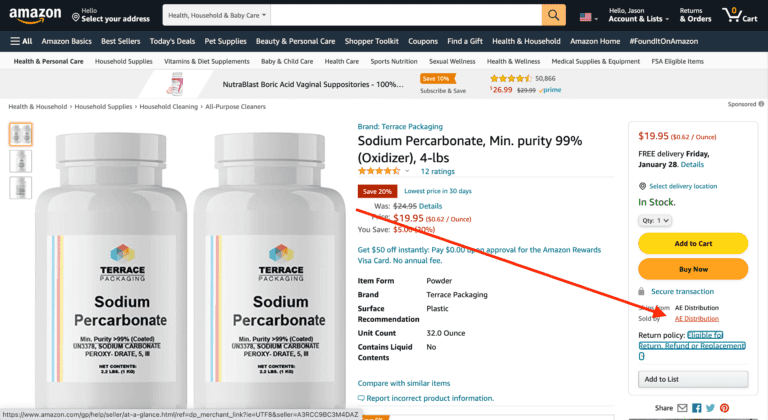
On the Product Display Page (PDP), Select the name after “Sold By” located under the Buy Box.
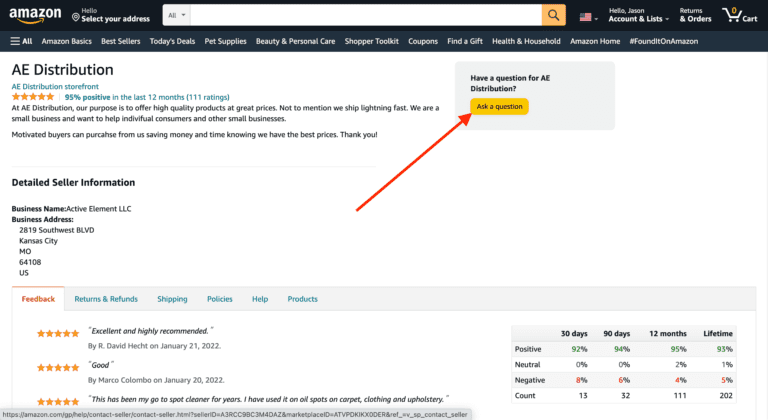
Located typically at the Top-Center Right of the next page, select “Ask a question.”
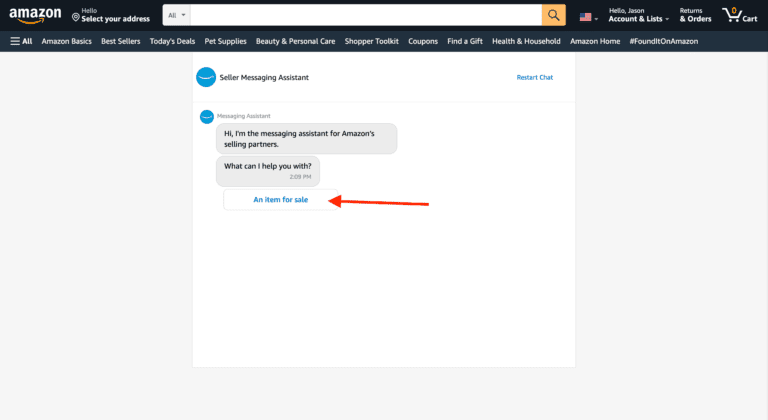
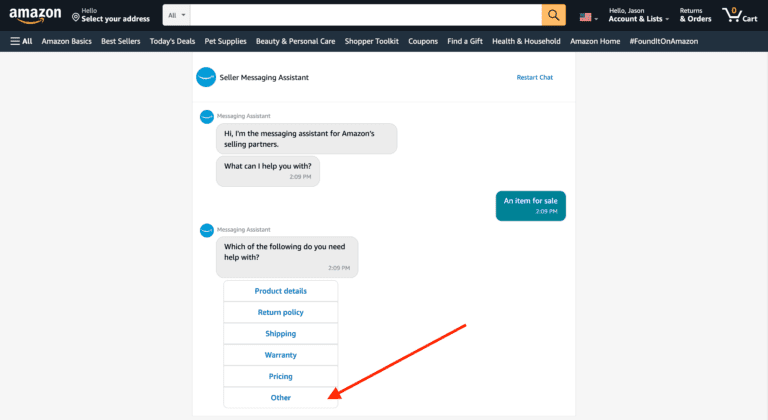
Within Seller Messaging Assistant, select “An item for sale.”
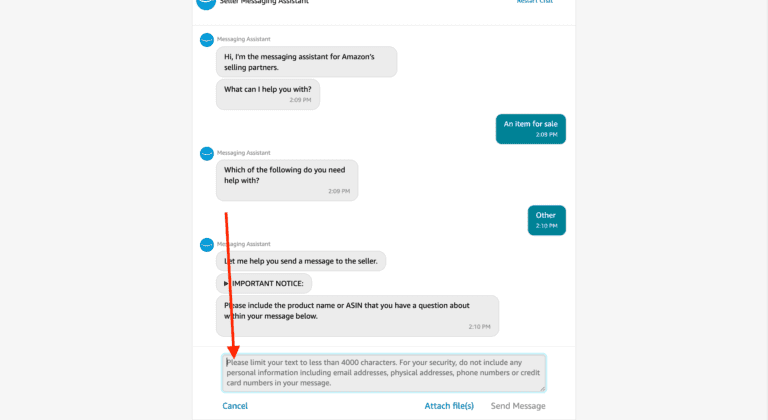
When prompted for which you need help with, select “Other.”
Be sure to include the product name and ASIN and type your request in the provided text field.
Filed under:
Tags:
What Is Amazon Product Sourcing: Your Ultimate Playbook
How to Find the Best Amazon Keywords to Boost Sales and Rank Higher
How to Do Amazon Product Research And Uncover Profitable Opportunities
Power Up Your Profits: Unleashing the Potential of Amazon FBA Sales and Revenue
Master Amazon AB Testing To Boost Conversions and Drive Sales

Get practical advice on the issues you’re facing with your Amazon business, from listing concerns to advertising questions.

Steven Pope, Founder
Hi I’m Steven, founder of My Amazon Guy, a 500+ person Amazon Seller Central agency out of Atlanta, GA. We growth hack ecommerce and marketplaces through PPC, SEO, design, and catalog management.
More Amazon articles
How to add a Prime Exclusive Discount to your listings to incentivize customers to buy your products! In order to locate the Prime Exclusive Discount

Last Updated: July 4, 2025 Imagine being greeted by an Amazon suspension when you open your Seller Central account. What a nightmare. Millions of sellers

Are you selling your music on Amazon? If not, you could be missing out on a huge audience of buyers ready to purchase music and
Reach us at +1 470-623-1951 Monday to Friday, from 9:00am to 5:00pm EST.