
eBay – How to Connect PayPal to an eBay Account

Steven Pope

Below are directions on how to link your PayPal to your eBay account.

1.) Log into your eBay account

2.) Hover over “account name” in the top-lefthand corner and click on Account settings.
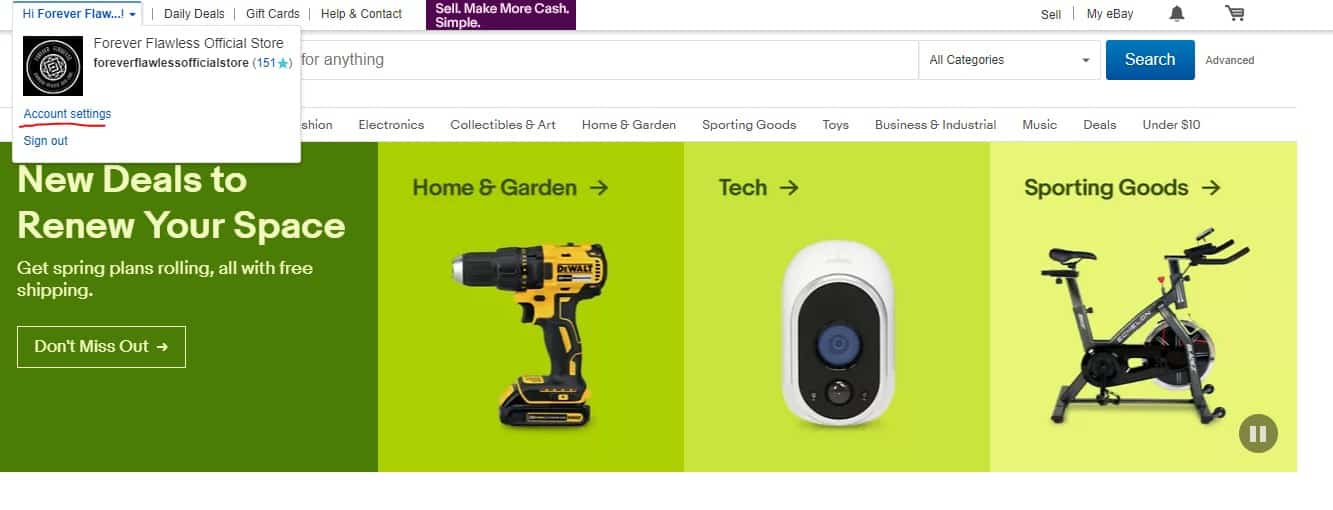
eBay How to Connect PayPal to eBay Account

3.) Scroll down to the section named “PayPal account information”.
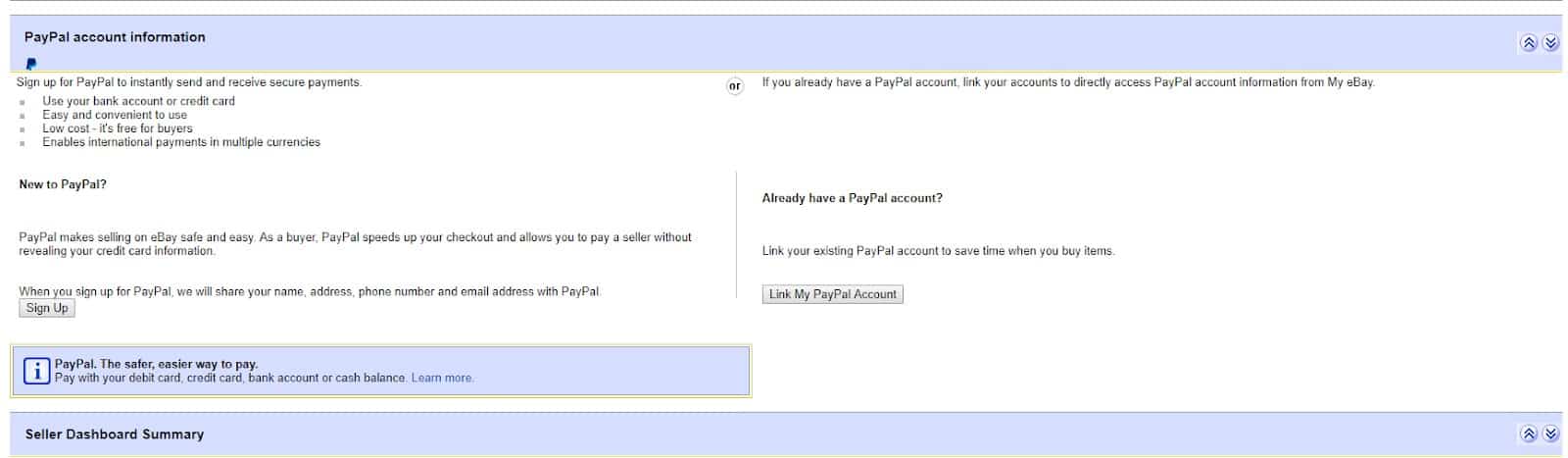
eBay How to Connect PayPal to eBay Account 2

4.) Click on “Link My PayPal Account”. This will take you to the PayPal login
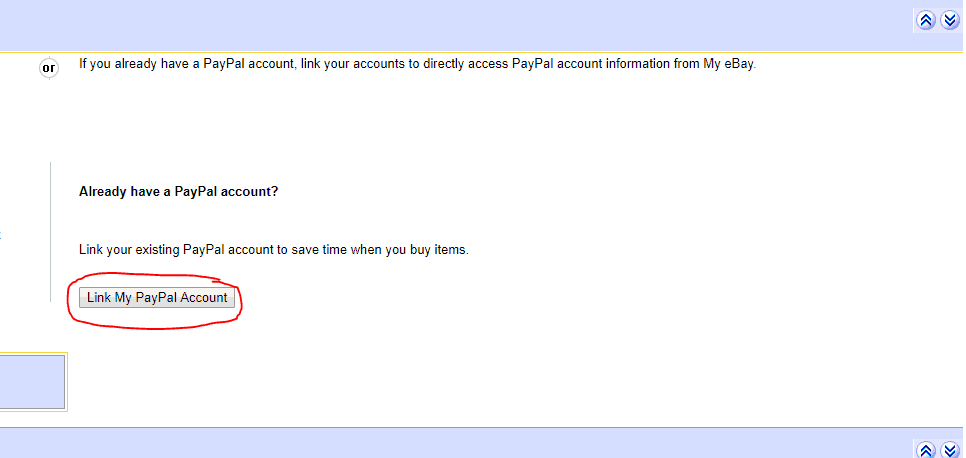
eBay How to Connect PayPal to eBay Account 3

5.) Log into the PayPal you want to be linked. Once logged in, your PayPal will be linked to your account.
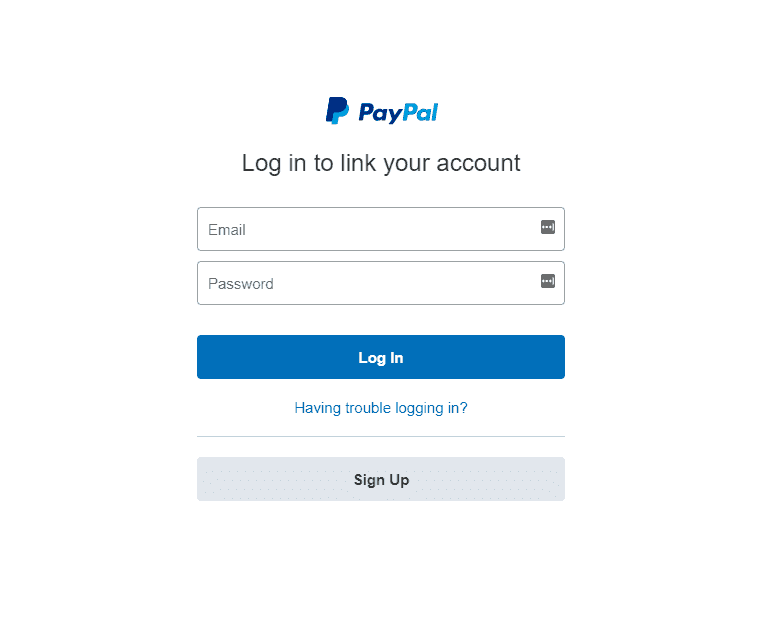
eBay How to Connect PayPal to eBay Account 4

Another method:

Once you’re logged in, you can use the links below to add your PayPal account and add a payment method for any sellers fees:

eBay is a service we offer here at My Amazon Guy. Contact your eBay consultant today if you need help.

Filed under: 

Tags: 

Share this article:

Steven Pope, Founder

Hi I’m Steven, founder of My Amazon Guy, a 500+ person Amazon Seller Central agency out of Atlanta, GA. We growth hack ecommerce and marketplaces through PPC, SEO, design, and catalog management.

More Amazon articles

Amazon seller performance notification

How to Locate Seller Central Performance Notifications

Seller Performance Notifications are used by Amazon to communicate important information impacting the health of the seller account: Policy Warnings, Suspension Messages, Listing Deactivation, Category Approvals, Banking Issues, Pricing Issues. Locating. Responding to these notifications is critical to maintaining the active status of your seller account account.

0
    0
    Your Cart
    Your cart is empty

    Reach us at +1 470-623-1951 Monday to Friday, from 9:00am to 5:00pm EST.