Is your Amazon listing not showing up in search results? This can happen for several reasons, but the good news is there’s a way to identify the problem and get your listing visible again.
Amazon sellers face many challenges when starting out, and even experienced sellers can run into the issue of a listing not appearing in search results. It’s frustrating because customers can’t buy your product if they can’t see it.
Sometimes sellers don’t even realize this is happening, which makes it harder to fix because they assume everything is working as intended. That’s why it’s critical to regularly check your listings and understand how Amazon visibility works.
This guide will walk you through the common causes of hidden listings and show practical steps to fix them. Our Amazon agency will also share tips and strategies to ensure your listings stay visible and drive sales.
Table of Contents
Restore Your Suppressed Listings
Get your hidden products back in front of customers with our expert Amazon listing fixes.
Why Suppressed Listings on Amazon Kill Growth More Than You Think
Suppressed listings are often more dangerous than yanked listings because they quietly disappear without alerting you. While a yanked listing triggers emails or performance alerts, a suppressed listing stays “Active” in your inventory, leaving sellers unaware that their sales have dropped.
When a listing is suppressed, your sales velocity stops, and Amazon’s algorithm rewards your competitors instead. Recovering your original ranking takes extra effort and often requires higher PPC spend just to regain lost visibility.
Suppressed listings can also waste your advertising budget, as your Sponsored Product ads may stop running or underperform. On top of that, they can contribute to stranded inventory, lowering your IPI score and potentially increasing storage fees, which limits your overall account growth.
Yanked vs Suppressed Amazon Listing: Know the Difference
Although a yanked listing and a suppressed listing might seem similar at first, there are key differences that sellers need to understand to fix them effectively. Knowing the distinctions helps you determine whether the solution is a simple edit or a more involved appeal.
| Key Difference | Yanked (Delisted) | Suppressed (Hidden) |
|---|---|---|
|
Visibility |
Page removed entirely |
Hidden from search & browse |
|
Customer Access |
Direct link shows 404 / error |
Direct link or ASIN still works |
|
Common Causes |
Policy, IP complaints, safety issues |
Missing image, long title, missing category |
|
Seller Central Status |
Detail Page Removed (Inactive) |
Search Suppressed (Active) |
|
Resolution |
Appeal or Plan of Action required |
Self-service edit in Seller Central |
1. Visibility
A yanked (delisted) listing is removed entirely, so the product page no longer exists on Amazon. A suppressed (hidden) listing remains active but is hidden from search results and browse pages until the issue is resolved.
2. Customer Access
Customers cannot access a yanked listing, even with a direct link; it will show a 404 page or “Dogs of Amazon” error. In contrast, a suppressed listing can still be purchased if someone has the direct URL or ASIN.
3. Common Causes
Yanked listings are usually the result of policy violations, safety issues, IP complaints, or restricted products. Suppressed listings, however, are typically caused by missing or incomplete data, such as a main image, title exceeding character limits, or missing category information.
4. Seller Central Status
A yanked listing appears as “Detail Page Removed” or “Inactive” in Seller Central. A suppressed listing shows as “Search Suppressed” but is technically active in your inventory.
5. Resolution
Fixing a yanked listing usually requires submitting invoices, certificates, or a formal Plan of Action to Amazon. Fixing a suppressed listing is generally self-service: edit the listing to correct missing or incorrect information and update it in Seller Central.
Common Reasons For Amazon Listing Not Showing Up in Search Results
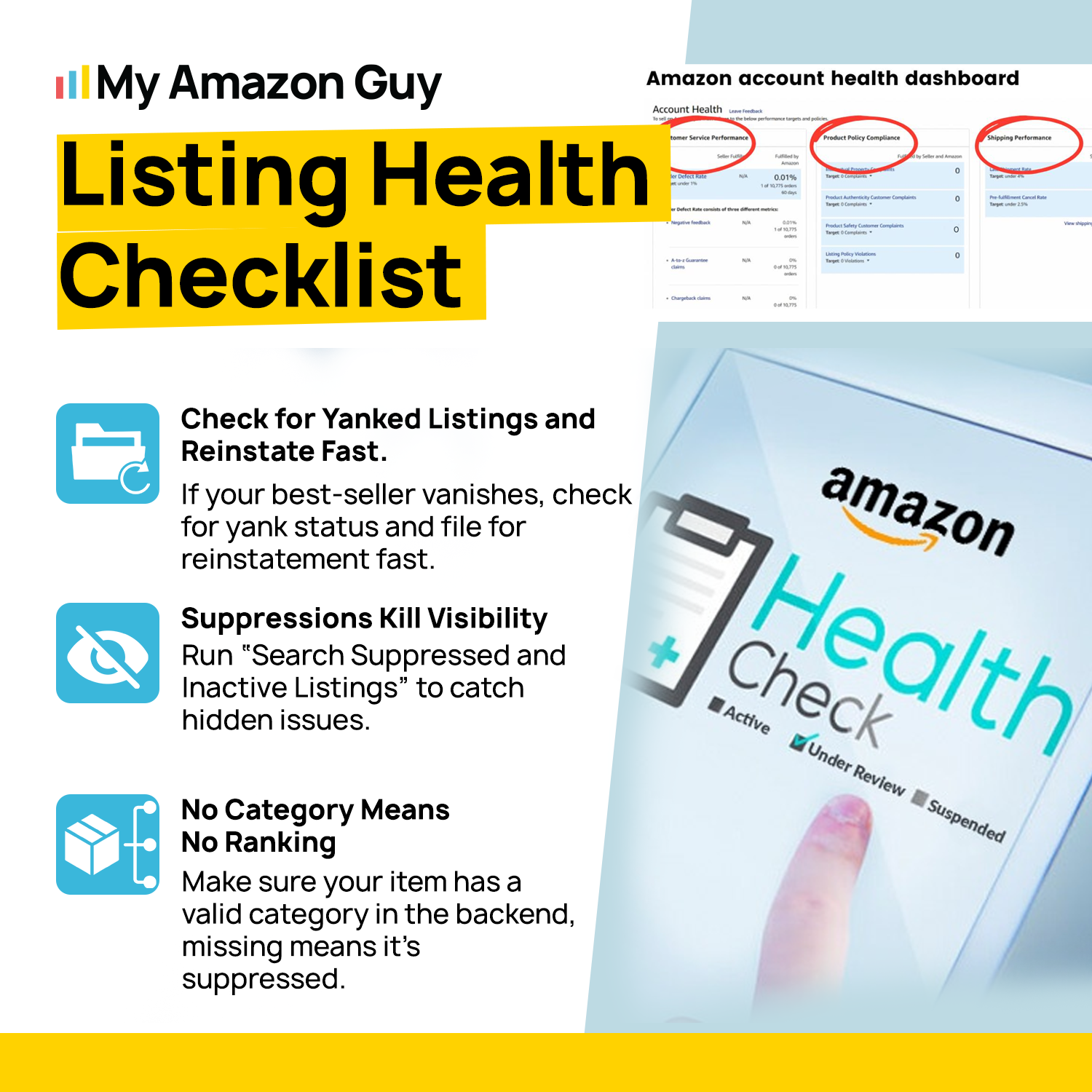
There are many reasons why your Amazon product might not appear to customers, even if it looks fine on your Seller Central dashboard. Depending on the situation, the issue could be as simple as an indexing delay or as complex as suppression due to policy violations.
1. Incomplete or Incorrect Product Details
Amazon may hide listings if essential information is missing or inaccurate. Make sure your brand name, product title, description, and bullet points are fully filled out and correct to prevent suppression.
2. Non-Compliant Product Images
Listings can be suppressed if the main product image doesn’t meet Amazon’s standards. Ensure your listing image clearly displays the item, has a clean white background, and meets the required resolution for zoom functionality.
3. Title Violations
Titles that exceed character limits, include promotional phrases like “best” or “top-rated”, or have excessive capitalization, can trigger suppression. Ensuring your title follows Amazon’s rules keeps your product visible in search.
4. Incorrect Category or Browse Node
Placing a product in the wrong category prevents Amazon from showing it to relevant shoppers. Listings assigned to irrelevant categories are often hidden until corrected.
5. Pricing Errors
Prices that are too high, too low, or inconsistent with Amazon’s Fair Pricing Policy can result in suppression. Accurate pricing ensures your product remains searchable and competitive.
Protect Your Account Health
We monitor performance metrics and account health to prevent suppression before it happens.
How to Check If Your Amazon Listing Is Suppressed
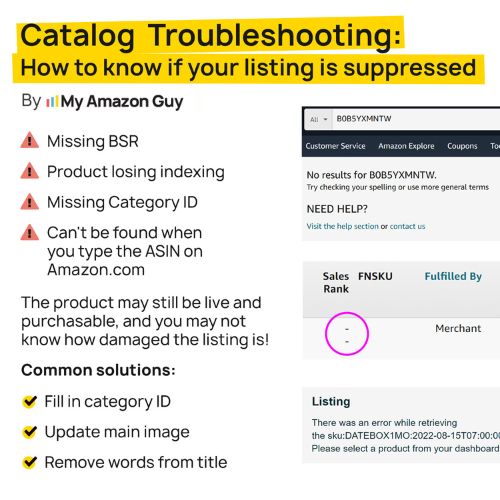
There are ways for sellers to quickly identify suppressed listings so they can take immediate action rather than wonder why their product isn’t showing. Many sellers fail to do this because they assume that if the listing appears Active in Seller Central, it’s also visible to customers, so proactive checks are essential.
- Log in to Amazon Seller Central.
- Go to Inventory > Manage All Inventory.
- Look for the Search Suppressed tab in the filter bar at the top.
- If the tab appears with a number, those listings are currently suppressed.
- Go to the Fix Your Products page from the Manage Inventory menu.
- Review the Issue to Fix column for problems like missing images or long titles.
- Use the Listing Quality Dashboard under Inventory to see ASINs missing high-priority attributes.
- Perform a Manual ASIN Test by pasting your ASIN into Amazon’s search bar.
- If the search returns 0 results, your listing is suppressed; if it shows 1 result, it’s indexed.
- If the page shows a 404 or “Dogs of Amazon”, the listing has been yanked entirely.
5 Effective Tips to Fix a Suppressed Listing on Amazon
Fixing a suppressed listing isn’t about one magic switch. It’s about tightening the parts of your listing that Amazon uses to decide whether your product deserves search visibility.
1. Maintain Complete and Accurate Listing Data
Listings with missing or inconsistent product information are one of the most common reasons for suppression. Make sure your brand name, title, description, bullet points, and backend fields are fully filled out and up-to-date.
Treat your listing like a living asset, not a one-time setup. Regularly auditing and updating your listing data reduces the chance it will be hidden from customers.
2. Ensure Images Are Fully Compliant
Non-compliant main images, like those missing a pure white background or improperly cropped, often trigger suppression. Use clear, high-resolution images that show the entire product and follow Amazon’s requirements for spacing and format.
Avoid digital overlays, promotional text, or decorative badges on your images. Simple, compliant visuals help restore search visibility faster than complex edits.
3. Keep Titles and Keywords Policy-Clean
Titles that exceed character limits, contain banned phrases, or overuse capitalization can get listings suppressed. Use concise, accurate, and policy-compliant language for titles, bullet points, and backend keywords.
A clean title improves search visibility and builds trust with customers. Fixing title issues is one of the quickest ways to get your listing back in front of shoppers.
4. Verify Category, Browse Nodes, and Pricing
Listings assigned to the wrong category or with pricing errors can be suppressed immediately. Make sure your product is in the correct category and priced fairly according to Amazon’s Marketplace Fair Pricing Policy.
Regularly reviewing categories and pricing ensures your product is discoverable and competitive. Correcting these issues often restores visibility without complicated appeals.
5. Monitor Account and Performance Metrics
Account health issues, high return rates, or negative customer feedback can quietly affect listing visibility. Keep an eye on order defect rates, returns, and customer reviews to prevent suppression from performance signals.
Proactive monitoring allows you to address potential problems before they affect your listings. Combined with fixing data, images, titles, and pricing, this ensures your listings remain searchable and profitable.
FAQs About Amazon Listings Not Showing Up
How long does it take for an Amazon listing to show up in search results?
New or updated listings usually start appearing within 15 minutes to 24 hours if everything is compliant. If required data is missing or a policy issue is triggered, the listing may stay hidden until the issue is fixed.
Can my Amazon listing be active but still not searchable?
Yes, a listing can show as Active in Seller Central while being hidden from search. This typically happens when the ASIN is search suppressed due to missing attributes, image issues, or title quality problems.
Do suppressed Amazon listings recover automatically once fixed?
Most suppressed listings regain search visibility quickly after the issue is corrected, often within minutes to a few hours. In more complex cases, it may take longer or require additional updates to trigger a full re-evaluation.
Don’t Let Invisible Listings Kill Your Amazon Growth
Amazon listings not showing up in search results is one of the most common issues sellers face when managing their catalog, yet it’s also one of the most dangerous. Suppressed listings act as a “silent killer”, quietly killing sales and reducing visibility without any obvious warning.
Understanding why listings get suppressed, from missing data to compliance issues, is crucial for keeping your products searchable and your sales steady. Learning how to identify and fix these issues quickly is the best way to protect your Amazon business and maintain consistent growth.
Need help with fixing or preventing suppressed listings? Reach out to our full-service Amazon agency and let our team optimize your listings, restore visibility, and get your products back in front of customers.
Optimize Listings for Maximum Visibility
From audits to ongoing management, we handle all aspects of your listings so you can focus on growth.