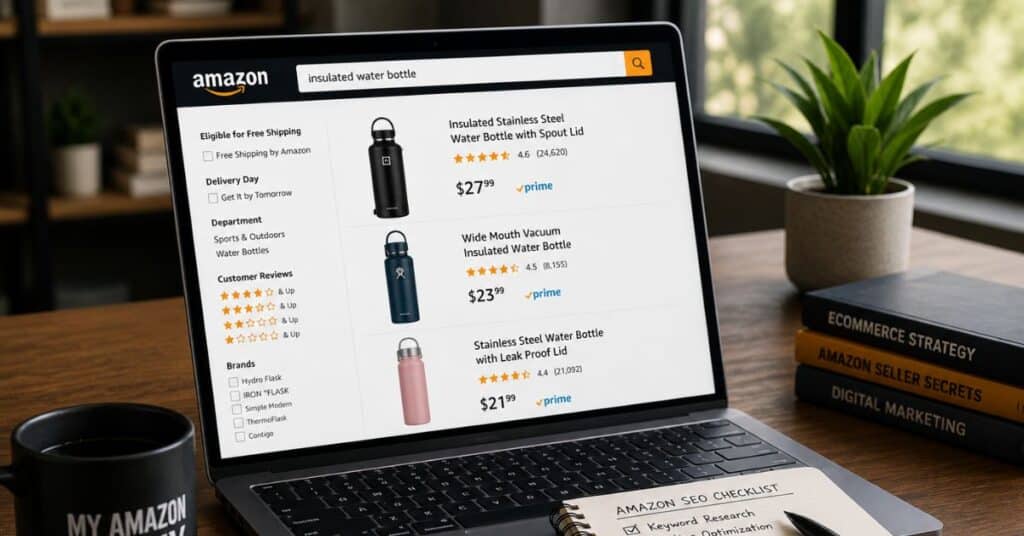
The best place to hide a body is page two of Amazon search. This complete Amazon SEO guide for sellers makes sure it is never yours.
Amazon SEO is your cheapest path to durable profit. It lowers ad spend while protecting margins from fees and tariffs.
- Organic rank cuts customer acquisition cost
- Five phases match listing maturity stages
- Backend terms replace dead alt text
- AI search now rewards crawlable answers
- ICAP funnel pinpoints where sales break
Use these 12 tools to rank higher and spend less. Our Amazon agency has managed $1.2B+ in ecommerce revenue and built this guide from that work.
Table of Contents
Audit Your Listings
See exactly where your listings leak rank and margin with a hands-on review from our team.
This Complete Amazon SEO Guide for Sellers is built for founders scaling from $1M to $10M on Seller Central. We have managed $1.2B+ in ecommerce revenue, and we wrote this from inside that work.
Amazon SEO is the process of improving your listings so they rank higher in organic search results. Higher organic rank means shoppers find you without you paying for every click.
Most sellers treat SEO as a marketing chore. The smart ones treat it as a financial tool, because organic rank is the cheapest customer acquisition channel you have.
When import duties and FBA fees rise, your margins shrink. Strong organic rank lets you absorb those costs without hiking prices or burning cash on ads.
That is the real reason this matters now. An Amazon SEO strategy 2026 has to defend profit, not just chase visibility.
The search landscape also changed. Amazon retired the standalone Rufus chatbot and replaced it with Alexa for Shopping in May 2026, so Amazon listing optimization now serves AI answers too.
This guide walks through 12 ranking tools in plain language. Each one shows the pain it solves, how to use it, and the mistakes that quietly cost you rank.
- 00:00 - Why Sales Drive More Sales on Amazon
- 01:08 - How to Structure Your Product Title
- 03:29 - How Customers Actually Read Listings
- 05:04 - Bullet Points SEO Strategy Explained
- 07:23 - A+ Content and Description Indexing
- 09:13 - Keyword Research Using Competitors
- 11:02 - Filtering High-Relevancy Keywords
- 15:23 - Aligning SEO With Ad Campaigns
- 17:36 – Why Main Image Impacts Clicks and Sales
How Amazon Search Actually Works Now
Amazon search is no longer one algorithm. Three systems decide whether shoppers see your product.
A10 handles indexing and keyword matching. If your listing does not contain a keyword somewhere indexable, you cannot rank for it, full stop.
COSMO is the newer layer that reads intent and context. It understands that someone searching camping shoes likely wants waterproof and grip, even if they never type those words.
Alexa for Shopping is the AI assistant shoppers now talk to. It pulls from your listing text and reviews to answer questions and recommend products before a shopper ever scrolls.
Knowing how to rank on Amazon means feeding all three. You secure the keyword index first, then layer in intent and AI-ready answers.
| Search System | What It Does | What You Optimize |
|---|---|---|
|
A10 |
Indexes keywords, matches text
|
Backend terms, title, bullets
|
|
COSMO |
Reads buyer intent and context
|
Use cases, semantic copy
|
|
Alexa for Shopping
|
Answers questions, recommends
|
FAQs, reviews, crawlable text
|
What Good Looks Like at Each Growth Stage
Your SEO targets should change as your brand scales. A founder at $1M needs different benchmarks than one approaching $10M.
Early on, the goal is breadth of indexing. You want your core ASINs indexing for a thousand or more keywords so the algorithm understands what you sell.
In the middle stage, the goal shifts to rank position. You move strike zone terms from page two onto page one and start watching conversion share, not just impressions.
At the top of this range, the goal becomes market share and defense. You use first-party SQP data to grow share on your best terms while protecting the rank you already hold.
Two numbers worth watching throughout are click-through rate and conversion rate. A healthy listing earns clicks at or above its category norm and converts a strong share of those clicks into sales.
These are guides, not guarantees. Every category behaves differently, so treat your own trailing data as the real benchmark and these stages as the direction of travel.
Tool 1 - Backend Search Term Optimization
Founders often ask how to optimize Amazon backend search terms and how many keywords a listing should index for. Backend terms are the hidden search field that tells A10 what your product is, and a healthy listing indexes for well over 1,000 keywords.
How Do I Fix a Listing That Stays Invisible After Launch
New products go invisible when the algorithm does not recognize what they are. Wasted byte space and unindexed terms are the usual cause.
The backend search term field is your fix. It carries the keywords that do not fit naturally in your title or bullets.
What Are the Best Backend Search Term Practices
You get a 249-byte field, so use every byte. Pack it with unique, relevant terms and nothing else.
- Use spaces between words, never commas
- Add synonyms and long-tail variations
- Include common misspellings shoppers type
- Add Spanish terms for US Hispanic buyers
Here is the difference in practice. A weak entry reads “yoga mat eco mat green mat”, while a strong entry reads “sustainable pilates gear thick non slip”.
The weak version repeats the word mat three times. The strong version uses every byte for a new indexing opportunity.
What Backend Mistakes Should I Avoid
- Do not repeat words already in your title or bullets
- Do not use commas; they waste bytes
- Do not add competitor brand names; it violates Amazon ToS
Repetition is the most common error we see. Amazon only needs a keyword once to index it, so repeating wastes space you could spend on new reach.
Think of the 249 bytes as currency you spend once. A single wasted word like a duplicate article or a comma is a keyword you will never index.
For a brand in the $1M to $10M range, this single field often unlocks hundreds of new ranking terms. We have seen listings jump from a few hundred indexed keywords to well past a thousand after one clean backend rebuild.
Tool 2 - Strategic Keyword Research and Reverse ASIN Lookup
Sellers want to know the best Amazon SEO strategy and how to do keyword research that actually drives sales. The answer starts with researching the terms your competitors already rank for, then filtering for conversion, not just volume.
Why Am I Targeting Keywords That Never Convert
Most sellers chase high-volume keywords and wonder why sales stay flat. Volume without intent brings clicks that never buy.
The gap is research method. Picking terms by search volume alone ignores whether those shoppers are ready to purchase.
How Do I Research Keywords That Drive Sales
Run a reverse ASIN lookup on three or four close competitors. This shows the exact terms their listings already rank for, which you can then target.
- Prioritize long-tail terms with clear buyer intent
- Balance search volume against conversion rate
- Pull seed ideas from the Amazon search bar autocomplete
Long-tail terms convert better because intent is sharper. Someone searching “hiking backpack with water bladder” is closer to buying than someone searching “backpack”.
What Keyword Research Mistakes Should I Avoid
- Do not judge a keyword on search volume alone
- Do not chase irrelevant high-volume terms
Irrelevant terms are worse than useless. They drive returns when shoppers buy expecting something else, and high returns crush your rank.
A useful filter is conversion rate at the keyword level. Many strong sellers ignore terms converting below 15%, since those terms rarely justify the rank effort.
The same word order can also change everything. “Wet food cat” and “wet cat food” can carry very different conversion rates, so test the variations rather than assuming they are equal.
Tool 3 - Product Title Density and Keyword Placement
A frequent question is where to put keywords in an Amazon title for the most weight. The front of the title carries the most algorithmic weight and the most mobile visibility, so your strongest terms go first.
Why Are My Title Keywords Not Helping Me Rank
Buried keywords signal weak relevance to the algorithm. Titles also truncate on mobile, where most shoppers browse.
Placement is the issue. A great keyword in position twelve does far less than the same keyword in position two.
How Should I Structure My Title for Ranking
- Front-load your highest-value keywords first
- Put core terms inside the first 30 characters for mobile
- Keep the title readable for human shoppers
Listing optimization works best when the title reads naturally. A shorter title with strong core keywords often beats a maxed-out one on both rank and clicks.
What Title Mistakes Should I Avoid
- Do not keyword-stuff into an unreadable title
- Do not dilute core terms by cramming all 75 characters
Keyword dilution is the silent killer here. When everything is a keyword, nothing reads as the priority, and your main terms lose potency.
A practical target is keeping your most critical terms inside the first 30 characters. Most shoppers browse on mobile, where the title clips well before the 75-character limit.
Improve Your Amazon SEO
Get a custom optimization plan built around your products and category.
Tool 4 - Crawlable A+ and Brand Story Content
Sellers ask how to write A+ content that actually helps SEO, not just looks good. The trick is pairing real crawlable text with your visuals, because search crawlers cannot read words baked into an image.
Why Do My Beautiful Listings Still Fail to Rank
Gorgeous A+ content can still rank poorly. Crawlers cannot read text that lives inside image files.
Design without crawlable text is the trap. Your designer made it pretty, but the algorithm sees a blank space.
How Do I Make A+ Content Crawlable
- Use standard text modules alongside your graphics
- Write the Brand Story section for secondary and long-tail terms
- Keep keywords inside real text, not inside images
The Brand Story module is underused, indexing real estate. It can index a wide range of secondary and long-tail phrases that your title has no room for.
What A+ Mistakes Should I Avoid
- Do not embed all your copy inside image files
- Do not treat A+ as a design-only asset
Treating A+ as decoration leaves rank on the table. Every module should earn keywords and conversions at the same time.
There is a second trap worth naming. Adding standard A+ replaces your plain-text product description, which A10 does index, so you must recover those keywords inside the new modules.
Tool 5 - Recovering Lost Alt Text Indexing
A pressing question is where to put backend keywords now that Amazon removed alt text indexing. In April 2026, Amazon stopped letting sellers write alt text and replaced it with AI-generated descriptions, which closed a long-used keyword path in A+ and Brand Story.
Why Did My Alt Text Keywords Suddenly Stop Working
For years, image alt text quietly carried extra keywords, including Spanish terms. That path is now closed because Amazon auto-generates the alt text itself.
Listings that leaned on alt text are losing shadow-query coverage. The keywords did not move; they simply stopped being indexed.
Where Do I Move My Orphaned Alt Text Keywords
Those keywords need new homes inside fields Amazon still indexes. Redirect them deliberately instead of letting them disappear.
- Move core terms into your 249-byte backend field
- Add them to crawlable A+ text modules
- Place Spanish and long-tail terms in the Brand Story copy
- Recover slipping terms by checking SQP for lost impressions
This recovery is also a freshness edge. Many guides still tell sellers to optimize alt text, so listings that adapt now pull ahead of competitors who have not noticed the change.
What Alt Text Recovery Mistakes Should I Avoid
- Do not keep optimizing alt text fields; they no longer index
- Do not let recovered terms sit unused in a spreadsheet
Speed matters during a change like this. Restore the terms into live, indexed fields before the lost coverage hardens into lost rank.
A clean recovery audit takes one focused session. Pull the alt text you previously wrote, list the unique keywords, and slot each one into the backend field, an A+ text module, or the Brand Story.
Spanish terms deserve special attention here. They often lived only in alt text, so they are the keywords most likely to vanish silently if you do not move them.
Tool 6 - Main Image Click-Through Rate Optimization
Sellers often ask why they get high impressions but low clicks on Amazon. The usual answer is the main image, because shoppers judge it before they read a single word.
Why Do Shoppers See My Product but Click Competitors
High impressions with low clicks means the algorithm shows you, but shoppers pass. They are choosing competitors at the moment of the glance.
The main image is almost always the cause. A weak photo loses the click before your title gets a chance.
How Do I Improve My Main Image CTR
- Use a show, not tell image that proves value fast
- Make the product readable at thumbnail size
- Test the image against the real search-results page
Click-through rate is itself a ranking signal. Lifting CTR is the fastest way to grow traffic without raising ad spend.
What Main Image Mistakes Should I Avoid
- Do not ignore CTR as a ranking input
- Do not swap the main image during the honeymoon period
The honeymoon period is the early window when Amazon tests a new product. Changing the main image then can reset the data the algorithm is collecting.
For scaling brands, the main image is often the single highest-leverage fix. We have seen listings climb several positions from an image change alone, with no other edits.
Tool 7 - The MAG Five-Phase Amazon SEO Strategy
The most common strategic question is what the five phases of My Amazon Guy SEO strategy are and how to build an ongoing plan. Our five-phase framework matches each action to your listing maturity, so you never apply advanced tactics to a brand-new product.
Why Does My Optimization Feel Scattered and Slow
Without a framework, sellers optimize at random. They apply Phase 3 tactics to a listing that never cleared Phase 1, and nothing sticks.
Structure fixes that. Each phase has an entry condition and a goal, so effort lands where it pays off.
The phases also map to a product’s age. Phase 1 fits a fresh launch, Phase 2 suits a listing around month three, and Phases 3 through 5 belong to mature listings with real ranking history.
What Are the Five Phases of Amazon SEO
Phase 1 - Search Term Optimization and Indexing
Phase 1 builds foundational visibility across the widest set of relevant queries. You know Phase 1 is complete when your product organically indexes for at least 1,000 keywords, which you verify with a reverse ASIN lookup on your own listing.
Phase 2 - Incremental Indexing and Pink Keyword Gap Analysis
Phase 2 finds gaps and frees up backend space without risking current rank. You delete duplicate terms already ranking in your front-end content, then fill that space with fresh phrases.
You find these duplicates by pulling a Category Listings Report. Terms already ranking in your title or bullets are redundant in the backend, so removing them opens room for misspellings, secondary terms, and new long-tail phrases.
Phase 3 - Strike Zone Strategy
Strike zone keywords are terms where your product already ranks between positions 20 and 50. Because you sit on page two or three already, a focused push moves them to page one faster than starting cold.
Phase 4 - Market Share Expansion with the SQP Report
Phase 4 uses Amazon’s Search Query Performance report for verified funnel data. You find terms with high conversion share but low impression share, then increase bids and title weight to capture them.
This report removes the guesswork third-party tools introduce. You see real impressions, clicks, add-to-carts, and purchases at the keyword level, which tells you whether a term has a traffic problem or a conversion problem.
Phase 5 - Answer Engine Optimization for Alexa for Shopping
Phase 5 prepares listings for conversational AI search and question-based shopping. You structure copy so Alexa for Shopping can pull clean answers, prioritizing readability and direct problem-solving over keyword stacking.
What Phase Sequencing Mistakes Should I Avoid
- Do not skip phases to rush ahead
- Do not apply Phase 3 or 4 tactics before clearing Phase 1
Sequence is the whole point of the system. A mature listing and a fresh launch need completely different moves, and mixing them wastes time and ad spend.
| Phase | Best For | Primary Goal |
|---|---|---|
|
Phase 1 |
New listings |
Index for 1,000+ keywords |
|
Phase 2 |
Month 3 listings |
Free backend space, add terms |
|
Phase 3 |
Listings ranked 20-50 |
Push strike zone to page 1 |
|
Phase 4 |
Mature, high-volume |
Mature, high-volume |
|
Phase 5 |
All AI-ready listings |
Win Alexa for Shopping answers |
Tool 8 - The ICAP Diagnostic Funnel
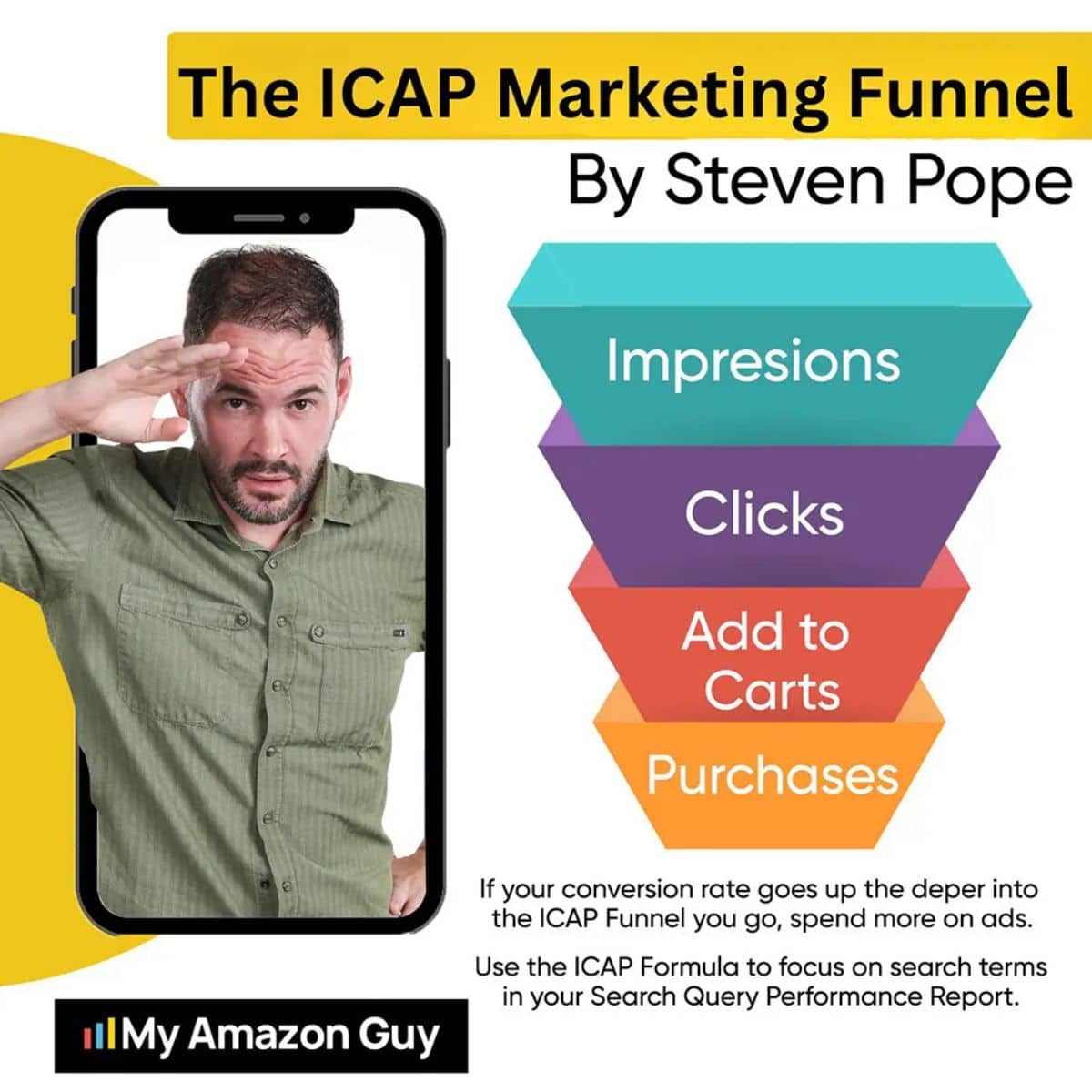
Sellers ask what the ICAP funnel is and why their listing is not ranking or selling. ICAP stands for Impressions, Clicks, Add to Carts, and Purchases, and it pinpoints exactly where your sales process breaks.
Why Can I Not Tell Where My Sales Are Breaking
When sales drop, most sellers overhaul the entire listing. That wastes effort fixing parts that were never broken.
ICAP replaces guessing with diagnosis. Each stage maps to specific listing elements, so you fix only what is failing.
Reading the funnel is simple once you see the pattern. If the percentage drops sharply between two stages, that gap is your problem, and the stage before it is working fine.
How Do I Diagnose Each Funnel Stage
Impressions
Low impressions mean weak indexing or low ad bids. Audit your backend terms and widen your broad-match campaigns.
Clicks
Good impressions but low clicks point to your main image, title, or price. This is a presentation problem on the results page.
Add to Carts
Clicks but few add-to-carts mean the page failed to build trust. Strengthen bullets, secondary listing images, and A+ content.
Purchases
Add-to-carts but low purchases signal friction at checkout. Look at price, shipping speed, and competitor ads on your listing.
What ICAP Mistakes Should I Avoid
- Do not assume the whole listing is broken
- Do not fix elements that are not the actual drop-off
Surgical fixes beat full rebuilds. Find the one stage that leaks, repair it, and leave the working stages alone.
Tool 9 - PPC and SEO Alignment to Lower TACoS
Founders ask whether PPC affects Amazon SEO and how to lower their TACoS. PPC and SEO fuel each other, because every paid sale signals relevance to the algorithm and lifts your organic rank for that term.
Why Is My Ad Spend Cannibalizing My Organic Sales
Treating ads and SEO as separate jobs drives TACoS up. You pay for traffic you might have earned for free.
The two systems are one loop. Paid conversions train the algorithm, which then ranks you organically for those keywords.
How Do I Align PPC With My SEO Phases
- Mirror your Amazon PPC structure to the five phases
- Use broad and auto campaigns in Phase 1 to harvest terms
- Run exact-match ads on strike zone keywords in Phase 3
Exact-match ads on strike zone terms force organic rank by proving conversion velocity. That is how paid spend becomes a permanent organic asset, not a one-off sale.
What PPC and SEO Mistakes Should I Avoid
- Do not turn off ads to save money; rank drops with them
- Do not let a new PPC manager nuke proven campaigns
Pausing ads to cut costs backfires. Amazon rewards total sales velocity, so killing ads also kills the organic rank those sales supported.
The goal is lowering TACoS, not ad spend in isolation. As organic rank climbs on terms your ads seeded, you can ease back on those exact-match bids and let free traffic carry the sale.
Tool 10 - Search Query Performance Analysis
Sellers want to know how to read the Search Query Performance report. The SQP report gives you first-party funnel data on impressions, clicks, add-to-carts, and purchases at the keyword level.
Why Am I Guessing With Third-Party Keyword Data
Third-party tools estimate. The SQP report shows verified numbers straight from Amazon for your own terms.
Guessing leads to misreads. You can mistake an impression problem for a conversion problem and fix the wrong thing.
How Do I Use SQP to Grow Market Share
- Find keywords with high conversion share but low impression share
- Move those terms to the front of your title
- Raise bids on them to capture more impressions
High conversion with low impressions is a goldmine. Shoppers buy when they see you; they just do not see you enough yet.
What SQP Mistakes Should I Avoid
- Do not rely on third-party data when first-party SQP exists
- Do not ignore a falling conversion share
A dropping conversion share is an early warning. Catch it in the SQP before it shows up as lost rank and lost revenue.
Scale With Proven Amazon SEO
Work with experts who have managed over $1.2B in ecommerce revenue.
Tool 11 - External Traffic and the Brand Referral Bonus
Sellers ask whether external traffic actually helps Amazon rankings. It does, because off-Amazon sales boost velocity, and Amazon even pays you back through the Brand Referral Bonus.
Why Am I Stuck Relying Only on Expensive PPC
Internal PPC gets costly as competition rises. Leaning on it alone slows your organic momentum.
External traffic breaks that cycle. New sales from outside Amazon signal demand and lift organic rank.
How Do I Drive External Traffic the Right Way
- Send high-intent traffic from Google, Meta, or TikTok
- Use an Amazon Attribution tag to track every sale
- Claim the roughly 10% Brand Referral Bonus credit
The Brand Referral Bonus effectively subsidizes your outside marketing. Amazon credits back part of the referral fee on sales you bring in, which lowers your blended acquisition cost.
What External Traffic Mistakes Should I Avoid
- Do not send unfiltered, low-intent traffic
- Do not forget the attribution tag
Low-intent traffic hurts conversion rate, which hurts rank. Filter visitors so only ready-to-buy shoppers reach your listing.
A simple filter is a landing page between the ad and the listing. It pre-qualifies the shopper, so the clicks that reach Amazon convert at a higher rate and lift your keyword rank rather than dragging it down.
Done well, this lowers your blended customer acquisition cost across channels. You earn the ranking benefit of the sale, the referral bonus credit, and a customer you did not have to win through Amazon ads alone.
Tool 12 - Answer Engine Optimization for AI Search
The newest question is how Alexa for Shopping affects Amazon SEO and whether keywords still matter in 2026. Keywords still drive indexing, but AI search now rewards listings that answer real shopper questions, since Rufus was folded into Alexa for Shopping in May 2026.
Why Are AI Assistants Recommending My Competitors
Listings that read like keyword lists are invisible to AI assistants. The assistant recommends competitors who answered the shopper’s actual question.
Unanswered questions are the gap. If your copy ignores a common concern, the AI fills it with someone else’s product.
How Do I Optimize for Alexa for Shopping and Voice Search
- Add FAQ modules the assistant can pull answers from
- Structure bullets general-to-specific so AI can categorize you
- Write review-driven copy that answers common complaints
- Cover the full entity and semantic context of your product
Voice and AI search favor clear, conversational answers. A keyword-stuffed title that Alexa cannot read aloud cleanly loses to a concise one that solves the query.
What AI Optimization Mistakes Should I Avoid
- Do not keyword-stuff; it actively harms AI performance
- Do not ignore the complaints in competitor reviews
Competitor reviews are a free research file. Answer those concerns in your copy and the AI gains a reason to recommend you instead.
Entity coverage is the deeper layer of this work. If your product’s main concept has a clear category, your copy should cover the related terms a shopper associates with it, so the AI can place you confidently in its answer.
Alexa for Shopping now sits inside the search bar, results page, and product pages rather than a side window. That placement means AI summaries can shape a decision before a shopper ever reaches your listing, which raises the stakes on clear, answer-ready copy.
How to Use This Amazon SEO Guide to Protect Your Margins
This ties the whole toolkit together for a scaling founder. Strong organic rank is how you defend profit against tariffs and rising FBA fees without raising prices.
When supply chain costs climb, the reflex is to hike retail prices. That move hurts conversion and drags down organic rank, making the problem worse.
The better play is lowering customer acquisition cost through organic visibility. Higher organic rank cuts your reliance on paid clicks, which lowers your blended acquisition cost.
That reduction in TACoS is your margin shield. It lets you absorb new import duties and fees instead of passing them to the shopper.
Viewed this way, Amazon SEO stops being a cost. It becomes the protective moat around the profit you have already earned.
Here is the chain in plain terms. A higher organic share of your sales means a lower blended acquisition cost, which means more margin survives each tariff increase and fee hike.
That is why we frame SEO as defense, not just growth. A brand ranking organically for its core terms can weather a cost shock that would force a weaker competitor to raise prices and lose the sale.
Frequently Asked Questions About Amazon SEO
What Is the Difference Between A10, COSMO, and Alexa for Shopping?
A10 handles keyword indexing and text matching. COSMO reads buyer intent and context, while Alexa for Shopping is the AI assistant that answers questions and recommends products.
Does Amazon SEO Still Matter Now That Alexa for Shopping Replaced Rufus?
Yes, more than ever. Indexing still decides whether you appear at all, and AI assistants pull from the same listing text and reviews you optimize for search.
How Long Does Amazon SEO Take to Show Results?
A focused effort can show meaningful rank movement within about 90 days. Foundational indexing happens faster, while market-share gains take sustained work.
Can I Do Amazon SEO Myself or Do I Need an Agency?
A disciplined founder can run the early phases solo with the right SOPs. Most scaling brands hand it off once catalog size and data volume outgrow a small team's bandwidth.
The tipping point is usually time, not skill. When manual keyword tracking across dozens of ASINs eats the hours you should spend on product and supply chain, delegation pays for itself.
How Does Amazon SEO Protect Profit Margins From Tariffs?
Higher organic rank lowers your paid acquisition cost. That saved margin absorbs tariffs and fees so you avoid price hikes that would hurt conversion.
How Often Should I Update My Amazon Listings?
Run a light keyword check weekly and a deeper audit quarterly. Leave high-ranking terms alone and only optimize the listings or terms that are slipping.
Your Complete Amazon SEO Guide for Sellers Action Plan
What Are the Key Takeaways
- Amazon SEO is a financial tool that defends margin
- Backend terms, titles, and crawlable A+ drive indexing
- Alt text no longer indexes, so move those keywords
- The five phases match tactics to listing maturity
- The ICAP funnel shows exactly where sales break
- PPC and external traffic fuel organic rank and lower TACoS
- AI search rewards listings that answer real questions
What Are My Next Steps
Start by running your own listings through the ICAP funnel to find the leak. Then decide whether to execute the fixes in-house or bring in a specialist team.
- Self-audit your top ASINs with the ICAP funnel
- Download the free Amazon SEO Toolkit for templates
Fix Hidden Ranking Problems
Find the keywords, indexing gaps, and conversion issues holding back your organic growth.