
Last Updated: December 8, 2025
Are you curious if you are using Amazon product bundling the right way or just creating bundles that don’t make sense? It can feel confusing, especially if you’re new to bundling, but with the right guidance, it’s a simple strategy that can boost sales and clear inventory.
When it comes to selling on Amazon, having some unsold items is inevitable since not every product will sell quickly. That’s why many sellers use Amazon product bundling to move slower items while offering value to customers.
Bundles often pair products that are selling well with ones that aren’t performing as strongly. This can be a smart way to balance inventory, but if done incorrectly, bundles can look unappealing and confuse potential buyers.
So, our Amazon agency made this guide that breaks down how sellers can create effective product bundles to boost sales, move inventory, and increase average order value. This also covers best practices, eligible products, and tips to optimize listings and promotions for maximum customer appeal.
Table of Contents
Work With Amazon Experts
Need help planning, creating, and promoting bundles that actually sell? Our team can guide you.
What Is Amazon Product Bundling?
Amazon product bundling is the practice of selling two or more complementary items together as a single package. This allows sellers to create unique offers, increase average order value, and give customers a convenient, all-in-one shopping solution.
When you create a bundle, Amazon generates a single ASIN for the package, making it easy for shoppers to purchase everything in one click. Bundles can include products like a camera with accessories or a snack variety pack, often offered at a small discount to encourage sales.
Requirements for Offering Amazon Product Bundles
There are certain requirements you need to meet to start offering Amazon product bundles. These requirements ensure Amazon can properly list, manage, and deliver bundles while keeping the shopping experience clear and trustworthy for customers.
- Bundle must have a unique identifier
- Items should complement each other
- All items must be new
- Must be FBA-eligible
- Must follow brand ownership rules
- Listed in a single category
- Returns accepted for the full bundle
Benefits of Amazon Product Bundling for Sellers
Although it may seem like such a simple strategy, Amazon product bundling can influence how shoppers perceive your products’ value, which is why many sellers offer it. But that’s not the only reason why Amazon sellers use product bundles in their stores; below are the benefits of Amazon product bundling:
- Combining popular and slow-moving items helps sellers move excess inventory efficiently.
- Bundling products reduces marketing effort since you can promote multiple items as a single offer.
- Customers can discover new products they might not have considered when purchasing individually.
- Bundles often reduce shipping costs by sending multiple items together in one package.
- Seasonal or holiday bundles create urgency and can drive higher purchase rates.
- Well-made bundles improve customer satisfaction by offering convenient, complementary products.
- Bundles increase sales and boost average order value by encouraging customers to buy multiple items at once.
Methods for Using Amazon Product Bundling
Amazon product bundling can be applied in multiple ways depending on your inventory, sales goals, and target customers. Depending on your strategy, you can use physical bundles or virtual bundles to boost sales and move inventory efficiently.
A. Physical Bundles (Traditional Bundles)
Products are packaged together as a single SKU and shipped to Amazon FBA as one unit. This method allows you to create a tangible, cohesive product package for customers.
- Complementary Bundles: Combine products that naturally go together to create convenience and value.
- Themed or Seasonal Bundles: Bundle items for holidays, events, or specific activities, like holiday gift sets or workout kits.
- Inventory Clearance Bundles: Pair slow-moving items with bestsellers to efficiently move excess stock.
- Add-On or Upsell Bundles: Offer a popular product with a less popular related item to increase overall sales.
- Discount Bundles: Offer a small price reduction to encourage purchase of the bundled items.
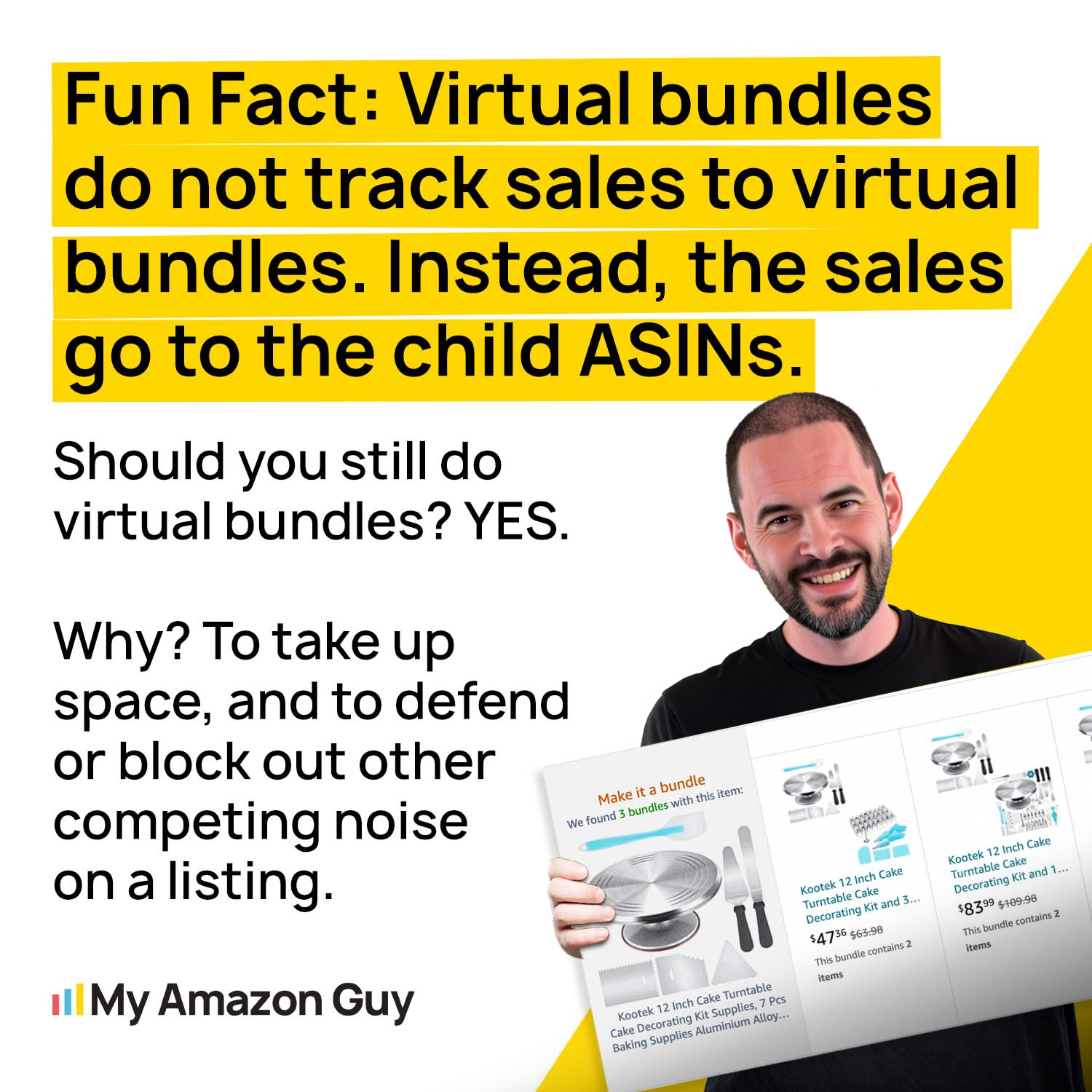
B. Amazon Virtual Bundles
Brand-registered sellers can group existing FBA ASINs under a single listing without physically packaging them through virtual bundles. This saves time and FBA prep while still offering customers a bundled experience.
- Mixed Bundling: Allow items to be purchased individually or as part of a bundle to give customers flexibility.
- Complementary or Themed Virtual Bundles: Same concept as physical bundles, but using virtual grouping, ideal for saving on packaging and fulfillment costs.
Boost Your Sales with Smart Bundles
Learn how creating the right product bundles can move inventory faster and increase your average order value.
Best Practices to Create Effective Amazon Product Bundling
When Amazon product bundles are made thoughtfully, they can be an effective way to increase sales, boost average order value, and clear slow-moving inventory. Poorly planned bundles can confuse customers or fail to sell, so it’s important to follow best practices when creating them.
1. Data-Driven Product Selection
Choose products that naturally complement each other or solve a complete problem for the customer. Use Amazon’s Market Basket Analysis or “Frequently Bought Together” data to identify combinations that buyers actually want.
Anchor slower-moving items by pairing them with best-selling products. This approach leverages the popularity of the main item to move less popular inventory efficiently.
2. Strategic Pricing
Set the bundle price lower than the total cost of individual items to clearly show value to customers. Ensure the discount is enough to entice purchase while maintaining a healthy profit margin.
Monitor the Buy Box closely for Virtual Bundles, because pricing above the sum of components can cause loss of eligibility. Adjust prices as needed to stay competitive and maximize sales potential.
3. Listing Optimization
Create a title that clearly communicates the bundle, the number of items, and the overall benefit to the customer. Use bullet points and images to list every product and quantity, so nothing is left unclear.
Show all items in the main image and consider lifestyle images to demonstrate how products work together. This helps customers quickly understand the bundle and increases conversion rates.
4. Test and Iterate Your Bundles
Experiment with different product combinations and pricing to see what resonates best with your audience. Regular testing helps identify high-performing bundles while reducing the risk of unsold inventory.
Use customer feedback, sales data, and Amazon analytics to refine your bundles over time. Continuous iteration ensures that your bundles stay relevant and competitive in the marketplace.
5. Promote Your Bundles Effectively
Highlight the bundle’s value, convenience, and savings in product titles, images, and descriptions to attract attention. Run targeted campaigns using Sponsored Products or social media to drive traffic and boost sales.
Consider time-sensitive promotions or seasonal marketing to create urgency. Proper promotion ensures that even well-designed bundles reach the right customers and convert efficiently.
FAQs About Amazon Product Bundling
How do I create a successful bundle listing on Amazon?
You can create a bundle by going to Seller Central > Inventory > Manage Inventory > Create a Bundle and adding 2–5 eligible FBA ASINs. Make sure to provide a unique title, description, bullet points, images, and a new UPC for the bundle ASIN.
Where do reviews go if I create a virtual bundle from two different products?
Virtual bundle ASINs have their own separate reviews and ratings, independent of the component ASINs. Customers will leave feedback specifically for the bundle, which helps track performance and improve visibility.
Are there restrictions on bundling products on Amazon?
Yes, bundles must include new, complementary products under your brand, have a unique identifier, be FBA-eligible, and comply with Amazon’s category and return rules. Certain items, like gift cards or digital products, cannot be bundled.
What are the benefits of creating product bundles on Amazon?
Product bundles can increase sales, boost average order value, and help move slow-moving inventory by combining products that complement each other. They also improve customer convenience and can reduce marketing and shipping costs.
Maximize Your Sales with Smart Amazon Product Bundling
Amazon product bundling is one of the most effective strategies sellers use to increase average order value and move inventory faster. It works because shoppers often perceive bundled products as more convenient and valuable, which can drive more purchases.
But when bundles are created without strategy or proper planning, it can result in confused customers, lost sales, and wasted inventory. This is why sellers should understand the rules, best practices, and pricing strategies before offering bundles on Amazon.
Need help creating profitable Amazon bundle listings that actually sell? Contact our full-service Amazon agency and let our experts guide you through the process to maximize your sales and streamline your listings.
Optimize Your Amazon Listings
Get expert tips on listing optimization, pricing strategies, and bundle promotion to maximize conversions.