
When sellers notice clicks but no sales or struggle to get any clicks at all on Amazon, they often try random fixes, hoping something will work. But how do you know if your problem is an Amazon traffic problem vs Amazon conversion problem, and which solution will actually fix it?
Many sellers face issues like low ad impressions, weak product visibility, or poor listing engagement. When they tackle these issues without identifying the root cause first, they waste time and money fixing the wrong problem, which leads to frustration and stagnating sales.
This is why it’s critical for sellers to diagnose their issue correctly and apply solutions that match their specific problem. Understanding whether the problem lies in traffic or conversion ensures that every action they take moves the needle toward more sales.
In this guide, we break down the signs of traffic versus conversion issues and show sellers how to identify what’s really broken. Our Amazon agency also discusses practical strategies to fix these issues and improve performance efficiently.
Table of Contents
Find What’s Really Broken
Stop guessing between traffic and conversion issues and get a clear diagnosis from Amazon experts.
Why Most Amazon Sellers Diagnose the Wrong Problem
Many sellers try to fix symptoms instead of the real problem, spending time, money, and energy on solutions that don’t work. For example, they increase ad spend or lower prices without realizing the issue might be poor listing conversion or an uncompetitive product.
Sellers also misinterpret data, focusing on revenue numbers or clicks while ignoring true profitability. This approach leads to panic-based decisions rather than thoughtful analysis, leaving them stuck fixing the wrong part of their business. It’s no wonder that an estimated 68% of Amazon sellers collapse within their first year.
Another common mistake is neglecting root causes like poor product research, mismanaged inventory, or a lack of differentiation. Without identifying what’s really broken, sellers waste critical resources and often fail to see improvements, no matter how much effort they put in.
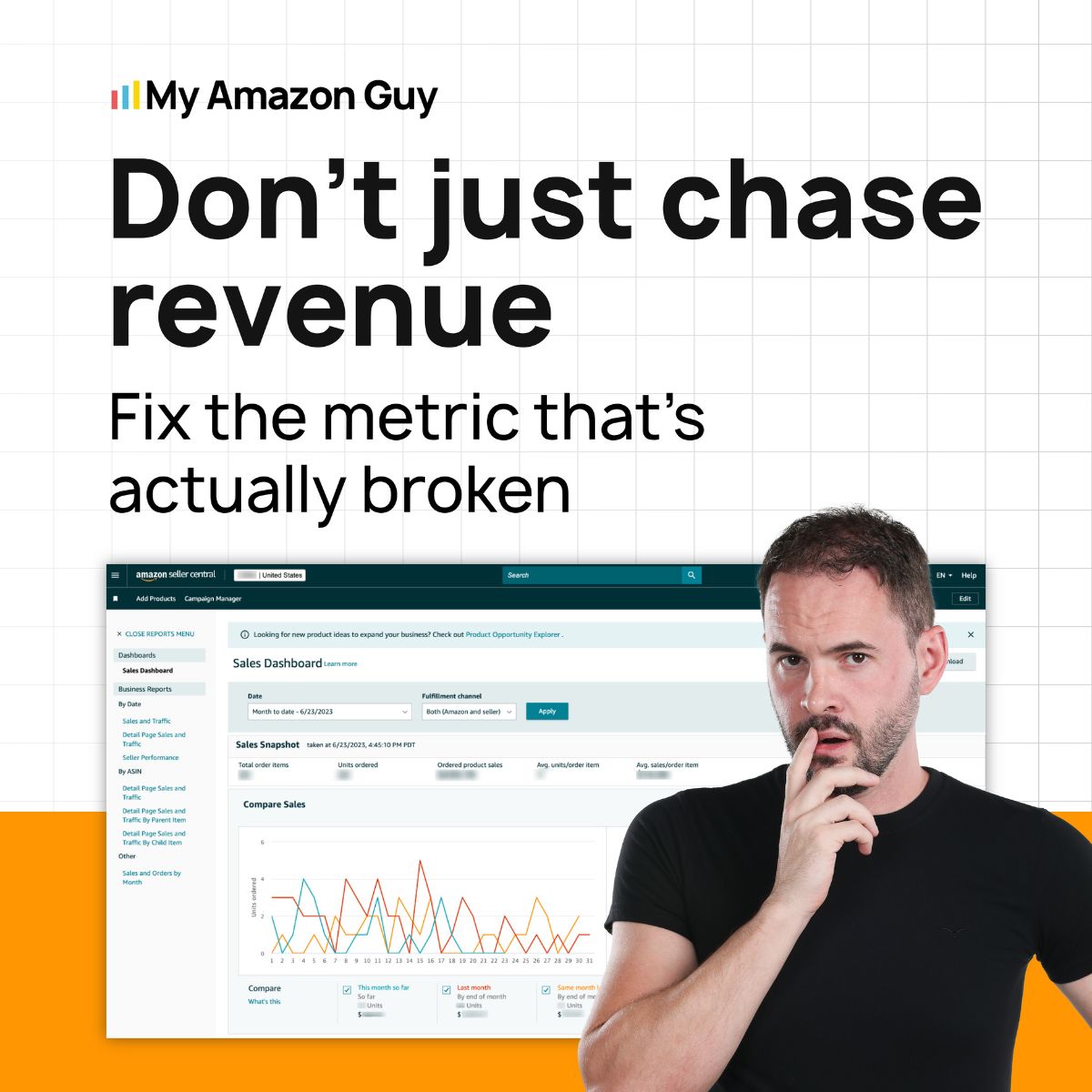
Traffic vs Conversion: How They Differ for Amazon Sellers
There’s a big difference between traffic and conversion, but many sellers treat them as the same problem. When they struggle with low clicks or low sales, they often apply the same fixes, which rarely solve the real issue, making it critical to understand the difference first.
Understanding What Traffic Means for Amazon Sellers
Amazon traffic refers to the number of visitors and clicks your product listing receives, which directly impacts visibility, sales velocity, and search ranking. Sellers can measure traffic through sessions and page views in Seller Central to see how many people are actually visiting their listings.
Traffic comes from both internal Amazon sources, like organic search or PPC ads, and external sources, such as social media or influencer campaigns. By analyzing metrics like click-through rate (CTR) and impression share, sellers can determine if their traffic is strong enough or if adjustments are needed to attract more high-intent visitors.
Signs You Have an Amazon Traffic Problem
There are ways for sellers to determine if they are experiencing low traffic problems, and learning these signs can help identify whether the issue is with traffic or conversion. By keeping these indicators in mind, sellers can quickly pinpoint the real problem and take the right steps to fix it.
- Significant drop in sessions and page views
- Lowered search visibility or loss of top-ranking keywords
- Decreased ad impressions and click-through rate
- Suppressed or stranded listings
- Declining sales velocity due to fewer visitors
Understanding What Conversion Means for Amazon Sellers
Amazon conversion measures how effectively your listing turns a click into a sale, showing whether your traffic is actually buying. While traffic brings visitors to your listing, conversion depends on your product images, copy, pricing, and overall listing quality.
Sellers can determine if their conversion is healthy by comparing their rate to benchmarks: under 8% is poor, 8-12% is average, and 13-15% is excellent. A low conversion rate usually signals issues with listing content, pricing, or product-market fit, while improving these areas can dramatically increase both sales and ranking.
Signs You Have an Amazon Conversion Problem
It can be difficult to know whether you are truly experiencing a conversion problem when other issues, like traffic or competition, are also at play. However, there are clear signs that indicate a conversion issue, and knowing these can help sellers diagnose problems faster.
- Declining Unit Session Percentage (conversion rate below 8%)
- High traffic but low orders (high CTR, low CVR)
- Rising Advertising Cost of Sales (ACoS) without proportional revenue
- Customers are adding items to the cart but not purchasing
- Loss of Buy Box percentage
Get Traffic That Converts
Attract the right Amazon shoppers and match them with a listing built to close sales.
How to Fix Amazon Traffic Problems Fast
Experiencing an Amazon traffic problem isn’t the end of the world. There are several ways to solve it as long as sellers use the right strategy and implement them all with clear goals in mind.
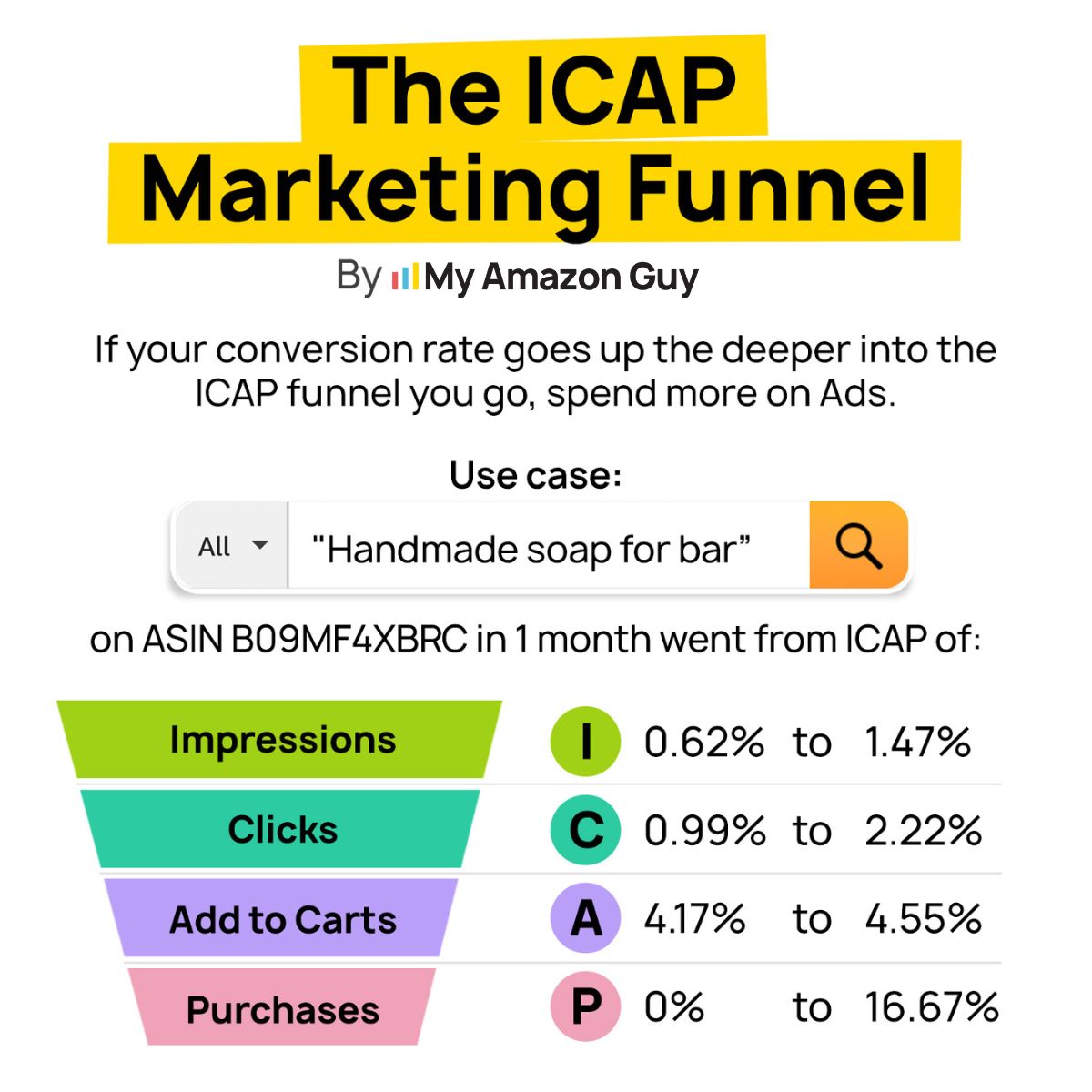
1. Use the ICAP Diagnostic to Find the Leak
Identify where the traffic is dropping off in your funnel: Impressions, Clicks, Add-to-Carts, or Purchases. This helps target the exact stage causing low visibility, so you don’t waste money on ineffective fixes.
2. Optimize Your Main Image for Clicks
Your main image is the fastest way to grab attention and improve CTR. Make it clear, visually compelling, and aligned with your brand story to encourage shoppers to click.
3. Leverage External Traffic for SEO Boost
Drive traffic from social media, email, or influencers to bring new customers to Amazon. Use Amazon Attribution links to track results and improve both organic rankings and PPC efficiency.
4. Scale Smart During High-Traffic Seasons
High-traffic events like Prime Day require active monitoring of budgets, stock levels, and discounts. Proper planning ensures your listing takes advantage of spikes without losing visibility or sales.
5. Align Strategic Advertising with Organic SEO
Use PPC and Sponsored Display campaigns to support your listing’s keywords and brand presence. Focus on ads that reinforce your organic efforts, rather than chasing arbitrary “potential” traffic metrics.
How to Fix Amazon Conversion Problems
Just like how Amazon sellers can solve traffic problems, there are proven strategies to address conversion issues and turn clicks into sales. By implementing these Amazon conversion rate optimization tips, sellers can improve listing performance, increase orders, and maximize the ROI of their existing traffic.
1. Optimize Your Main Image
Your main image must communicate the product’s value in under two seconds, or shoppers will scroll past. Show the product in and out of packaging, include key details like age ranges or accessories, and make sure it’s fully optimized for mobile viewing.
2. Focus on Your Ideal Customer
Stop trying to sell to everyone, focus on your ideal customer. Use lifestyle images and copy tailored to your target audience so shoppers can see themselves using the product, which creates an immediate psychological connection.
3. Adjust Advertising If Conversion Is Too High
A conversion rate above 16% can be a warning that you’re underspending on ads and only reaching a small, “sure thing” audience. Expand advertising with DSP, video, or retargeting to reach new buyers; even if your conversion rate drops slightly, total sales volume will increase.
4. Collect and Apply Customer Feedback
Talk to customers, act on their feedback, and then verify the updates improve their experience. This process uncovers hidden issues with your product or listing and allows you to make improvements that drive higher conversions.
5. Fully Utilize Listing Features
Maximize every part of your listing with multiple high-quality images, lifestyle shots, video, and A+ Content. Use images to tell the story for shoppers while keeping keyword-rich text for backend optimization to ensure your listing converts at peak performance.
Frequently Asked Questions
How can I increase traffic on an Amazon listing?
Focus on improving your SEO with high-value keywords in your title, bullets, and backend search terms. You can also drive external traffic through social media, email campaigns, and Amazon Attribution links.
What is an acceptable conversion rate for Amazon sellers?
A healthy conversion rate on Amazon typically falls between 10% and 15%. Rates below 8% indicate that your listing may need optimization in images, copy, or pricing.
Why am I getting clicks but no sales on Amazon?
High traffic with low sales usually points to a conversion problem, not a traffic problem. Check your listing quality, product images, pricing, and customer reviews to identify what’s turning buyers away.
Stop Guessing, Start Selling Smarter
When solving Amazon seller problems, there’s no shortcut when strategies are applied without identifying the root cause. Wasting time, effort, and money on solutions that don’t fit the actual problem only slows growth and frustrates sellers.
Traffic and conversion issues require different approaches, and knowing which one is broken is the first step toward real results. By analyzing your metrics and understanding the signs, sellers can implement strategies that directly address the problem instead of guessing.
Are you having Amazon traffic problems, conversion problems, or both? Contact our full-service Amazon agency, and let our experts pinpoint the issue and implement solutions that actually drive sales.
Diagnose Before You Spend
Our team identifies if your sales issue is visibility or listing performance in one deep audit.