
Your best-selling keyword may be sitting in three campaigns right now, all bidding against each other. Each campaign still reports sales, which is why most sellers never spot the leak.
An Amazon PPC campaign overlap search term audit finds those duplicates before they eat another month of budget. It works for any account running broad, phrase, and exact campaigns, and it fits inside your monthly maintenance routine.
We’ve managed $1.4B+ in ecommerce revenue, and campaign overlap is one of the first leaks we check. This article shows you which campaign should keep each search term and how to negate the rest without losing sales.
In this guide, our Amazon agency walks you through a five-step monthly audit, from search term report to bulk upload. You also get a decision table, the KPIs to track, and a quick way to spot overlap.
Table of Contents
Our team checks your account for duplicate keywords and shows which backups to negate.
TL;DR - Your Amazon PPC Campaign Overlap Search Term Audit
Duplicate keywords across broad, phrase, and exact campaigns drain budget while every campaign still reports sales. A monthly audit finds them, gives each term one owner, and cleans up the rest.
- Find search terms that trigger two or more campaigns
- Give each term to its top-ordering campaign
- Lower bids on backups that still convert
- Negate exact on backups with 20 clicks and zero orders
- Upload in bulk, then recheck orders in two weeks
Never negate a term that still converts, since that cuts off real sales. Sort your search term report by campaign count first, and the duplicates show up fast.
What Amazon Duplicate Keywords Across Match Types Cost You
Every duplicate keyword gives a search term two places to land, which is keyword cannibalization in Amazon PPC. A $1.85 broad bid against a $1.20 exact bid can cost up to $650 more over 1,000 clicks.
Can the Same Keyword Run in Multiple Amazon Campaigns
Yes, one keyword can live in several campaigns as long as you choose a framework first. It turns wasteful when no campaign owns the term, and three signs give it away.
- CPC climbing while orders stay flat
- One term live in three or more campaigns
- Spend on copies with zero orders
Common Amazon PPC Negative Keyword Misconceptions
Old advice says to move a winner to exact and negate it in auto, but converting terms should stay put and get duplicated into exact. Amazon keeps history on every keyword, so these myths do real damage.
- Zero overlap is the goal
- Negating a winner is harmless
- More campaigns mean more control
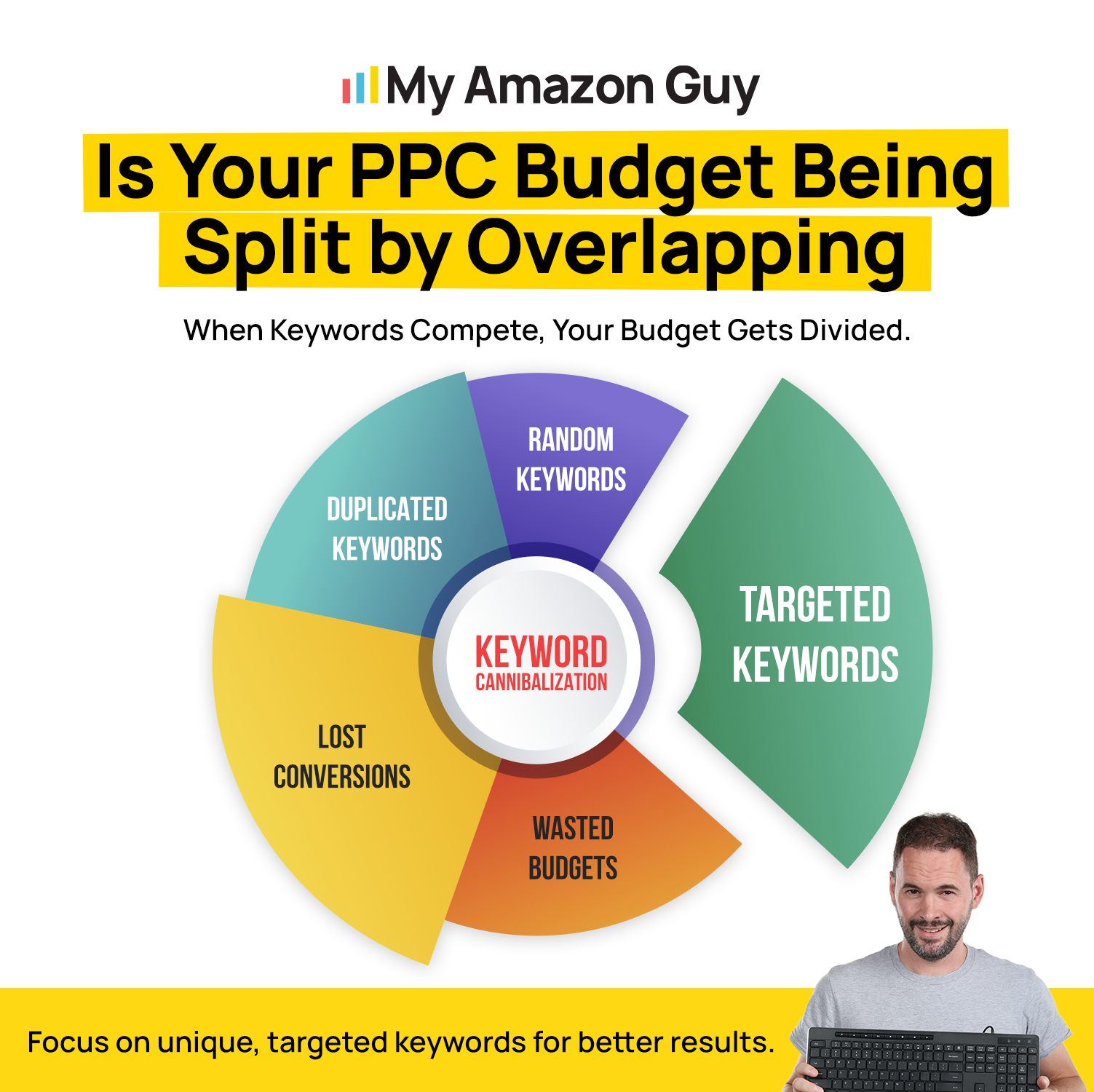
Is Your PPC Budget Being Split by Overlapping
Which Amazon PPC Campaign Should Own a Search Term
Every overlapping term needs exactly one owner campaign. That campaign gets the top bid and the budget to back it, while every other copy plays backup for the term.
How to Choose an Amazon Owner Campaign by Orders and ACoS
Give ownership to the campaign with the most orders on that search term. If two campaigns tie on orders, pick the one with the lower ACoS for that term.
Judge each term only after 20 clicks, since Amazon recommends that much data before you negate anything. Anything below that is noise, so let those terms keep collecting data.
Keep, Lower Bid, or Negate a Duplicate Amazon PPC Keyword
Not every backup deserves a negative, so check each one against the data. The table gives the call, with a bid step based on trimming 5 to 10% every three days before cutting.
| Backup shows | Action | Why |
|---|---|---|
|
Orders at target ACoS
|
Keep
|
Earns its spot
|
|
Under 20 clicks
|
Wait
|
Thin data
|
|
High ACoS, still converting
|
Trim bid 5 to 10%
|
Test first
|
|
20+ clicks, no orders, owner wins
|
Negate exact
|
Duplicate waste
|
Amazon PPC Overlap Targets by Account Size
With fewer than 50 campaigns, you can usually spot overlap by eye in a single review. From 50 to 500, a pivot table that counts campaigns per search term does the counting for you.
In month one, record how many terms appear in two or more campaigns. Your target for month two is fewer duplicates and no spend on backups with zero orders.
Book time with our team and walk through your campaign overlap line by line.
How to Run an Amazon PPC Campaign Overlap Search Term Audit
Set aside one sitting each month for this routine, ideally alongside your regular account reports. Follow these five steps in order to move from a raw report to uploaded negatives.
Step 1: Pull the Amazon Search Term Report and Bulk File
Download 30 days of the Sponsored Products search term report from the Amazon Ads console. Then export a bulk operations file, so the negatives you build later upload cleanly.
Note that the report only lists searches that earned at least one click. Terms with zero clicks never appear, so your overlap count reflects only searches that cost you money.
Step 2: Find Duplicate Keywords Across Your Amazon PPC Campaigns
Paste the report into a spreadsheet, build a pivot table, and sort terms by how many campaigns triggered them. Anything hitting two or more campaigns while spending real money becomes a candidate for review.
Sort by spend next, so the costliest duplicates come first in your review. Ignore terms with trivial spend until a later month, since they won’t change your results much.
Step 3: Pick the Owner Campaign for Each Overlapping Amazon Search Term
Apply the owner rule from the last section to every candidate on your list. Sort each term’s rows by orders, and the top row is your owner.
Ties go to the lower ACoS, and any term under 20 clicks stays on the watch list. Mark those rows so they get a second look next month.
Step 4: Negate the Backup Keywords Without Losing Amazon Sales
Negate only the backups that cleared 20 clicks with zero orders while the owner campaign keeps converting. If a backup still converts, lower its bid first and watch the results.
Amazon lets you add negatives at the campaign or ad group level, so pick the level where the duplicate sits. Exact is the better pick over phrase, since negative phrase blocks any query containing the whole phrase.
Step 5: Upload Negative Exact Keywords in Bulk and Verify Results
Copy the flagged rows into a negative exact bulk sheet that follows the layout of your exported bulk file. Then let the negatives run for two weeks before you change course, as Amazon advises.
Check total orders, not only ad orders, once the two weeks are up. That tells you whether any real sales walked out the door with the negatives.
Amazon PPC Audit Mistakes That Undo Your Work
Most audits fail because of small habits, not big mistakes. Watch for these five, since each one can quietly undo a month of careful cleanup on your account.
- Negating a term that still converts
- Judging a term before 20 clicks
- Using negative phrase when exact was enough
- Auditing once, then adding duplicates again
- Reading results after one week
Amazon PPC Mistakes: Why You Need Broader Search Terms
How to Measure Amazon PPC Overlap Results
Measuring an overlap audit comes down to whether duplicate spend dropped and total sales held. Below you get the numbers to watch, how often to check them, and one real account result.
Amazon PPC Overlap KPIs to Track After an Audit
Track the overlap itself first, then confirm that your sales held steady after the cleanup. A rising CPC with flat orders is the classic warning sign, so watch it closely.
- Terms appearing in two or more campaigns
- Spend sitting in backup campaigns
- Backup spend with zero orders
- CPC on owner campaigns
- Total orders and TACoS
Amazon PPC Overlap Reporting Cadence and Tools
Run the full audit monthly, then spot check your highest-spend campaigns each week. Our Amazon agency recommends weekly negations for anything that meets set rules, such as 20 clicks with no sales.
Review every negative batch after two weeks, using total orders as your first check. Amazon’s search term impression share report also shows whether your owner campaigns gained share after the cleanup.
Case Study: How a Supplement Brand Held Amazon TACoS at 12%
A supplement brand came to MAG with unorganized campaigns and wasted ad spend. Year to date, ad sales grew by over $250,000, a 295% jump, while TACoS held at 12%.
That result came from a full rebuild, so overlap cleanup doesn’t get solo credit. The same page says supplement TACoS often runs 20 to 25%, which makes the 12% result stand out.
Advanced Amazon PPC Overlap Tactics
Once the basics work, these moves protect your gains, and combining Amazon PPC and SEO lowers ad costs further. Each one targets a place where overlap likes to return after a cleanup.
- Separate branded keyword overlap into its own campaign
- Check Sponsored Brands against Sponsored Products
- Filter the bulk file before building pivots
- Use automation for rules, never for structure
On accounts with thousands of campaigns, Excel starts to freeze, so you need bulk sheets and macros to cope with the data volume. The better fix is to simplify the account structure rather than add more software.
How Do I Stop Cannibalizing the PPC Ads from Wasting Money?
Frequently Asked Questions About Amazon PPC Campaign Overlap
How many clicks should an Amazon PPC keyword get before I negate it?
Wait for 20 clicks on the backup, then negate only if it has zero orders and the owner still wins. Amazon’s guide recommends that much data, so a term at 12 clicks stays on the watch list.
Should I use negative exact or negative phrase for duplicate Amazon keywords?
Use negative exact in your Amazon bulk sheet, since it blocks only that search term. Negative phrase blocks every query containing the phrase, which risks cutting off winners that should never be negated.
How do I find Amazon duplicate keywords across match types?
Pull 30 days of the search term report and count campaigns per term in a pivot table. Amazon’s report lists only searches with at least one click, so every duplicate you find has already cost you money.
How often should I run an Amazon PPC campaign overlap audit?
Run it monthly, with a weekly spot check on your highest-spend campaigns. A clean campaign structure keeps new duplicates from creeping back, so each month’s audit gets shorter.
Stop Bidding Against Yourself in Amazon PPC
Overlap hides because every campaign still reports sales, yet duplicate keywords across broad, phrase, and exact campaigns quietly split your budget. A monthly search term audit shows you which terms live in more than one place.
Give each term one owner, trim bids on backups that still convert, and negate exact only after 20 clicks with zero orders. Upload in bulk, then check total orders after two weeks to confirm sales held.
Are you tired of watching your own campaigns bid against each other? Reach out to our full-service Amazon agency and let our Amazon experts audit your account for duplicate keywords and cut the wasted ad spend.
Our Amazon experts can run the audit for you and keep duplicates from coming back.