
Last Updated: March 27, 2026
Have you checked if you have Amazon stranded inventory? If not, you should, because it could be quietly draining your profits while your products sit in limbo.
Running an Amazon business isn’t just about getting sales and scaling products. It comes with operational issues that can slow you down, and one of the most common is stranded inventory.
When this happens, your inventory sits in Amazon warehouses without an active listing, meaning it can’t generate revenue. This is why it’s critical for sellers to know how to quickly fix Amazon stranded inventory before fees pile up and sales opportunities disappear.
In this guide, our Amazon agency breaks down how to identify, fix, and prevent Amazon stranded inventory to protect your profits. We also cover best practices and automatic-action settings that help keep your stock active and avoid unnecessary fees.
Table of Contents
Let Experts Handle Your Inventory Issues
Our Amazon specialists fix stranded inventory and prevent it from coming back.
Understanding Stranded Inventory on Amazon
Stranded inventory occurs when your products are stored in an Amazon warehouse but aren’t available for purchase. This usually happens when listings are inactive, incomplete, or don’t match the inventory details, leaving your stock stuck and unsellable.
When inventory is stranded, potential customers cannot buy your products, even though they are physically in the warehouse. The longer items remain stranded, the more it can hurt your profits and impact your account’s inventory health.
How Stranded Inventory Affects Amazon Sellers
There are several effects of stranded inventory that can hurt profits, limit storage space, and create extra costs for sellers. It is important that Amazon sellers understand these impacts to make sure they address stranded inventory quickly and efficiently.
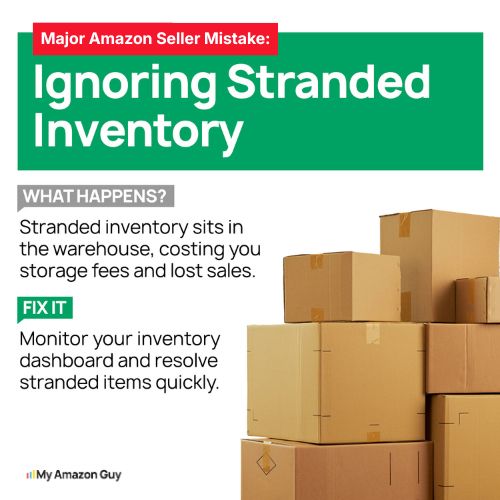
- Products sit in the warehouse but cannot be purchased, leading to lost sales.
- Storage fees continue to accumulate, eating into your profits.
- Inventory Performance Index (IPI) drops, which can reduce your storage limits.
- Amazon may force you to remove or destroy unsellable inventory, causing additional costs.
- New shipments of the same product can be blocked until the stranded inventory is fixed, slowing restocking.
What Causes Amazon Stranded Inventory
Stranded inventory can happen for many reasons, and understanding these causes helps sellers prevent lost sales and extra costs. 43% of sellers rely on outdated tracking methods or don’t monitor inventory closely, which makes these issues even more damaging.
1. Listing Errors
Your inventory isn’t linked to an active listing, often due to accidental deletion or system mistakes. Relisting the product usually fixes this.
2. Suspended or Restricted Listings
Amazon may suspend a listing for missing information, policy violations, or ASIN restrictions. Contacting Seller Support is often required to resolve it.
3. Pricing Issues
Products priced too high or too low can trigger Amazon to suppress the listing, leaving inventory unsellable. Adjusting your price within the allowed range usually restores the listing.
4. Expired or Obsolete Products
Items past their expiration or no longer relevant are automatically flagged as stranded. These must be removed or disposed of from Amazon warehouses.
5. Deleted or Closed Listings
If a listing is removed or closed after selling out or before a product launch, any remaining inventory becomes stranded. Relisting and planning the launch carefully prevents this.
Fix Stranded Inventory Fast
Stop losing sales and let our team get your listings back live quickly.
How to Fix Stranded Inventory on Amazon
Stranded inventory on Amazon means your products are in a warehouse but cannot be purchased, which can cost money and hurt your account metrics. Acting quickly to fix stranded inventory ensures your items return to active status and avoids unnecessary fees or disposal.
Step 1: Check Your Stranded Inventory Dashboard
Log in to Seller Central and go to “Inventory” > “Manage Inventory” > “Inventory Dashboard” > “Fix Stranded Inventory”. Review the stranded ASINs, why they’re flagged, and take note of any listings that need relisting or corrections.
Step 2: Relist or Correct Listings
If the issue is a closed listing, listing error, or inactive offer, select the “Relist” or “Edit Listing” option. Update missing information, pricing, or other required details so Amazon can reactivate the listing.
Step 3: Contact Amazon Seller Support
If relisting doesn’t work, open a support case. Explain the issue clearly, provide ASINs or FNSKUs, and request guidance or intervention, asking specifically for the “Captive Team” if needed for faster resolution.
Step 4: Perform a Full Inventory Update
For listings still stuck, use a bulk inventory flat file with the “Full Update” option. This overwrites the backend data, syncing your product information with Amazon’s system and resolving many catalog or UPC glitches.
Step 5: Check and Adjust Automatic Action Settings
Amazon may automatically remove or dispose of stranded inventory if no action is taken. Go to “Fix Stranded Inventory” > “Edit Automatic-Action Settings” and confirm that stranded items are set to “Return units to you” instead of disposal, so you maintain control of your inventory.
Step 6: Monitor and Follow Up Regularly
Check your stranded inventory dashboard at least once a week. Watch for the automatic removal date, confirm that relisted items are active, and make any additional corrections promptly to prevent fees or lost inventory.
How to Avoid Amazon Stranded Inventory
Preventing stranded inventory from happening can save sellers both time and money, since the effects of stranded stock can quietly drain profits and hurt account health. Following a few best practices can help sellers avoid common mistakes that lead to inventory being stranded in Amazon warehouses.
1. Conduct Thorough Research Before Sending Inventory
Before listing a product or sending it to FBA, confirm that you are allowed to sell it, especially for wholesale or arbitrage items. Verify brand approvals, category restrictions, and compliance requirements to avoid inventory being blocked at the warehouse.
2. Ensure Listings Are Accurate and Complete
Fill out all required listing information, including images, product features, and descriptions, before sending inventory. Incomplete or inconsistent listings often trigger errors that cause inventory to become stranded.
3. Pre-Label and Match SKU/ASIN Correctly
Apply FNSKU labels to every unit before shipment, and make sure SKUs and ASINs match exactly with what is in the warehouse. Mismatched or unlabeled inventory can be flagged as “Amazon Found” and will remain stranded until corrected.
4. Set Pricing and Automatic Action Guardrails
Keep your product prices within your established minimum and maximum ranges to avoid pricing errors that disable listings. Enable “Automatic-Action Settings” in the “Fix Stranded Inventory” dashboard to automatically relist items stranded for common reasons like “Listing Closed” or “Merchant Fulfilled”.
5. Monitor Inventory and Listings Regularly
Check your stranded inventory dashboard at least weekly to catch any potential issues early. Staying on top of listings protects your IPI score and prevents unnecessary removals or disposal by Amazon.
FAQs About Amazon Stranded Inventory
How to know if you have Amazon stranded inventory?
Log in to Seller Central and go to Inventory > Manage Inventory > Fix Stranded Inventory. This dashboard shows all stranded ASINs along with the reason each item is flagged.
How long before Amazon removes or disposes of stranded inventory?
If no action is taken, Amazon will automatically remove or dispose of stranded inventory after 30 days. This timeline applies unless you’ve updated your automatic-action settings to return the inventory to you.
Can stranded inventory be relisted without creating a removal order?
Yes, most stranded inventory can be relisted directly from the “Fix Stranded Inventory” page. Simply select the affected ASIN and choose the “Relist” option to reactivate the listing.
Don’t Let Stranded Inventory Drain Your Profits
Inventory management is a key part of running a successful Amazon business, but many sellers face challenges like stranded inventory that tie up stock and impact cash flow. Ignoring these issues can lead to lost sales, unnecessary fees, and lower IPI scores.
Acting quickly to identify and resolve stranded inventory is essential to keep your products available and your account healthy. By following best practices for prevention and using the right steps to fix issues, sellers can protect their inventory and avoid unexpected losses.
Need help fixing your stranded inventory on Amazon? Reach out to our full-service Amazon agency and let our experts handle the process efficiently, so you can recover stranded units and focus on growing your business.
Clean Up Your Inventory Problems
We handle listing errors, relisting, and fixes so you don’t have to.