
Last Updated: April 10, 2026
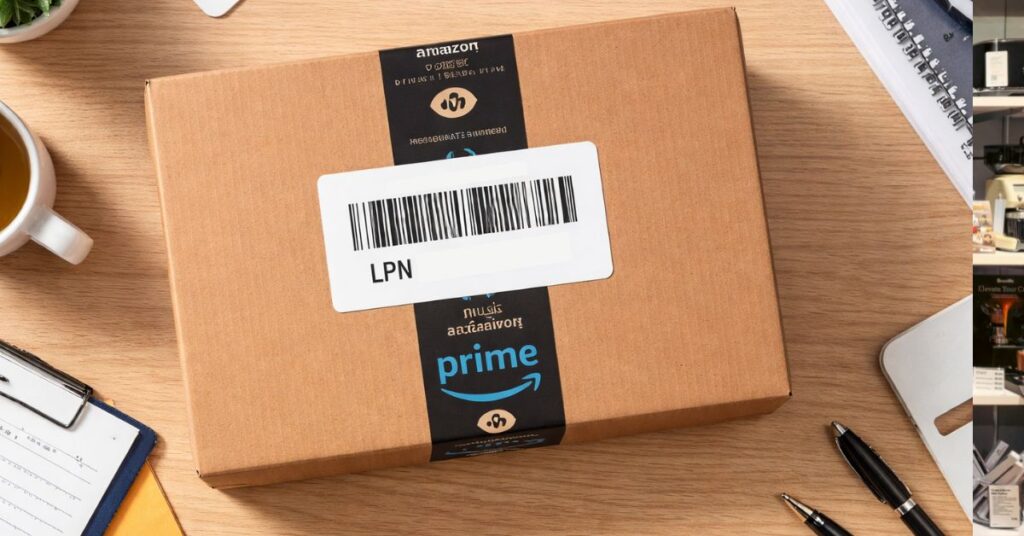
Many Amazon sellers see a random code on returned packages and never think twice about it. That small detail is actually the LPN number on Amazon, and it shows up far more often than most sellers realize.
When customer returns start stacking up, the paperwork and labels can feel like a blur of unreadable tracking codes. Most sellers ignore them because they look like internal warehouse language with no clear business use.
The problem is that ignoring these codes means missing signals about what is really happening with your inventory. What looks like noise is actually part of Amazon’s tracking system, and once you understand how the Amazon LPN works, it turns into a useful data point instead of random clutter.
This article explains what an LPN number on Amazon is and how sellers can use it to track returns, match units to orders, and improve inventory accuracy. Our Amazon agency also covers common LPN issues and how sellers can use this data to spot discrepancies and recover lost revenue through reimbursements.
Table of Contents
Get Expert Help With Amazon LPN
Our team helps sellers audit returns and recover lost money from FBA errors.
What Is an Amazon LPN and Why Does It Matter
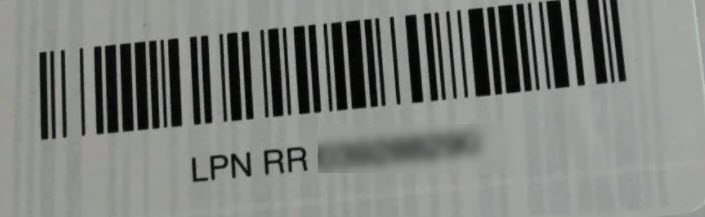
An LPN (License Plate Number) on Amazon is a unique tracking code assigned to individual units of inventory as they move through Amazon’s fulfillment network. Amazon uses it to monitor products during storage, shipment, and return processing across a system that handles around 1.6 million packages daily in the US.
Unlike ASINs or FNSKUs that are tied to product listings, the Amazon LPN works as a temporary identifier for a specific unit once it enters the fulfillment or return cycle. It helps Amazon keep internal tracking accurate as items move through different warehouse stages.
For sellers, this matters because LPNs allow Amazon to connect returned items to specific transactions and internal handling records. That connection directly affects reimbursements, inventory accuracy, and visibility into what is really happening inside your FBA stock.
When Do Sellers Need an LPN Number on Amazon?
There are several situations where sellers need to reference an LPN number on Amazon, especially when dealing with returns, removals, or inventory disputes. Knowing when it appears helps you trace what actually happened to a unit instead of guessing based on incomplete reports.
1. Reconciling Removal Orders
When Amazon sends your inventory back through a removal order, items often arrive mixed together from different returns and warehouses. The Amazon LPN helps you match each physical unit to its original return details so you can see why it was sent back and in what condition.
2. Investigating Possible Return Fraud
Some returns are not what they seem, especially for high-value products where customers may send back the wrong item or something completely different. The LPN allows you to connect the returned unit to the original order so you can support reimbursement claims or fraud disputes.
3. Disputing Warehouse Damage Claims
Amazon may mark inventory as damaged while it is still inside the fulfillment center, sometimes without proper reimbursement. Using the LPN on Amazon, sellers can review the item’s handling history to see if the damage happened after it was received or while in Amazon’s care.
4. Identifying Problematic Product Batches
A sudden spike in returns can signal either random customer issues or a deeper product defect. By checking LPN data, you can trace whether those returns came from the same inbound shipment or production batch.
5. Reviewing Liquidation and Resale Decisions
When inventory is liquidated or graded for resale, sellers need visibility into how each unit was evaluated. The LPN helps confirm Amazon’s internal notes on condition so you can decide if an item can be resold or should be written off.
How to Use an LPN Number on Amazon
Sellers can use an LPN on Amazon to link returned units to specific orders and understand what happened to each item inside Amazon’s system. By using LPN data, sellers gain clearer visibility into return reasons, product condition, and possible reimbursement opportunities.
- Log in to Amazon Seller Central and go to Reports > Return Reports
- Open View FBA Reports under the Fulfillment section
- Go to FBA Customer Returns and select your event date range
- Click Generate Report
- Download the CSV file from the Download tab once it is ready
- Open the file and locate the LPN number on Amazon, along with other information
- Match LPN from your removal orders or returned inventory with the report data
- Identify which customer return each unit belongs to and confirm what happened
- Use the results to spot missing inventory, incorrect return reasons, damaged units, or reimbursement opportunities
Common Issues Sellers Have with Amazon LPN
Certain issues come up for sellers when working with the LPN on Amazon, especially during returns and inventory reconciliation. Understanding these problems is the first step to fixing them early so they don’t turn into bigger inventory or reimbursement losses.
1. LPN Sticker Covering Key Product Identifiers
Amazon often places the LPN label over the original barcode or serial number, which makes verification difficult. Sellers can prevent issues by taking clear serial number photos before sending inventory to FBA.
2. Returned Items Come in Unclear Condition
Some products are returned in plain bags with only an LPN label, making it harder to prove the item’s condition. Sellers can reduce risk by keeping strong pre-shipment documentation and detailed listing records.
3. Delay in LPN Data Showing in Seller Central
LPNs sometimes take 48-72 hours to appear in reports after physical returns arrive. Sellers can solve this by waiting before reconciling and grouping unresolved units separately for later matching.
4. Incorrect Return or Damage Classification
Amazon may label a unit under the wrong return reason, such as customer damage instead of warehouse damage. Sellers should cross-check LPN history with return reports and file cases when discrepancies are clear.
5. LPN Mismatch or Scanning Errors in Reports
Sometimes, LPN data does not match the correct SKU or FNSKU due to warehouse processing errors. Sellers can fix this by reconciling reports carefully and escalating mismatches with supporting documentation.
Find Errors in Amazon LPN Data
We help sellers identify mismatched returns, damaged units, and reporting gaps.
Best Practices for Using Amazon LPN Numbers
When not used the right way, sellers either ignore or misread the LPN on Amazon and end up missing key signals about returns and inventory loss. That’s why it is important to use LPN data the right way so you can actually turn it into accurate tracking and reimbursement opportunities.
1. Inspect Every Returned Unit Before Taking Action
When a removal order arrives, check the physical condition of the item tied to the LPN before deciding to restock or relist it. This helps you avoid putting damaged or used products back into sellable inventory.
2. Do Not Remove or Tamper with the LPN Stickers
Keep the LPN sticker intact until you fully document the unit, especially if you suspect damage or fraud. Taking photos before touching the label gives you stronger proof if you need to file a claim later.
3. Match LPNs with Amazon Reports Regularly
Pull FBA Customer Returns reports and compare them with your physical returns on a weekly basis. This helps you quickly spot mismatches between what Amazon recorded and what you actually received.
4. Group Returns By Shipment or Batch
Check if multiple LPNs are tied to the same inbound shipment to identify patterns in defects or recurring issues. If several returns link back to one batch, it may signal a product or supplier problem that needs immediate action.
5. Document Everything for Dispute Support
Save photos of the LPN label, packaging, and product condition for any questionable return. This makes it easier to support reimbursement claims and reduces the chances of Amazon rejecting your case.
FAQs About LPN Number on Amazon
Why does Amazon use an LPN sticker?
Amazon uses the LPN sticker to track individual units as they move through warehouses, returns, and internal handling processes. It helps Amazon maintain accurate inventory control across millions of daily shipments and returns.
How can the LPN number help sellers identify Amazon returns?
The LPN helps sellers match returned physical units to specific orders in Seller Central reports. This allows sellers to confirm return reasons, item condition, and whether reimbursement is needed.
Can sellers create or control LPN numbers on Amazon?
No, LPNs are generated automatically by Amazon and are only used internally for tracking inventory. Sellers can only view and use them through reports and returned inventory, not create or modify them.
Don’t Let Amazon LPN Data Drain Your Profits
Using the LPN number on Amazon helps sellers track returns, identify inventory issues, and connect returned units to specific orders. It is a key tool for understanding what is happening behind FBA returns and warehouse handling.
When used correctly, LPN data gives sellers better visibility into return reasons, product condition, and possible inventory losses. It also helps reduce confusion when reconciling reports and physical returns.
If you are having issues with Amazon LPN tracking or returns, reach out to our full-service Amazon agency. We can help you fix the gaps and improve your reimbursement process.
Recover Lost Amazon Inventory Fast
Find hidden losses tied to LPN tracking and fix gaps in your FBA reimbursements.