
Do you know how to set up an Amazon Storefront in Canada the right way? If not, you could be missing opportunities to showcase your brand, increase product visibility, and encourage shoppers to buy more from your catalog.
When it comes to selling on Amazon Canada, having a Storefront where shoppers can view all your products is just as important as optimizing your individual listings. This is why sellers should invest time in creating a Storefront that delivers a professional and easy-to-navigate shopping experience.
However, setting up an Amazon Storefront can be challenging when sellers are unfamiliar with Amazon’s Store builder, design options, and merchandising features. Knowing how to structure your pages, organize products, and create engaging content can make a significant difference in Store performance.
This guide explains how to set up an Amazon Storefront in Canada step by step, from Brand Registry enrollment to Store publication. Our Amazon agency also discusses common mistakes to avoid, practical optimization tips, and strategies that can help turn Store visitors into customers.
Table of Contents
Build a Better Amazon Storefront
Create a Storefront that showcases your brand and helps shoppers discover more products.
TL;DR - How to Set Up an Amazon Storefront in Canada
An Amazon Storefront helps Canadian sellers showcase their brand, improve product discovery, and create a better shopping experience for customers.
- A Professional Seller account and Brand Registry are required
- Storefronts help brands stand out in a competitive marketplace
- Clear navigation makes it easier for shoppers to find products
- Seasonal updates can improve engagement and sales
- Store Insights help sellers measure performance and make improvements
Knowing how to set up an Amazon Storefront in Canada is only the first step. The most successful Storefronts are regularly optimized to improve customer experience, encourage larger purchases, and support long-term brand growth.
Why Having an Amazon Storefront for the Canadian Market Is Important
More than 80,000 Canadian sellers are active on Amazon, but not every seller knows how to set up an Amazon Storefront that helps their brand stand out. An Amazon Storefront gives sellers a dedicated space to showcase their full product catalog, tell their brand story, and create a shopping experience that goes beyond individual product listings.
Having an Amazon Storefront is one of the best ways sellers can build trust and increase visibility in the Canadian marketplace. Instead of competing solely on price or search rankings, brands can create a professional destination where shoppers can discover additional products, learn more about the company, and make more confident purchasing decisions.
How to Set Up an Amazon Storefront in Canada
Setting up an Amazon Storefront in Canada can be a simple process when sellers understand the requirements and follow the proper steps. By following the process below, you can create a branded shopping destination that helps customers discover your products and learn more about your business.
Step 1: Create a Professional Amazon Seller Account
To get started, register for an Amazon Seller Central account and choose a Professional selling plan. A Professional account is required for sellers who want to create and manage an Amazon Storefront.
Step 2: Enroll in Amazon Brand Registry
Before you can build a Storefront, your brand must be enrolled in Amazon Brand Registry. This requires an active registered trademark and gives sellers access to Store creation tools and other brand-building features.
Step 3: Access the Amazon Store Builder
Once approved for Brand Registry, go to the Stores section in Seller Central and select “Manage Stores”. From there, click “Create Store” and choose a template that best fits your brand and product catalog.
Step 4: Design and Customize Your Storefront
Add your logo, banner images, product collections, and brand messaging to create a professional shopping experience. Organize products into clear categories so customers can easily browse and discover more items from your brand.
Step 5: Review, Publish, and Promote Your Storefront
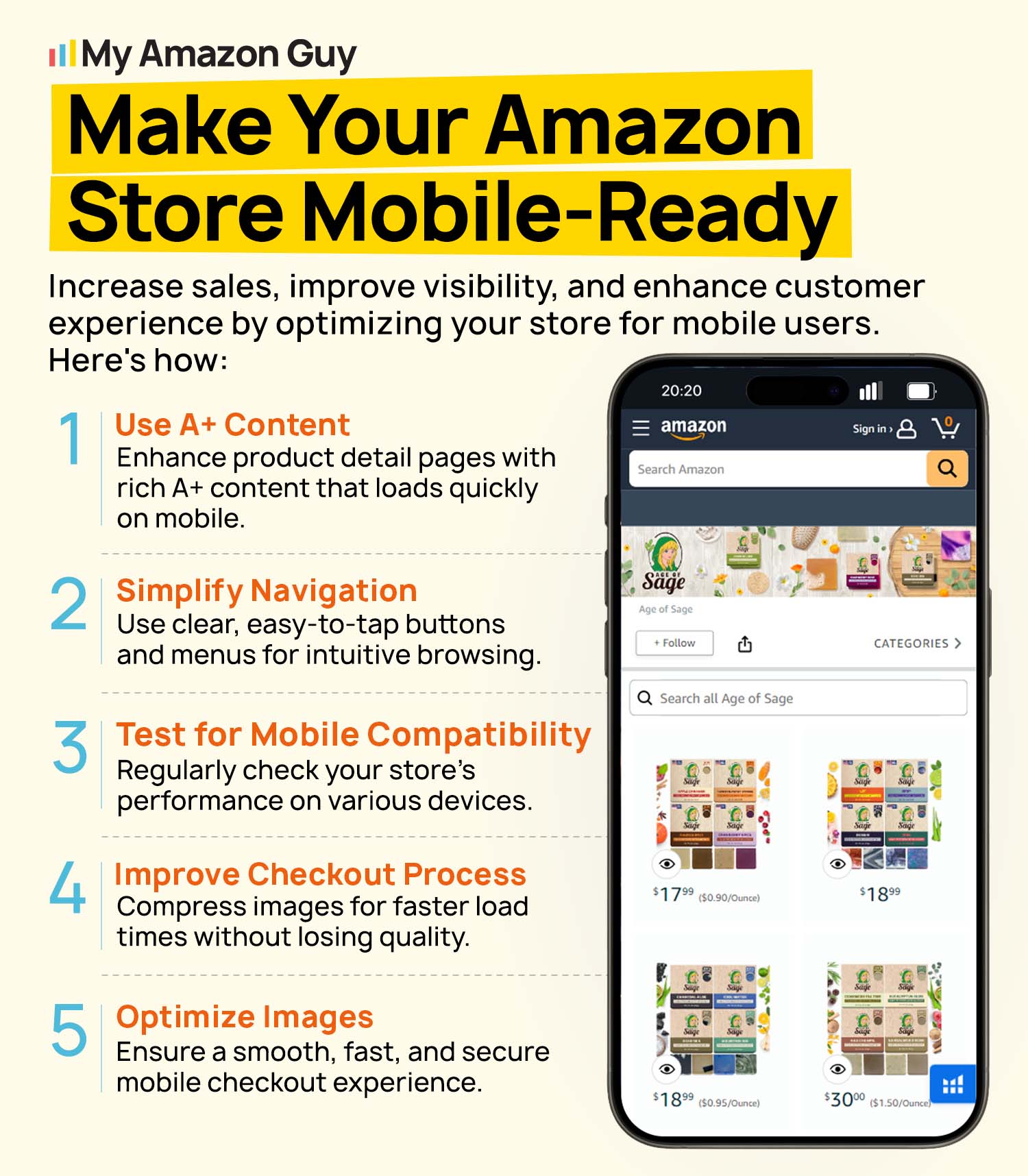
Before submitting your Storefront, preview all pages to ensure everything displays properly on desktop and mobile devices. Once Amazon approves your Storefront, use advertising and other marketing channels to drive traffic and increase visibility.
Common Mistakes When Creating an Amazon Storefront in Canada
There are several common mistakes sellers make when creating an Amazon Storefront in Canada that can limit product discovery and reduce sales. Many brands build a Storefront once and assume the work is finished, missing opportunities to improve customer engagement and increase average order value.
1. Keeping the Storefront the Same All Year
Some sellers use the same banners, featured products, and messaging throughout the entire year. Failing to update your Storefront for seasonal events such as Back to School, Black Friday, or the holiday shopping season can result in missed sales opportunities.
2. Not Including Clear Calls to Action
Many Storefronts showcase products but never tell shoppers what action to take next. Clear calls to action can encourage customers to browse collections, discover related products, or continue shopping throughout your Storefront.
3. Making Shoppers Work Too Hard
Customers should not have to click through multiple pages just to find complementary products. If related items are difficult to locate, shoppers are more likely to leave rather than continue browsing.
4. Ignoring Storefront Performance Data
Some sellers regularly update their Storefront without reviewing performance metrics. Monitoring Store insights and sales reports can help identify which pages, products, and layouts are contributing to better results.
5. Missing Cross-Selling Opportunities
Brands often focus only on individual products instead of showing how products can work together. This can reduce opportunities to increase average order value and encourage customers to purchase multiple items during the same visit.
Turn Store Visits Into Sales
Improve Store navigation, merchandising, and customer engagement.
Tips for Creating an Amazon Storefront in Canada
There are specific strategies Amazon sellers can use to create a more effective Storefront for Canadian shoppers. By following these tips, sellers can improve product discovery, encourage larger purchases, and create a better shopping experience.
1. Update Your Storefront for Seasonal Shopping Trends
Refresh banners, featured products, and messaging throughout the year to match seasonal demand. Aligning your Storefront with major shopping periods can help keep your content relevant and engaging.
2. Use Comparison Charts to Promote Related Products
Comparison charts make it easier for shoppers to understand product differences and discover complementary items. This can encourage customers to purchase multiple products instead of leaving after viewing just one item.
3. Add Visual Elements That Capture Attention
Small design updates can help important products stand out without requiring a complete Storefront redesign. Seasonal graphics, promotional badges, and eye-catching imagery can guide shoppers toward featured products.
4. Design for Quick Product Discovery
Organize your Storefront so customers can find related products within a single scroll whenever possible. A simple layout can reduce friction and make it easier for shoppers to continue adding products to their cart.
5. Monitor Performance and Make Improvements
Review Store insights and sales reports regularly to understand how shoppers interact with your Storefront. Using data to guide updates can help improve customer engagement and increase sales over time.
Frequently Asked Questions
Do I need Amazon Brand Registry to create an Amazon Storefront in Canada?
Yes, Amazon Brand Registry is required to create an Amazon Storefront. Sellers must have an eligible trademark and receive Brand Registry approval before accessing Store creation tools.
How much does it cost to create an Amazon Storefront in Canada?
Amazon does not charge an additional fee to create a Storefront. However, sellers need a Professional selling account and may incur costs related to branding, design, content creation, or advertising.
How long does it take for Amazon to approve a Storefront in Canada?
Most Storefronts are reviewed and approved within a few days after submission. The approval timeline may be longer if Amazon identifies content or compliance issues that need to be corrected.
Turn Your Amazon Canada Storefront Into a Sales Driver
Setting up an effective Amazon Storefront for the Canadian market is important for building brand awareness, improving product discovery, and creating a better shopping experience. A well-designed Storefront gives customers a dedicated place to browse your catalog and learn more about your brand.
Knowing how to set up an Amazon Storefront in Canada involves more than simply adding products and images to a page. Sellers should focus on proper Store structure, localized content, mobile-friendly design, and ongoing optimization to maximize results.
Are you struggling to create or optimize your Amazon Storefront for the Canadian market? Contact our full-service Amazon agency and let our Amazon experts build a high-converting Storefront that helps strengthen your brand, attract more shoppers, and drive more sales.
Launch Your Amazon Store Faster
Work with Amazon experts to build and optimize your Storefront.