

It’s 9 a.m. on Black Friday, your best campaign just ran out of budget, and the day’s second buying wave hasn’t even started. That’s what happens when you plan the deal for weeks, then walk into Thanksgiving with no Amazon Cyber Five execution plan.
The deal earns you attention, but how you run each hour decides how much of it turns into profit. Adobe expects shoppers to spend about $47.5 billion online during Cyber Week, and most of it rewards sellers who decided what to do before something broke.
We’ve managed $1.4B+ in ecommerce revenue, and this guide is the runbook our Amazon management team works from every Thanksgiving. You’ll see what’s already locked, how to run each day in three time blocks, which decisions burn the most money, when to switch to FBM, and what to check the day after Cyber Monday.
Our Amazon agency runs Cyber Five on written rules instead of gut calls, from Thursday’s setup to Monday’s late-night peak. Follow the same plan, and your budget, stock, and margins make it through the week intact.
Table of Contents
Get a free war room check of your Amazon budgets, stock, and backups before the event starts.
TL;DR - Running Amazon Cyber Five Hour by Hour
Cyber Five is won or lost on execution, not the deal you submitted in October. Here’s how our Amazon agency runs the five event days for the brands we manage.
- Lock what’s still movable before Thanksgiving
- Run each day in three time blocks
- Keep Friday budgets funded past noon
- Hold Sunday budgets on proven campaigns
- Bid up Monday’s weekend winners
- Switch to FBM before stock hits zero
- Judge results after attribution settles
Most sellers lose margin by reacting to one bad hour or one empty campaign. The rest of this guide gives you the rules, owners, and timing to avoid both.
Amazon Q4 Masterclass: How to Prepare for Black Friday & Cyber Monday
What Amazon Sellers Must Have Locked Before Thanksgiving
By early November, your FBA stock and pricing history are mostly set, but your ad budgets, audiences, and backup offers are still yours to build. Knowing the difference keeps you from wasting the next few weeks on things you can’t change.
What Amazon Sellers Can’t Fix Before Black Friday
Amazon’s FBA inbound cutoffs for Black Friday land in late October, so plan the week around the units already received. Your price history is locked too, because Amazon checks deal prices against what you’ve charged recently.
What Amazon Sellers Can Still Change Before Thanksgiving
Amazon has extended deal submission windows before, so check the Deals dashboard before assuming you missed it. Your budgets, audiences, and FBM backups are still fully in your hands.
| What | Status | Your move |
|---|---|---|
|
FBA and AWD stock
|
Locked |
Work with what’s received
|
|
Deal ASIN prices
|
Locked |
Don’t change them
|
|
Prime Exclusive Discounts
|
Check Deals dashboard
|
Submit under Events
|
|
Listing edits
|
Open for now
|
Finish two weeks early
|
|
Budget rules
|
Open |
Schedule each event day
|
|
AMC audiences
|
Open |
Build them now
|
|
FBM backup offers
|
Open |
Set up and test now
|
The Amazon Cyber Five Execution Plan
Run every day of the Cyber Five in the same three time blocks, so your team builds a rhythm instead of chasing dashboards. All times are Pacific, so shift them if your Amazon Ads account runs on another clock.
| Block | Window (PT) | Focus |
|---|---|---|
|
Pre-market
|
12 a.m. to 6 a.m.
|
Budgets, bids, stock check
|
|
Midday |
6 a.m. to 2 p.m.
|
Buy Box, pricing, deal results
|
|
Evening
|
2 p.m. to 11 p.m.
|
Top-ups, dayparting, next-day prep
|
Assign One Owner to Every Amazon Ads Decision
Give every decision one owner before Thanksgiving, even if one person wears three hats. Then log every change with a time and a name, so nobody wonders on Saturday why a number moved.
- Budget owner approves top-ups
- Bid owner changes bids
- Inventory owner tracks stock
- Listing owner guards prices and images
Day 1: Amazon Plan for Thanksgiving
Today’s goal is to set up the week without spending Friday’s money. Adobe’s latest forecast puts Thanksgiving online sales at about $6.9 billion, but plenty of that traffic is shoppers saving items for Friday.
Pre-market
- 12 a.m. Confirm every budget rule loaded
- 4 a.m. Check hero ASIN prices and badges
- 6 a.m. Log days of cover per hero ASIN
Midday
- 6 a.m. Run your normal late-November budget
- 10 a.m. Check Buy Box on hero ASINs
- 1 p.m. Pull the search term report
Evening
- 2 p.m. Leave all bids unchanged
- 9 p.m. Schedule Friday’s budget release
- 11 p.m. Name Friday’s 6 a.m. checker
Thanksgiving traffic shows you where shoppers are looking before they buy. Change bids only after you’ve seen what that traffic actually does.
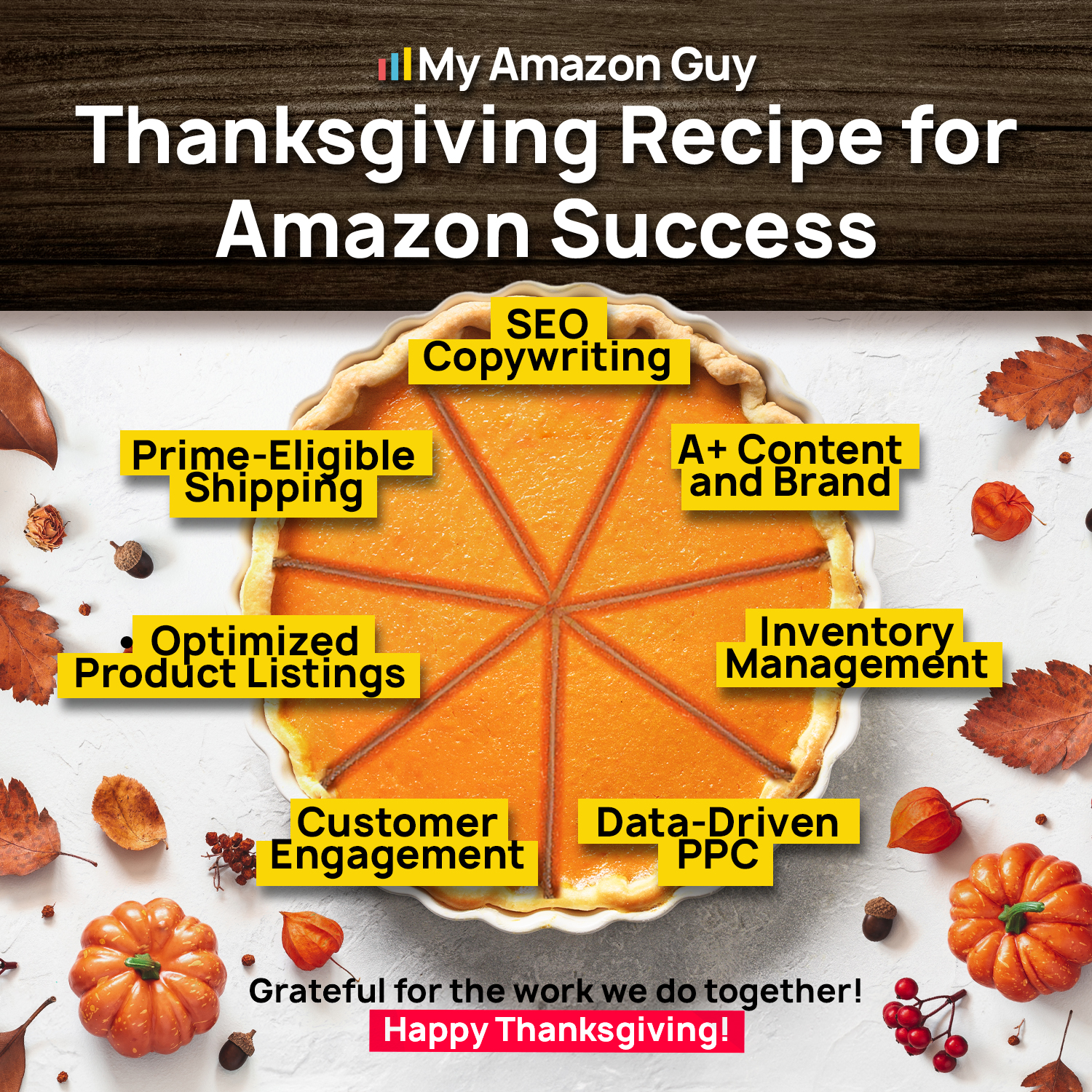
Thanksgiving Recipe for Amazon Success
Day 2: Amazon Plan for Black Friday
Today’s goal is to keep your Amazon Black Friday ad budget alive through both buying waves. Recent Black Fridays have shown online spending peaking from about 7 to 11 a.m. Pacific and again from 5 to 7 p.m., so the money has to last all day.
Pre-market
- 12 a.m. Release Friday’s budget by schedule rule
- 1 a.m. Set out-of-budget alerts on top 10 campaigns
- 6 a.m. Hand-check hero images, prices, and badges
Midday
- 7 a.m. Check budget pacing every hour
- 9 a.m. Check Buy Box share every two hours
- 11 a.m. Top up hero campaigns past 60% spent
Evening
- 4 p.m. Top up converters before the evening wave
- 9 p.m. Log Friday’s winners and losers
- 11 p.m. Set Saturday’s budgets from actual sales
Black Friday rewards the seller whose budget is still standing at 5 p.m. A top-up at 11 a.m. costs far less than a dark campaign during the second wave.
Day 3: Amazon Plan for Small Business Saturday
Today’s goal is to find out which SKUs are really working and move money to them. It’s also a good day to show Amazon shoppers the small business behind your brand.
Pre-market
- 12 a.m. Rank ASINs by Friday sales and stock
- 3 a.m. Cut budget from Friday’s laggards
- 5 a.m. Shift budget to your top five ASINs
Midday
- 6 a.m. Launch your pre-approved founder video ad
- 10 a.m. Check pacing and Buy Box share
- 1 p.m. Review deal performance by ASIN
Evening
- 4 p.m. Top up campaigns still converting
- 6 p.m. Recheck days of cover after Friday’s sales
- 10 p.m. Flag hero ASINs under 10 days of cover
Use only creative you approved before the event, because editing listings mid-event can trigger a suppression. The flagged ASINs become Sunday’s FBM decision.
Day 4: Amazon Plan for the Sunday Before Cyber Monday
Today’s goal is to hold your budget while other sellers cut theirs. Adobe’s forecast implies about $12.6 billion across the weekend, and Sunday cart adds turn into Monday orders that Sponsored Brands keeps crediting for 14 days.
Pre-market
- 12 a.m. Keep budgets on Friday and Saturday converters
- 3 a.m. Trim targets with spend and zero orders
- 5 a.m. Leave bids where they are
Midday
- 10 a.m. Make the FBM call on flagged ASINs
- 12 p.m. Turn on backup offers if stock is short
- 1 p.m. Check pacing and Buy Box share
Evening
- 6 p.m. Load Cyber Monday schedule rules
- 8 p.m. Add extra budget room for Monday evening
- 10 p.m. Refresh AMC audiences for weekend cart adders
Cutting on Sunday saves a little money and hands your placements to competitors. Those weekend cart adders are some of the cheapest Cyber Monday customers you’ll get.

Cyber Monday on Amazon
Day 5: Amazon Plan for Cyber Monday
Today’s goal is to feed proven winners and starve everything else. Cyber Monday brings the week’s highest conversion and CPCs, and Adobe expects it to stay the biggest online shopping day of the season, so your Amazon Cyber Monday PPC strategy has to be selective.
Pre-market
- 12 a.m. Write the day’s spending ceiling in the log
- 3 a.m. Raise bids 5% to 10% on weekend winners
- 5 a.m. Confirm hero campaigns are fully funded
Midday
- 7 a.m. Check budget pacing every hour
- 1 p.m. Pause zero-order targets at twice target CPA
- 2 p.m. Confirm 40% of each hero budget is unspent
Evening
- 4 p.m. Top up heroes for the late rush
- 8 p.m. Keep heroes funded through the peak
- 11 p.m. Stop top-ups and close the log
Cyber Monday sales peak late, with shoppers recently spending $16 million a minute between 8 and 10 p.m. A campaign that’s dark by dinner misses the richest two hours of the event.
Let’s map your budget pacing, hero ASIN stock, and FBM backups together before the busiest five days of your year.
The Three Amazon Cyber Five Decisions That Cost the Most Money
Three moves cause most of the avoidable losses we see during Amazon’s event week. All three come from reacting to one bad hour instead of following a rule you set in advance.
1. Running Out of Amazon Ad Budget by Noon
A campaign that runs dry on Black Friday morning sits out the afternoon and evening buying waves entirely. Set schedule-based budget rules in Amazon Ads for every event date, so top-ups happen without anyone having to remember.
2. Cutting Every Amazon Bid After One Bad Hour
Amazon ad data usually takes about 12 hours to update, so a weak hour may simply be unfinished reporting. Cutting every bid at once can knock you off top of search right before the next rush.
3. Killing an Amazon Campaign on Incomplete Data
Amazon credits Sponsored Products sales for 7 days after a click, and Sponsored Brands and Display for 14. Pause clear waste, but let TACoS break the tie before you shut down a whole campaign.
What This Looks Like in a Real Amazon Account
A tools brand we manage came into Q4 2024 with rising CPCs, Buy Box losses on key products, and holiday conversion below its goal. We scaled ads early on its strongest product lines, refreshed its A+ Content and Brand Store, and ran Sponsored Products, Brands, and Display as one funnel.
Budgets went up during the peak weeks, and the team checked ACoS and TACoS every day instead of reacting to single hours. The brand closed Q4 above $1.7 million in sales, with ACoS near 20% and TACoS under 5%.
When to Switch to FBM on Amazon Mid-Event
Switch to FBM the moment your FBA stock won’t last through the next buying peak. If a hero ASIN stocks out on Black Friday weekend, an FBM backup offer is the only lever you have left.
The Right Moment to Switch an Amazon ASIN to FBM
Trigger the switch before stock hits zero, not after. Amazon’s Q4 receiving can take two to four weeks, so new FBA inventory won’t arrive in time to save the weekend.
- Stock won’t last to the next peak
- Hero ASIN has under 10 days of cover
- Inbound shipment still isn’t received
How to Turn On an Amazon FBM Backup Without Losing Rank
Keep a second SKU on the same ASIN, so your rank, reviews, and ad history stay with the listing. That’s the heart of our Dual-Front System, and our FBM failover plan covers what to do if you missed Amazon’s inbound cutoff entirely.
- Create a suffixed FBM SKU on the ASIN
- Load real stock from your warehouse
- Set a handling time you can hit
- Price it to cover your shipping
- Add it to the same ad groups
What Amazon FBM Costs You After the Event
Amazon now requires prepaid return labels on US seller-fulfilled returns, except for heavy and bulky items. Holiday orders can also come back until January 31, so price your backup offer with returns in mind.
- Your own shipping and packaging
- Prepaid labels on every return
- A longer holiday return window
Complete Amazon BFCM Marketing Setup to Target High-Intent Shoppers
What to Do on Amazon the Day After Cyber Monday
The day after Cyber Monday is for reconciling, not celebrating. Your Cyber Monday numbers are still incomplete, and shopper demand is already shifting from deals to gifts.
Why Your Amazon Cyber Monday Numbers Change a Week Later
Amazon ad sales keep landing for days after the click, so the numbers you saw Monday night are only a first draft. In one study, attributed sales grew at least 18.75% between day 1 and day 17 in top-performing campaigns.
The Amazon Numbers to Check and When to Check Them
Judge the event on total sales and TACoS first, and aim for around 10% to 12% TACoS, or near 15% if you pushed hard for volume. Then let Amazon’s attribution windows close before you judge individual campaigns.
- Day 1 after, check total sales and TACoS
- Day 7 after, check Sponsored Products results
- Day 14 after, check Sponsored Brands and Display
- Every day, check hero ASIN days of cover
How to Shift Your Amazon Ads Toward Gift Demand
Move budget from deal-hunter keywords to the gift and recipient searches showing up in Search Query Performance. Amazon’s research found that nearly a third of shoppers plan purchases between Cyber Monday and New Year’s, so the season is far from over.
The Amazon Holiday Deadlines That Still Matter
Amazon sets its FBA and Seller Fulfilled Prime Christmas shipping cutoff each year, and it has recently landed in late December. Confirm the current date in Seller Central News, and add these to your log now.
- Christmas shipping cutoff for FBA orders
- Prepaid return labels on FBM returns
- Holiday return window closing January 31
Frequently Asked Questions About the Amazon Cyber Five Execution Plan
Should I raise my Amazon bids on Cyber Monday?
Yes, but only on keywords that converted over the weekend, and in small steps of 5% to 10%. CPCs ran about 10% to 12% higher during a recent Black Friday and Cyber Monday, so blanket raises just add cost on top of an already pricey auction.
What should I do if my Amazon ASIN runs out of stock on Black Friday?
Turn on your FBM backup offer right away and add that SKU to the same ad groups, so the listing keeps selling. Amazon’s Q4 receiving can take two to four weeks, which means new FBA stock won’t arrive in time to save the weekend.
When do Amazon Cyber Five ad results become final?
Check Sponsored Products results about 7 days after Cyber Monday, and Sponsored Brands and Display results about 14 days after. Those timelines follow Amazon’s attribution windows for each ad type, so earlier numbers will undercount your sales.
Win Your Next Amazon Cyber Five With a Plan
The deal gets you into the event, but your Amazon Cyber Five execution plan decides how much profit you keep. Lock what you can before Thanksgiving, run each day in three time blocks, and give every decision one owner.
Keep budgets funded past noon, hold them on Sunday, and bid up only proven winners on Cyber Monday. Switch to FBM before stock runs out, then wait for attribution to settle before you judge the week.
Do you need help running your Amazon ads, inventory, and backups through the biggest five days of the year? Contact our full-service Amazon agency and let our Amazon experts build your war room plan before Thanksgiving.
Our team will set up your FBM backups so a stockout never takes your best ASINs offline.