
Last Updated: September 15, 2026
Confused about ACoS vs TACoS on Amazon? Many sellers struggle to understand these advertising metrics, even though they play a major role in measuring Amazon PPC performance and profitability.
Advertising can help increase visibility, improve keyword rankings, and generate more sales on Amazon. But if you are not tracking the right metrics, your ad spend could quietly hurt your margins instead of helping your business grow.
The short answer is that ACoS grades your campaigns while TACoS grades your whole Amazon business, and scaling sellers need both on one report. We have managed over $1.4B in ecommerce revenue across 400+ brands.
In this guide, our Amazon agency breaks down the differences between ACoS and TACoS on Amazon and explains why both metrics matter. We also cover how sellers can use these numbers to improve PPC decisions, strengthen organic sales, judge profit by ASIN, measure Amazon PPC ROI, and build a more profitable advertising strategy.
Table of Contents
Our PPC experts help sellers improve profitability without hurting growth.
TL;DR - ACoS vs TACoS on Amazon
ACoS tells you whether a campaign spends efficiently. TACoS tells you whether advertising is growing the whole business.
- ACoS grades campaigns and keywords
- TACoS grades total business health
- Break-even ACoS protects unit profit
- Organic share exposes false wins
- Contribution margin proves PPC ROI
A falling ACoS means nothing if total sales fall with it. Read both numbers together, by ASIN, every week.
ACOS vs. TACOS: What Every Amazon Seller Should Know
Amazon ACoS and TACoS at a Glance
The difference between ACoS and TACoS on Amazon comes down to the bottom half of the formula. ACoS divides ad spend by ad-attributed sales, while TACoS divides the same spend by every sale you made.
| Factor | ACoS | TACoS |
|---|---|---|
|
Divides ad spend by
|
Ad-attributed sales
|
Total sales, paid and organic
|
|
Where the data lives
|
Amazon Ads console
|
Ads console plus Business Reports
|
|
Decision it drives
|
Bids, keywords, search terms
|
Budgets, ASIN priorities, growth pace
|
|
What it hides
|
Organic sales slipping
|
Which campaign moved the number
|
|
Who should own it
|
PPC specialist
|
Brand operator, founder, or CFO
|
Use ACoS to fix what happens inside a campaign and TACoS to decide how much the business can afford to spend. Neither one shows Amazon PPC profitability on its own, which is why the margin and ROI sections below matter most.
What Is ACoS on Amazon?
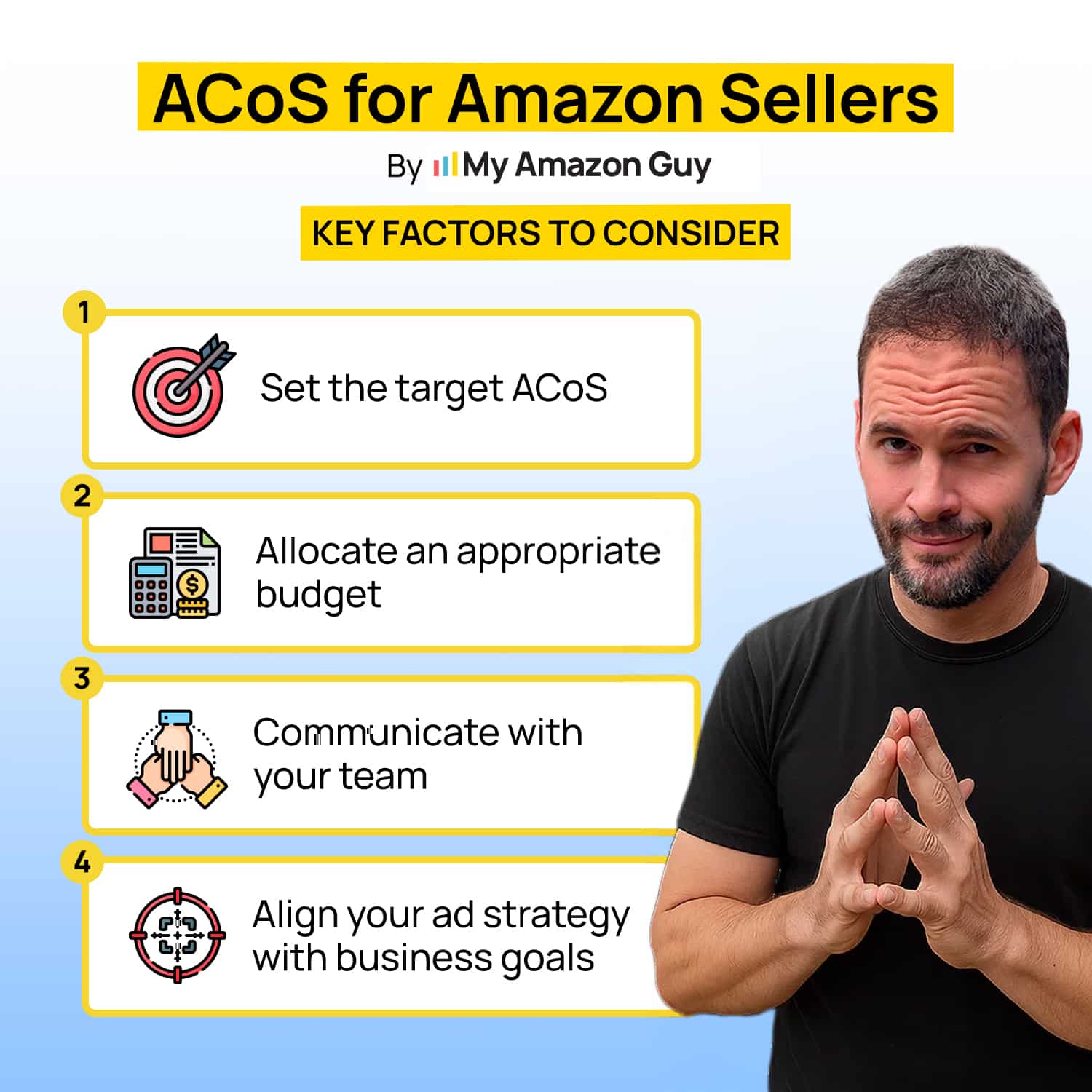
ACoS (Advertising Cost of Sale) is the percentage of your ad spend relative to the sales generated by those ads. This shows how much you’re spending to make each sale.
ACoS for Amazon Sellers
Importance of ACoS for Amazon Sellers
- Helps determine whether your ad spend is leading to profitable sales.
- Measures how effectively you are using your advertising budget.
- Provides insight into whether you should increase or decrease your ad spend.
- Sets benchmarks for adjusting and improving your ad strategy.
How to Calculate ACoS for Amazon Ads
ACoS is calculated by dividing the total amount of ad spend by the total revenue generated from those ads.
ACoS Formula: ACoS = (Ad Spend ÷ Attributed Sales) × 100
For example, if your ad spend is $30 and you earned $100 in sales, your ACoS would be:
ACoS = ($30÷ $100) × 100 = 30%
Setting ACoS Goals: Growth vs Profitability
- For Growth
You might accept a higher ACoS, even above 40%, to drive aggressive brand expansion and attract repeat customers. Set an end date and a TACoS ceiling before you start, so a growth push never turns into a permanent margin leak. - For Profitability
Keep ACoS below your break-even point, then tighten it toward 30% to 35% as performance allows, so ad-driven orders still leave a profit. Your break-even ACoS matches your pre-ad margin, so a product with a 35% margin loses money on every ad sale once ACoS passes 35%.
How Do I Calculate Break-Even ACoS for My Product?
Break-even ACoS is the highest ACoS a product can carry before each ad-driven order stops making money. It matches your margin before ad spend, so every ASIN in your catalog has its own ceiling.
Break-even ACoS = (Price − Landed Cost − Amazon Fees) ÷ Price × 100
Take a $32 product with $9 in landed cost and $10 in referral and FBA fees, which leaves $13 before ads and a 40.6% break-even ACoS. Our Amazon PPC cost guide uses the same ceiling for budgeting, and anything above it means your Amazon ads are buying revenue at a loss.
What Is TACoS on Amazon?
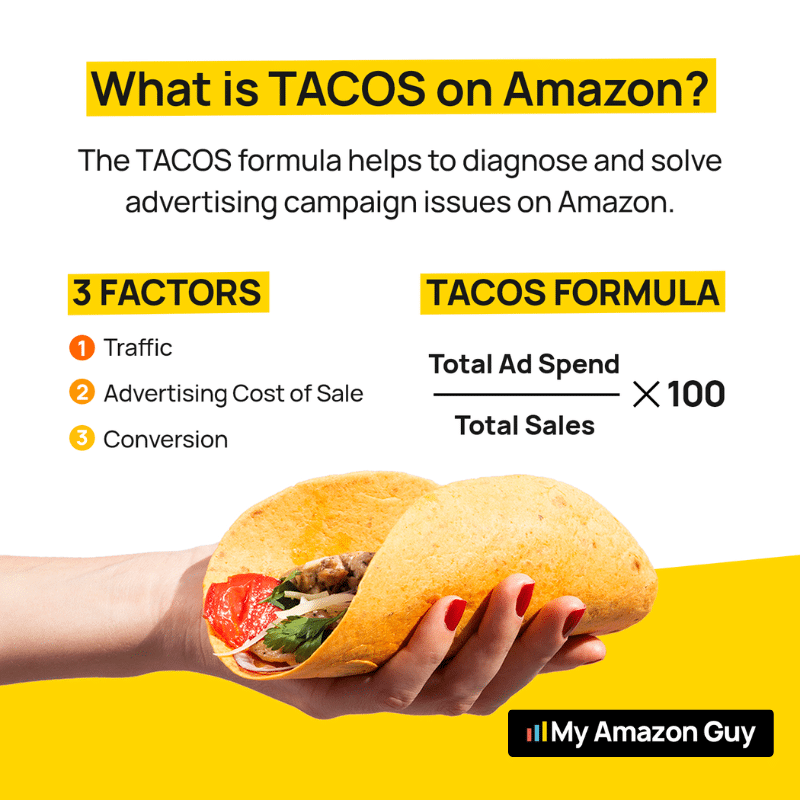
TACoS (Total Advertising Cost of Sale) compares every dollar you spend on Amazon ads with every dollar your store earns, organic orders included. ACoS only grades the sales your ads claim credit for, so TACoS shows whether advertising is growing the whole business.
What Is TACoS on Amazon?
How to Calculate TACoS for Amazon Ads
TACoS is calculated by dividing your total advertising spend by your total sales, then multiplying by 100 to get the percentage.
TACoS Formula: TACoS = (Total Ad Spend ÷ (Total Sales (Paid + Organic))) × 100
For example, if your total ad spend is $50 and your business generated $150 in total sales, your TACoS would be:
TACoS = ($50 ÷ $150) x 100 = 33.33%
How to Adjust TACoS: Growth vs Profitability
- For Growth
You may tolerate a higher TACoS, ranging from 20% to 25%, to aggressively expand your brand and acquire long-term customers. Hold that range only while organic share keeps rising, because a high TACoS with flat organic sales means you are renting revenue instead of building rank. - For Profitability
Keep your TACoS between 10% and 12% to ensure advertising spend doesn’t exceed revenue and maintain profitability. Third-party brands above $1M in revenue outspend first-party brands on Sponsored Products by 127% relative to revenue, so every point of TACoS weighs heavier on sellers your size.
How Do I Calculate TACoS if Seller Central Doesn’t Show It?
Seller Central has no Amazon TACoS tile, so you build the number yourself from two reports that live in different places. TACoS grew out of seller and agency practice rather than a metric Amazon officially reports, which is why two tools can show you two different numbers.
Pull total ad spend from the Amazon Ads console and ordered product sales from Business Reports for the exact same dates. Divide the first by the second, then keep the dates and ASIN scope identical every time so the trend stays honest.
ACoS vs TACoS on Amazon: The Difference Between the Two
Understanding the difference between ACoS and TACoS is essential to managing your Amazon ads effectively. While both metrics are related to your advertising spend, they measure different things.
| Metric | ACoS | TACoS |
|---|---|---|
|
Definition |
Measures the cost of acquiring a sale through ads
|
Compares total ad spend with all Amazon sales, paid and organic
|
|
Focus |
Focused purely on advertising spend
|
Includes both paid and organic sales to give a broader view of your advertising cost
|
|
Target |
30-35% for profitability; 40% for growth
|
10-12% for profitability; 20-25% for growth
|
|
Usage |
Used for setting specific ad campaign goals
|
Used for judging how much of total revenue advertising consumes
|
Is TACoS More Important than ACoS?
TACoS matters more for the business, while ACoS matters more for the daily work inside your campaigns. A PPC specialist can’t set a bid off TACoS, and a founder can’t judge growth off ACoS.
Let TACoS lead during launches, ranking pushes, Q4, and any catalog with more than a handful of ASINs. Let ACoS lead when cash is tight or when you are cleaning up search terms inside a single campaign.
Get a clear read on your ACoS, TACoS, and organic share before a falling ACoS hides another month of lost sales.
How Amazon PPC Management Impacts Profit Margins by ASIN
Amazon PPC management affects your profit margins through one lever: the gap between each ASIN’s pre-ad margin and its TACoS. That subtraction usually gets run for a whole account, and good management runs it product by product.
How Do I Calculate Contribution Margin by ASIN After Ad Spend?
Start with each ASIN’s margin before ads, which is price minus landed cost and Amazon fees, divided by price. Then subtract that ASIN’s own TACoS, and what remains is your contribution margin after ads.
Contribution Margin After Ads (%) = Pre-Ad Margin (%) − ASIN TACoS (%)
Pull ASIN ad spend from the advertised product report and ASIN sales from the child-item Business Report. Our Amazon profit margin guide covers the fee side, so this step only layers advertising on top.
| Monthly figures | ASIN A | ASIN B |
|---|---|---|
|
Pre-ad margin
|
45%
|
22%
|
|
Total sales
|
$60,000
|
$60,000
|
|
Ad spend
|
$9,000
|
$6,000
|
|
Ad sales
|
$22,500
|
$30,000
|
|
ACoS
|
40%
|
20%
|
|
TACoS
|
15%
|
10%
|
|
Contribution after ads
|
$18,000 (30%)
|
$7,200 (12%)
|
ASIN A looks twice as expensive on ACoS, yet it earns 2.5 times the profit because its margin leaves room for the spend. That is why a high-ACoS product can be more profitable than a low-ACoS one, and why cutting ASIN A to chase a prettier ACoS would shrink the business.
Which ASINs Should Get More Ad Budget?
Budget should follow the gap between pre-ad margin and TACoS, not the lowest ACoS in the account. We sort every ASIN into one of five roles before a single dollar moves.
- Scale ASINs with a wide margin gap and strong conversion
- Launch new ASINs on a planned loss with an end date
- Defend mature ASINs with lean branded spend
- Fix low-converting ASINs before adding budget
- Cut ASINs whose TACoS tops their margin with no rank gain
A fix-first ASIN has a listing problem, so send it to listing optimization before it touches the budget. Ads only multiply the conversion rate you already have.
What TACoS Should I Target During a Product Launch Versus a Mature Product?
A launch ASIN can run near the 20% to 25% growth band, while a mature ASIN should settle near the 10% to 12% profitability band above. Always check both against that ASIN’s pre-ad margin, because a 12% TACoS on an 11% margin still loses money.
For a brand doing $1M a year, a 10% to 12% TACoS works out to roughly $8,300 to $10,000 in monthly ad spend. One beauty brand’s launch shows the healthy version, with ACoS rising from 28% to 42% while TACoS fell from 18% to 11% on the back of stronger organic demand.
Why a 40% Gross Margin Can Turn Negative on Amazon ft. David Schomer
How to Track Amazon ACoS and TACoS Accurately
Most ACoS and TACoS mistakes are data mistakes, where spend and sales come from different windows, dates, or product scopes. Run these five steps in order, and your numbers will line up with your P&L.
- Pull spend from every ad type. Export Sponsored Products, Sponsored Brands, and Sponsored Display spend for the period, and keep DSP in its own column.
- Pull total sales for the same dates. Use ordered product sales from Business Reports at the child ASIN level.
- Wait out the attribution window. Sponsored Products credits seller sales for 7 days after a click, while Sponsored Display and Sponsored Brands give 14, so close a week’s numbers only after the longest window passes.
- Calculate by ASIN, then roll up. A blended account TACoS lets one money-losing ASIN hide behind your winners.
- Log weekly, decide monthly. Review a rolling four-week view, move budgets once a month, and compare Q4 and deal events with the same period last year.
This is the same weekly reporting rhythm behind our Amazon PPC management services. The discipline matters more than the tool, because a clean spreadsheet beats a messy dashboard every time.
What Amazon ACoS and TACoS Reveal When You Read Them Together
Neither metric tells the full story alone, but their direction together usually does. Add organic share, which is organic sales divided by total sales, and you get a three-signal check that catches trouble early.
| What you see | What it usually means | What to do |
|---|---|---|
|
ACoS down, TACoS up, organic share falling
|
Ad cuts are starving organic rank
|
Restore spend on top ranking terms
|
|
ACoS up, TACoS down, organic share rising
|
Ads are building rank you keep
|
Hold budget and watch margin
|
|
ACoS and TACoS both rising
|
Spend is outpacing sales, unless it’s a planned push
|
Cut zero-order terms and check the listing
|
|
ACoS and TACoS both falling, sales flat
|
Efficient, but likely underinvesting
|
Test more spend on proven terms
|
|
Both flat, organic share steady
|
Mature and stable
|
Defend rank and test new keywords
|
Trend lines only reveal the true driver once ACoS has settled, so give any change two to four weeks before you judge it. The first row is the one that quietly drains brands, because every PPC report in the account looks better than last month.
Why Is My ACoS Going Down While My Total Sales Are Dropping?
Your ACoS is falling because you cut the broad, top-of-funnel spend that fed organic rank, and total sales are dropping for the same reason. Ad reports only count the sales ads touched, so the organic losses never show up in the campaign view.
| Monthly figures | Month 1 | Month 4 after cuts |
|---|---|---|
|
Ad spend
|
$15,000
|
$9,000
|
|
Ad sales
|
$50,000
|
$36,000
|
|
ACoS
|
30%
|
25%
|
|
Organic sales
|
$70,000
|
$35,000
|
|
Total sales
|
$120,000
|
$71,000
|
|
TACoS
|
12.5%
|
12.5%
|
|
Contribution after ads
|
$27,000
|
$15,850
|
ACoS improved by five points, while contribution after ads fell by 41%, which is a false sense of profitability in one table. TACoS barely moved, so organic share is the signal that would have caught this in month two.
How To Measure Amazon PPC ROI in 2026
You measure Amazon PPC ROI by comparing the profit ads create with everything you paid to get it, including the agency or specialist. Most Amazon advertising ROI math stops at ad revenue, which is how a campaign can look like a winner while the P&L says otherwise.
The Fully Loaded Amazon PPC ROI Formula
This formula counts two returns: profit from ad-attributed sales and profit from organic sales above your pre-campaign baseline. It also counts three costs, since ad spend is only part of what you pay.
PPC ROI = (Ad Profit + Organic Lift Profit − Total PPC Cost) ÷ Total PPC Cost × 100
- Ad profit is ad sales times pre-ad margin
- Organic lift profit is new organic sales times pre-ad margin
- Total PPC cost is ad spend plus management fee plus tools
Take $30,000 in ad sales at a 35% margin, $10,000 in organic lift, $7,500 in ad spend, a $2,500 management fee, and $200 in tools. That returns $14,000 against $10,200 in cost for a 37% ROI, and the ROI drops to 3% if you ignore the organic lift.
Is ROAS the Same as ROI on Amazon?
No, ROAS measures revenue per ad dollar, while ROI measures profit per dollar of total cost. In the example above, ROAS is a healthy-looking 4.0x, yet the direct return on the full cost is only 3%.
ROAS also ignores the management fee, the tools, and every organic sale your ads helped create. Use it to compare campaigns, then use ROI to decide whether the whole program deserves funding.
What Metrics Prove Amazon Ads Are Actually Profitable?
Profitable Amazon ads show up in profit and organic share, not in a single efficiency number. These five metrics tell the truth when you read them by ASIN every month.
- Contribution margin after ads, in dollars
- TACoS holding flat or falling as sales grow
- Organic share of total sales rising
- A positive gap to break-even ACoS on every ASIN
- Fully loaded PPC ROI above zero
Measure organic lift against the same weeks before a campaign started, and adjust for seasonality before you credit the ads. The average Amazon CPC reached $1.22 in 2026, ten cents above last year, so this check gets more urgent every quarter.
How to Stop Wasting Amazon PPC Ad Spend
Where Does Profit Leak in Amazon PPC Campaigns?
Profit leaks wherever spend runs without a margin check, usually in places the campaign dashboard never flags. These are the leaks we find most often when we audit a scaling account.
- Search terms with clicks and zero orders
- Branded bids that steal organic sales
- ASINs running above break-even ACoS
- Ads still running on low-stock items
- Off-Amazon placements with weak returns
Our PPC waste management guide shows how to find each one on a set schedule. Most leaks look small alone, but they add up fast across a large catalog.
How Do I Know if My Amazon PPC Agency Is Worth the Fee?
Your agency is worth the fee when contribution margin after ads grows by more than what you pay them. Set a baseline from the 90 days before they started, then compare the same metrics after a full 90 days of their work.
A fair agency ROI test adds savings from cut waste to added profit, then divides the total by the fee, so bring that math to any review. If you want an outside read first, a PPC advertising audit shows where your current spend leaks before you sign anything.
5 Common Mistakes Sellers Make With ACoS and TACoS
When it comes to managing ACoS and TACoS on Amazon, many sellers make decisions that look good on paper but hurt long-term growth. Understanding these common mistakes can help sellers make smarter advertising decisions, protect organic rankings, and improve overall profitability.
1. Focusing Only on One Metric
Some sellers become too focused on either ACoS or TACoS and ignore everything else happening in their account. Looking at only one metric creates an incomplete picture of performance and can lead to poor PPC decisions.
2. Cutting Ad Spend Too Aggressively
Reducing ad spend to quickly improve ACoS may seem like a smart move, but it can hurt keyword rankings and reduce visibility. When sellers pull back too hard on advertising, competitors often take over valuable traffic and market share.
3. Prioritizing Profit Over Growth
Lorem ipsum dolor sit amet, consectetur adipiscing elit. Ut elit tellus, luctus nec ullamcorper mattis, pulvinar dapibus leo.
4. Ignoring Organic Sales Performance
Some sellers focus heavily on ad performance without checking whether their ads are helping increase organic sales. A strong PPC strategy should support organic ranking growth, not just generate short-term paid sales.
5. Obsessing Over Lowering ACoS
Trying to force ACoS as low as possible often causes sellers to scale back campaigns that are actually helping their brand grow. A slightly higher ACoS may still be beneficial if it leads to stronger keyword rankings, better visibility, and higher total revenue over time.
The Dangerous Amazon PPC Mistake You’re Probably Making
FAQs About ACoS vs TACoS on Amazon
Is TACoS the same as customer acquisition cost?
No, TACoS spreads ad spend across every sale, repeat buyers included, while customer acquisition cost divides acquisition spend by new customers only. A falling TACoS can sit next to a rising cost per new customer, so track both if you sell a repeat-purchase product.
Should I include Sponsored Brands and DSP spend in TACoS?
Include Sponsored Brands and Sponsored Display in every TACoS you report, since they spend against the same Amazon sales. Track DSP as a second TACoS line, because DSP credits views as well as clicks over a 14-day window and moves differently.
How often should I check ACoS and TACoS?
Check ACoS weekly inside your campaigns and review TACoS on a rolling four-week view. A monthly TACoS read is safer because organic numbers lag, so save budget moves for once a month.
What does it mean when ACoS rises, but TACoS falls?
It usually means your ads are building organic rank that pays you back, which is the pattern you want during a launch. Hold the budget as long as contribution margin after ads stays positive and organic share keeps climbing.
Why ACoS and TACoS Matter on Amazon
Understanding the difference between ACoS vs TACoS on Amazon is essential for optimizing your advertising strategy and reaching your business goals. By effectively balancing both metrics, you can drive growth while maintaining profitability.
ACoS keeps each campaign efficient, while TACoS, organic share, and contribution margin after ads show whether that spend builds rank you keep. Review them by ASIN every week, and judge Amazon PPC ROI with fees and organic lift included.
Need help refining your advertising strategy? Contact our full-service Amazon agency and let our Amazon experts reduce your ACoS, protect your margins, and boost your sales.
Build smarter Amazon ad campaigns that support long-term growth.