Why does your auto campaign spend more every month while your sales chart stays flat? The answer is usually one number you set during campaign creation and never opened again.
Your Amazon PPC default bid is one number doing four jobs at once. In an auto campaign, it sets the ceiling for close match, loose match, substitutes, and complements together, even though those four groups convert at very different rates.
That mismatch is why your auto campaign CPC keeps climbing while sales stay flat. We have managed $1.2B+ in ecommerce revenue across 400+ brands, and an unexamined default bid is one of the most common structural leaks we find inside a mid-market Amazon PPC advertising account.
This article breaks down what the default bid controls, why one number cannot serve four targeting groups, and how to split it in about fifteen minutes per campaign. Our Amazon agency also covers how to audit your own auto campaigns, which report shows where the spend actually went, and what to do about complement traffic that never converts.
Table of Contents
Want Us to Check Your Campaigns?
We segment sixty days of data and show you where the spend actually went.
TL;DR - Four Targeting Groups Need Four Different Bids
Your Amazon PPC default bid sets one ceiling for four targeting groups that convert at completely different rates. Most guides tell you to start at Amazon’s suggested bid, so this one starts with your own break-even math instead.
- Four targeting groups, four break-evens
- Close match earns the highest bid
- Complements almost always need less
- One bid overpays and underbids
- Segment before you change anything
A generic bid buys complements clicks at close match prices while losing the auctions that actually convert. Split the four bids, add negatives, and your budget starts following the traffic that earns it.
What Is Default Bid in Amazon Advertising?
The default bid is the cost-per-click ceiling Amazon applies to any target in an ad group that has no bid of its own. It sits at the ad group level, and a custom bid on an individual keyword always overrides it.
That definition matters more in auto campaigns than anywhere else. In a manual campaign you can set a bid on every keyword and the default becomes a fallback, but in an auto campaign Amazon picks the targets and the default governs all of them.
What Does the Default Bid Control in Amazon PPC Campaigns?
It controls how competitively you enter every auction Amazon puts you in. Set it low and you lose impressions, set it high and you buy clicks that never had a chance of converting.
In an auto campaign it also controls four separate traffic types that have nothing in common except the campaign they live in. Those four targeting groups are where the money leaks.
| Targeting group | Where your ad shows | Shopper intent |
|---|---|---|
|
Close match
|
Search results for terms tied closely to your product
|
Highest, they are searching for what you sell
|
|
Loose match
|
Search results for broadly related terms
|
Medium, they are still narrowing
|
|
Substitutes
|
Detail pages of competing products
|
Medium, comparison shopping
|
|
Complements |
Detail pages of products bought alongside yours
|
Lowest, they came for something else
|
Amazon lets you set one default bid for the whole ad group or set bids by targeting group instead. Most sellers never open that second option, which is how a single number ends up governing all four.
Can you set different bids for each auto targeting group? Yes, and Amazon documents the setting itself.
What Are the Benefits and Drawbacks of Amazon PPC Default Bid?
The default bid earns its place in every Amazon PPC campaign, so do not treat it as a mistake to eliminate. The problem is not that you have one; it is that you only have one.
Benefits of Amazon PPC Default Bid
- Nothing in the ad group runs unbid
- New targets get covered the moment Amazon finds them
- Takes about two minutes to set
- Gives you a clean baseline to test against later
- Keeps launch simple when you have no conversion data yet
Drawbacks of Amazon PPC Default Bid
- One number cannot reflect four different conversion rates
- Overpays on complements while underbidding close match
- Hides which targeting group is actually consuming budget
- Compounds when placement and dynamic bidding modifiers stack on top
- Almost never gets revisited after campaign creation
Amazon’s suggested bid will not solve any of this for you. The suggested range is built from bids that already won impressions, so it skews upward by construction.
The default bid vs suggested bid on Amazon question resolves cleanly once you see that. The suggested bid tells you what other advertisers paid, and your break-even tells you what you can afford, and only one of those two numbers belongs to your business.
Why You Should Never Set a Generic Default Bid
Because a generic bid is too high and too low at the same time. It overpays for complements traffic that rarely converts and underbids close match traffic that converts best, in the same campaign on the same day.
Sellers catch the overspend and miss the shortfall, because wasted spend appears in the report while the impressions you never won do not. Break-even CPC equals price times contribution margin times conversion rate, so when the conversion rate changes, the correct ceiling changes with it.
| Targeting group | Illustrative conversion rate | Break-even CPC |
|---|---|---|
|
Close match
|
14%
|
$1.57
|
|
Loose match
|
7%
|
$0.78
|
|
Substitutes |
6%
|
$0.67
|
|
Complements |
3%
|
$0.34
|
Modeled on a $34.99 product at a 32% contribution margin. Conversion rates are illustrative, so run the same math with your own numbers.
Now apply one $1.10 default bid across that table. You pay more than three times your break-even on complements while leaving thirty percent of your headroom unused on the group that converts best, which is why roughly 15% to 25% of ad spend in a typical account lands in queries with near-zero conversion attribution.
The generic bid also compounds in a way sellers rarely model, because placement adjustments can raise a bid by up to 900% and Dynamic bids up and down can add another 100% at the top of search, turning a $1.00 base into a theoretical $20.00. A manual campaign catches that with a keyword-level bid, but an auto campaign has no keyword override, so the multiplier hits your complements traffic at the same rate it hits your winners.
How Do I Manage Amazon PPC Bids Without Hurting Conversions?
A generic default bid ignores how individual targeting groups perform, so you have to tune your bids actively to protect your conversion rate. Watch this breakdown to see how proper bid management keeps your campaigns profitable.
How to Set Amazon Auto Campaign Bids by Targeting Group
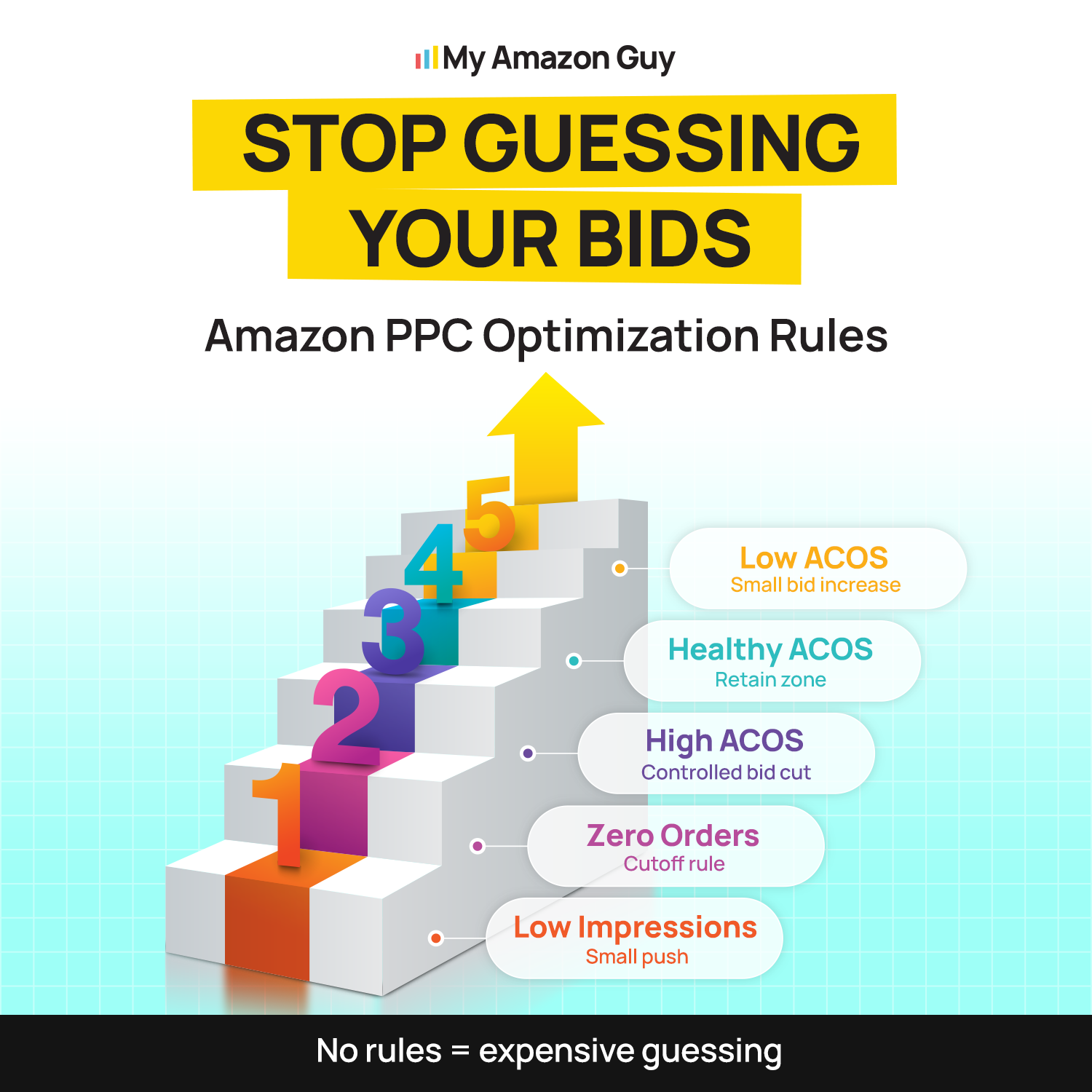
Open Campaign Manager, select your auto campaign, open the ad group, and choose the option to set bids by targeting group instead of a single default. That toggle plus negative keywords are the only two real levers an auto campaign gives you, so everything below is about what to put in the four boxes.
Start from close match and work down, because it carries the highest intent and makes a clean anchor. The other three get set as a percentage of close match rather than as standalone guesses.
- Pull thirty to sixty days of your own conversion data by targeting group
- Calculate break-even CPC for close match using price, margin, and conversion rate
- Set close match at or just under that break-even number
- Set loose match at roughly 50% to 65% of close match
- Set substitutes at 40% to 60% of close match, higher if your price beats the competitor pages you land on
- Set complements at 20% to 35% of close match, or pause it if sixty days show spend with no orders
What bid should you set for close match versus loose match, and should you turn off complements targeting on Amazon? Close match always sits higher because that shopper is closer to buying, and complements usually goes down rather than off, since accessory and bundle plays can earn their spend at a low bid over sixty days.
The mistake that undoes all of this is treating the split as one-time work, because new sellers average 41.23% ACoS against 25.61% for advanced accounts, and that gap is structural discipline rather than knowledge. For the wider framework, our guide to Amazon PPC bidding strategy covers when to adjust, and the 5-keyword PPC launch strategy explains why early bids follow different rules.
Not Sure What to Bid?
We'll give you a starting range for close match, loose match, substitutes, and complements.
How to Audit Your Amazon Auto Campaigns
You cannot fix a bid you have never measured, and most sellers have never segmented an auto campaign by targeting group. Run these five checks in order before you change a single number.
1. Segment Sixty Days of Spend and Orders by Targeting Group
Pull the Search Term Report and the Advertised Product Report, then split spend and orders across close match, loose match, substitutes, and complements. This one report usually names the culprit in under ten minutes, because it shows which group ate the budget and which group earned it.
2. Compare Each Group’s CPC Against Its Own Break-Even
Take the break-even math from earlier and run it four times using each group’s actual conversion rate. Any group paying above its own ceiling is losing money on every click, no matter how healthy the campaign looks in aggregate.
3. Read the Search Term Report for Irrelevant Traffic
Your default bid funds every target Amazon finds, and without negatives there is nothing telling it to stop. Sort by spend with zero orders, then add negatives before you touch bids, since lowering a bid on traffic that should not exist only slows the leak.
4. Check Your Placement and Dynamic Bidding Settings
Placement adjustments and Dynamic bids up and down multiply whatever base bid sits underneath them. If those modifiers are running on a generic default, fix the four bids first, then reintroduce the modifiers one at a time so you can read what each one did.
5. Judge the Campaign on TACoS, Not ACoS Alone
Auto campaigns carry a higher ACoS by design, because they buy discovery data alongside sales. Judging them on ACoS alone punishes the exact work they exist to do, which is why our guide to ACoS vs TACoS on Amazon is the right next read before you set targets.
What Do Common Auto Campaign Symptoms Mean?
The five checks above tell you where to look, and this table tells you what you found. Match your symptom to the likely cause, then start with the fix in the third column.
| Symptom | Likely cause | First fix |
|---|---|---|
|
High spend, no orders
|
Complements or loose match riding at the close match bid
|
Split the four bids
|
|
CPC above break-even
|
Default bid set from the suggested bid
|
Recalculate from margin
|
|
Irrelevant search terms
|
No negatives, one bid funding everything
|
Add negatives, then lower loose match
|
|
Impressions flat after a raise
|
Bid is not the constraint, listing or budget is
|
Check budget cap and conversion rate
|
Rerun this weekly during launch and monthly once the account stabilizes. Move in increments of 10% to 20% and give each change at least two weeks, because changing four bids at once and reading the result after four days tells you nothing.
How Do I Stop Wasting Budget on Irrelevant Ad Placements?
A flat bid across all campaigns is a trap that burns your budget. This video explains how to test keyword relevancy and stop wasting money on bad ad placements.
FAQs About Amazon PPC Default Bid
Which Amazon auto targeting group converts best?
Close match, in most accounts. Segment your own data first, since accessory products sometimes see substitutes outperform.
Close match, in most accounts. Segment your own data first, since accessory products sometimes see substitutes outperform.
Yes, at a lower bid. It is where most new keyword discoveries come from, so treat it as a research budget and harvest the winners into manual.
Do substitutes ads show on competitor product pages?
Yes. That traffic converts best when your price, reviews, or main image beat the page you land on.
Do negative keywords work across all four targeting groups?
They filter search-term traffic across the groups they cover. Substitutes and complements run on product placement, so negative product targeting is the lever there.
Should auto campaign bids be higher or lower than manual bids?
Lower on average. Close match can sit near your manual exact bid, while the other three belong well below it.
Why does my auto campaign have high spend and no sales?
Budget is going to complements or loose match at a bid calibrated for close match. Segment spend by targeting group, and that one report usually names the culprit in ten minutes.
Stop Letting One Number Run Four Campaigns
Your Amazon PPC default bid is not a setting you configure once and forget. It is a math output that changes the moment your price, margin, or conversion rate changes, and one number cannot serve four targeting groups that convert at different rates.
Close match earns the highest ceiling, complements almost always need the lowest, and the two in between get set as a percentage of your anchor. Open Campaign Manager this week, pick your highest-spend auto campaign, and check whether all four groups are still sharing one bid.
Having trouble managing your Amazon advertising bidding strategy? Reach out to our full-service Amazon agency, and let our Amazon experts audit your campaign structure, split your targeting group bids, and build the negative keyword layer that stops the leak for good.
Stop Overpaying for the Wrong Clicks
We split your auto campaign bids so each group pays what it's worth.