
Why do some of your ASINs climb to page one while others stay buried, even when your Amazon SEO framework treats them all the same? Most of the time, the listings are fine, and the order of the work is what breaks.
Structure beats tactics on Amazon. A strike zone push on a listing that Amazon barely indexes burns money, while the same push on a mature listing can carry it onto page one.
We’ve managed over $1.4B in ecommerce revenue across 400+ brands, and this pattern shows up in almost every catalog we audit. The brands that grow fastest run SEO in phases, one ASIN at a time, based on what each listing has already earned.
Our Amazon agency talks about the five phases of our SEO framework in this guide, what gates each one, and how to plan them across a multi-ASIN catalog. We also discuss the KPIs, tools, templates, and AI shopping changes that decide which listings rank in 2026.
Table of Contents
Our Amazon SEO services run on five phases, and each phase has an entry gate. Every ASIN in your Amazon catalog earns its next phase with data, not with a calendar date.
- Phase 1 builds keyword indexing
- Phase 2 widens indexing coverage
- Phase 3 pushes near-page-one terms
- Phase 4 grows query market share
- Phase 5 wins AI shopping answers
Stop running every tactic on every listing at once. Map each ASIN to its phase first, then do only the work that phase calls for.
The Amazon SEO 5 Phases at a Glance
This table is the whole Amazon SEO framework on one screen. Each row shows what the phase does, the listing parts it touches, and the signal that moves an ASIN in or out.
| Phase | Main job | Starts → Ends |
|---|---|---|
|
1. Search Term Optimization
|
Index core keywords in title, bullets, and backend
|
New listing or empty backend → Core terms indexed
|
|
2. Incremental Indexing
|
Add new terms and clear repeat words from backend
|
Phase 1 terms indexed → Indexing gains flatten
|
|
3. Strike Zone Keywords
|
Push near-page-one terms with copy, images, and ads
|
Broad indexing and steady sales → Target terms hold page one
|
|
4. Market Share Indexing
|
Win more clicks and sales on top queries with SQP data
|
Qualifies for Phase 3 → Query share stops growing
|
|
5. Answer Engine Optimization
|
Rewrite bullets, A+ Content, and Q&A to win AI answers
|
Stable rank on core terms → Ongoing, never ends
|
Read the table from top to bottom, and you’ll see why order matters. Each phase uses the data the phase before it produced, so skipping ahead means working blind.
Amazon SEO Framework Fundamentals and Why Phase Order Matters
An Amazon SEO framework only works when it matches the maturity of each listing. This section covers what our framework is, why catalogs need it, and the myths that keep sellers stuck.
What Is My Amazon Guy’s 5-Phase Amazon SEO Framework?
Our framework is a sequence of five SEO jobs, and each one starts only after the listing proves it is ready. The phases run from basic keyword indexing all the way to winning answers inside AI shopping assistants.
The five phases are published on our Amazon SEO services page, where Phase 1 starts with listing copy and backend search terms. Phase 5 is the newest addition, and it targets the AI layer that now sits between shoppers and the search results.
Why Do Multi-ASIN Catalogs Need Phases Instead of One-Time Optimization?
A catalog of 40 ASINs almost never has 40 listings at the same stage. You might have five hero products with years of reviews, 20 steady sellers, and 15 new launches that Amazon barely knows about yet.
A one-time optimization treats all of them the same, so the new launches get advanced tactics they can’t use, and the heroes get basic work they outgrew long ago. Phases fix that mismatch by giving each ASIN only the work its data can support.
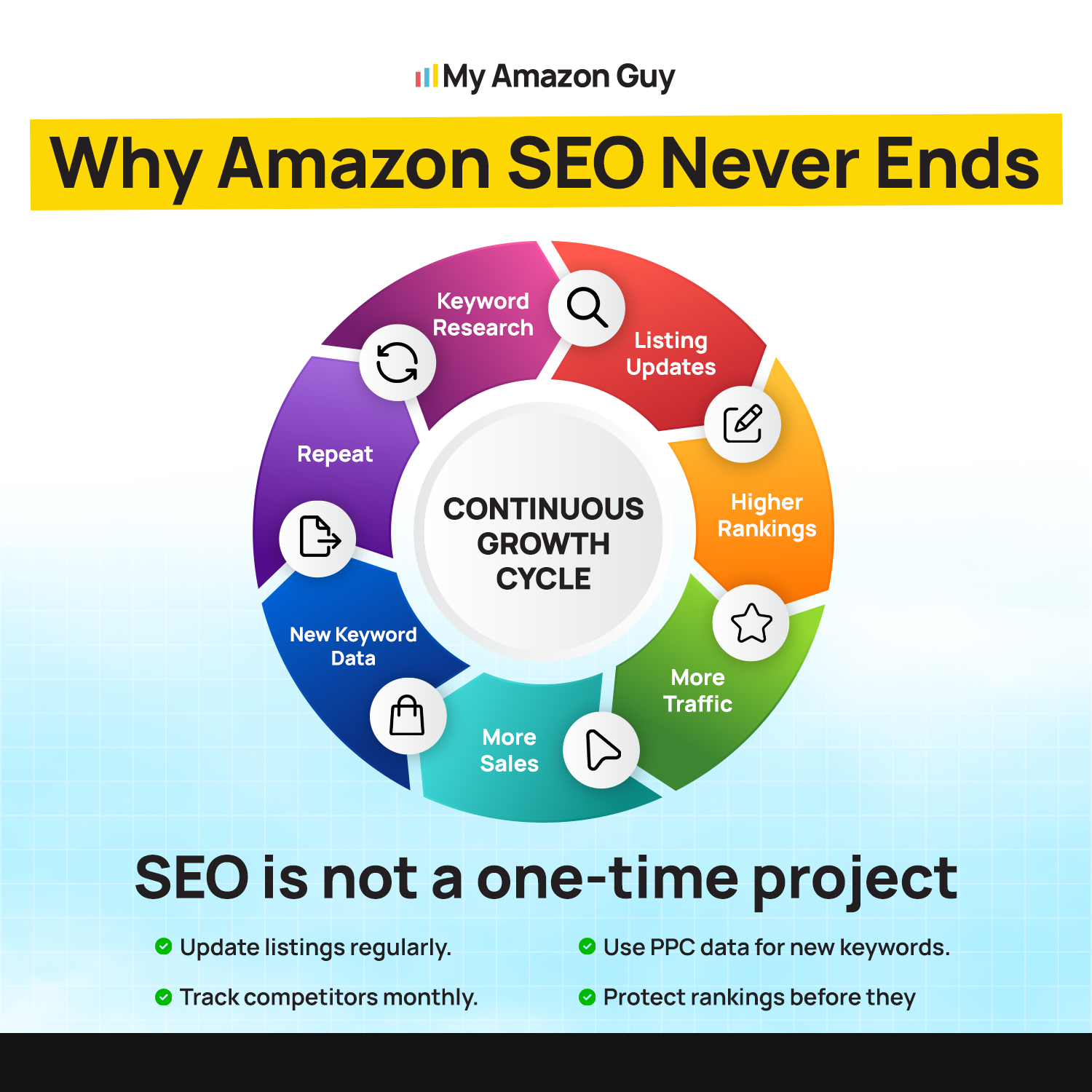
Why Amazon SEO Never Ends
What Goes Wrong When Advanced Tactics Hit an Immature Listing?
The spend goes up, and the rank barely moves. A new listing has no sales history, so Amazon has little reason to rank it even when the copy is perfect.
We see this most with strike zone and market share tactics. Both depend on search data a young listing hasn’t built yet, so the seller ends up optimizing against numbers that don’t exist.
Which Amazon SEO Myths Keep Catalogs Stuck?
Four beliefs cause most of the stalled catalogs we inherit. Each one sounds reasonable, and each one quietly wastes months.
- More Keywords Always Help
Amazon caps backend search terms at under 250 bytes, and an entry over the limit gets ignored completely, according to Amazon’s guidance shared on the Seller Forums. Relevant terms beat a long list every time. - SEO Is One-and-Done
A 2026 industry analysis of Amazon SEO reports that the algorithm now weighs recent performance more heavily than past history. A listing you optimized last year is competing on this month’s numbers. - PPC and SEO are Separate Jobs
Ads tell you which search terms turn into sales, and those proven terms belong in your listing. Splitting the two means your SEO team guesses at what your ad team already knows. - Images Don’t Affect Rank
Images drive clicks and conversions, and conversion rate is widely treated as one of the strongest ranking signals on Amazon. A weak main image can hold a well-written listing off page one.
The fix for all four is the same. Match the work to the listing’s stage, and measure before you move on.
The 5 Amazon SEO Phases Explained
The Amazon SEO phases below run in order, and each one has a clear starting point and finish line. Think of them as gates your ASINs pass through one at a time.
Phase 0: Groundwork Before Any Listing Changes
Phase 0 is the research that happens before anyone touches a title. It covers competitor analysis, category checks, and a first pass at the keywords your buyers actually use.
We treat it as groundwork rather than a sixth phase, and it usually takes days, not weeks. Our Amazon SEO Phase 0 guide walks through the prep in more detail.
Phase 1: Search Term Optimization
Phase 1 answers a basic question. Does Amazon know which searches your product belongs in?
Who It’s For
Phase 1 fits new listings and older listings that never had their backend search terms filled in properly. It also fits any ASIN that shows up for fewer terms than its competitors do.
Our Phase 1 guide on search term optimization describes this stage as the starting point for relatively new listings. If you inherited a catalog from another team, assume most of it starts here until the data says otherwise.
What Changes on the Listing
We build a Master Keyword List from competitor research and reverse ASIN lookups. Then we place the top terms in the title, bullets, and backend search terms without repeating the same word twice.
Backend fields get the terms that don’t fit naturally in visible copy, like spelling variants and secondary uses. Amazon counts the backend limit in bytes across all keyword fields combined, so every term has to earn its spot.
Graduation Signal
A listing graduates from Phase 1 when its core terms show up in search. You can confirm that with a quick index check, which we cover in the measurement section.
Our published guidance on ongoing Amazon SEO services puts Phase 1 targets at listings indexed for fewer than about 200 organic keywords. Most listings show indexing gains within the first month.
Amazon SEO Guide: Improve Search Rank and Drive Growth
Phase 2: Incremental Indexing
Phase 2 widens the net. It adds the next layer of relevant terms without losing the ones Phase 1 already secured.
Who It’s For
Phase 2 is for listings whose core terms are indexed and selling. These ASINs have enough data to show which new terms are worth adding.
This is where most mid-catalog ASINs should live. They are past the launch stage, but they haven’t earned the rank to fight for page one yet.
What Changes on the Listing
We work new keywords into the title and bullets, then clear repeated words out of the backend field. On our Phase 2 incremental indexing page, we call these repeats “pink” keywords, and removing them frees space for new indexing.
Words already in your title and bullets don’t need a second spot in the backend. Every repeat wastes bytes you could spend on a fresh term.
Graduation Signal
A listing leaves Phase 2 when new indexing gains flatten out, and the core terms hold rank. At that point, more terms won’t move the needle much, and focus matters more than breadth.
If sales are steady and reviews keep growing, the listing is ready to be considered for Phase 3. If sales dipped during Phase 2, stay put and find out why before you push harder.
Phase 3: Strike Zone Keywords
Phase 3 is where rank starts turning into real revenue. It targets the terms where your listing sits just short of page one.
Who It’s For
Phase 3 fits established listings with broad indexing, steady sales, and a solid review base. These are the ASINs Amazon already trusts enough to show on pages two and three.
A listing that can’t hold its current rank isn’t ready for Phase 3. Pushing it now tends to spike ad costs without a lasting rank gain.
What Changes on the Listing
We pick a short list of strike zone terms and point the title, top bullets, main image, and ad budget at them. Our Phase 3 strike zone guide covers how we choose those terms.
The idea is concentration. A small push on a term already ranking in the teens moves further than a big push on a term ranked 80th.
Graduation Signal
A listing graduates when its strike zone terms hold page one for several weeks without extra ad spend. Holding matters more than hitting, because a rank that only lasts while ads run isn’t organic rank yet.
Only listings that qualify for Phase 3 can move into Phase 4. Our SEO services page states that rule plainly, because market share work needs a mature listing to build on.
PPC: Strikezone Keywords Tutorial – Amazon Seller Central
Phase 4: Market Share Indexing With Search Query Performance
Phase 4 stops asking whether you rank and starts asking how much of each search you win. It runs on first-party data straight from Amazon.
Who It’s For
Phase 4 is only for mature listings. Our Phase 4 market share page reserves it for ASINs that already qualify for the Phase 3 strike zone work.
You also need Brand Registry, since Search Query Performance lives inside Brand Analytics. Without that data, Phase 4 turns into guesswork.
What Changes on the Listing
We pull the top queries from the Search Query Performance dashboard and work the highest-value exact phrases into the listing. Amazon’s own Brand Analytics overview explains that this dashboard shows impressions, clicks, and cart adds per query, along with your brand’s share of each.
Those shares tell us where the listing leaks. Good impression share with weak click share points to the main image or title, while good click share with weak purchase share points to price, reviews, or A+ Content.
Graduation Signal
Phase 4 ends when your share of your top queries stops growing, even after fixes. That is usually the point where AI shopping visibility becomes the next frontier.
Many listings cycle between Phase 3 and Phase 4 for a long time. That’s healthy, since every new strike zone win creates a new query to defend.
Phase 5: Answer Engine Optimization for AI Shopping
Phase 5 targets the shoppers who ask a question instead of typing keywords. It makes your listing the answer the assistant gives.
Who It’s For
Phase 5 is for listings with stable rank on their core terms. An AI assistant rarely recommends a product that shoppers already skip in regular search.
Our Phase 5 answer engine optimization page covers the service in full. The short version is that this phase protects organic traffic that AI answers would otherwise route to a competitor.
What Changes on the Listing
We rewrite bullets, A+ Content, and product details so each one answers a buyer question directly. That means stating who the product is for, when it’s used, and what problem it solves in plain words.
This lines up with how Amazon describes its COSMO research. Amazon’s write-up on COSMO explains that it links products to the human context around them, such as the audience and the purpose.
Graduation Signal
Phase 5 never really ends, because AI answers shift as models and competitors change. The working signal is whether your product shows up when you ask the assistant the questions your buyers ask.
We check that monthly for key queries and log the results. When a competitor starts showing up in your spot, the listing goes back into review.
Amazon SEO For AI Agents Full Walkthrough Guide
Amazon Keyword Indexing Strategy for Planning a Whole Catalog
A good Amazon keyword indexing strategy works at the catalog level, not just the listing level. This section shows how to sort ASINs, set priorities by revenue stage, and split work between PPC and SEO.
How Do I Decide Which Phase Each ASIN Belongs In?
Score each ASIN on a few signals and let the lowest weak point decide its phase. A listing with great reviews but a thin backend still starts in Phase 1, because indexing comes before everything else.
The scorecard below is the quick version we use during audits. Run your top 20 ASINs through it first, since they usually drive most of your revenue.
| Readiness signal | What to check | What it tells you |
|---|---|---|
|
Keyword indexing
|
Does the ASIN show for its core terms?
|
If not, the listing starts in Phase 1
|
|
Indexing breadth
|
Is it indexed for as many terms as top competitors?
|
If not, it belongs in Phase 2
|
|
Sales and reviews
|
Steady monthly sales and a growing review count?
|
If yes, it can be considered for Phase 3
|
|
Rank position
|
Core terms ranking on pages two or three?
|
If yes, those terms are strike zone targets
|
|
Brand Registry data
|
Search Query Performance data available?
|
If yes, Phase 4 becomes possible
|
|
Rank stability
|
Page one held without heavy ad support?
|
If yes, the listing is ready for Phase 5
|
Use the scorecard to sort, then check the result against common sense. A seasonal product in its off-season can look weaker than it really is.
How Should SEO Priorities Change at $1M, $5M, and $10M+?
Priorities shift as revenue grows because the catalog gets deeper and the stakes on each hero ASIN rise. A $1M brand needs a clean foundation, while a $10M+ brand needs to defend share it already won.
| Revenue stage | Main SEO priority | Where most ASINs sit |
|---|---|---|
|
$1M to $5M
|
Get every listing indexed and fix backend gaps
|
Phases 1 and 2
|
|
$5M to $10M
|
Push hero ASINs into the strike zone and add A+ Content
|
Phases 2 and 3
|
|
$10M and up
|
Grow query share and protect rank in AI answers
|
Phases 3, 4, and 5
|
These are patterns from our client base, not hard rules. A $3M brand with one breakout product may already have a Phase 4 listing, and that’s fine.
How Do PPC and SEO Split the Work at Each Phase?
PPC finds the keywords, and SEO keeps them. Each phase uses that loop a little differently.
- Phase 1 uses auto and broad campaigns to find converting terms fast
- Phase 2 moves proven ad terms into titles and bullets
- Phase 3 concentrates bids on strike zone terms until rank holds
- Phase 4 trims bids on terms the listing now wins organically
- Phase 5 tests messaging in ads before rewriting the listing
This is the same loop our PPC management team runs with our SEO specialists every month. When both teams look at one keyword list, your ad budget turns into research instead of rent.
How to Run the 5-Phase Amazon Listing Optimization Process Step by Step
Here is the Amazon listing optimization process we use when a new multi-ASIN brand joins us. Five steps take you from a messy catalog to a clear plan.
Step 1: Export and Tier Your Catalog by Maturity
Pull an ASIN-level report from Seller Central with sales, sessions, conversion rate, and review count. Then sort every ASIN into three tiers: new, steady, and mature.
Don’t overthink the cutoffs on the first pass. The goal is a rough map, and the phase scorecard sharpens it in Step 3.
Step 2: Build a Master Keyword List for Each Parent ASIN
Build one keyword list per parent ASIN, since child variations usually share buyers. Pull terms from reverse ASIN lookups on your top three competitors, your Search Term Report, and Brand Analytics if you have it.
Tag each keyword by intent and by the listing element where it fits best. That tagging saves hours when you start writing copy.
Step 3: Assign Every ASIN to a Phase
Run each ASIN through the readiness scorecard and write its phase next to it. In most of our audits, the bulk of the catalog lands in Phases 1 and 2, even when the brand thought it was further along.
That’s not bad news. It means you have a clear, cheap backlog of indexing work before any expensive tactics make sense.
Step 4: Ship Changes in Batches and Log Every Edit
Group ASINs by phase and ship changes in batches rather than one listing a day. Log every edit with the date, the ASIN, the field changed, and the reason.
Our working rule is to leave an ASIN alone for at least two weeks after an edit before judging the result. Without that gap and that log, you can’t tell which change caused a rank move.
Step 5: Review, Graduate, or Hold Each ASIN
Every month, check each ASIN against its phase’s exit signal. Graduate the ones that pass, hold the ones still working, and flag any that slid backward.
A listing that slides back usually has a cause outside SEO, like a stockout, a price change, or a new competitor. Fix the cause first, then resume the phase.
The ASIN Phase Map Template
The ASIN Phase Map is a simple spreadsheet that turns this process into a weekly habit. It keeps the whole catalog on one tab, so nobody works on the wrong listing.
Set it up with these columns, one row per child ASIN. Keep the parent ASIN in its own column so variation families stay together.
- Parent ASIN and child ASIN
- Product name and revenue tier
- Current phase and date entered
- Indexed keyword count and top three target terms
- Current organic rank on the top target term
- Last edit date and what changed
- Next action and owner
- Graduation date
Which Execution Mistakes Stall Amazon Rankings?
Most stalls come from five avoidable mistakes. Each one undoes good SEO work without anyone noticing right away.
- Changing the title, images, and price in the same week hides which change helped or hurt.
- Rewriting a title for style can delete the keyword that brought in half the sales.
- Children with mixed titles or wrong variation themes split reviews and confuse shoppers.
- Attributes feed Amazon’s search filters, so empty fields can hide a product from filtered searches.
- A listing that runs out of stock loses sales velocity, and rank usually follows it down.
Build a quick check for each one into Step 4. Five minutes of review before shipping saves weeks of recovery.
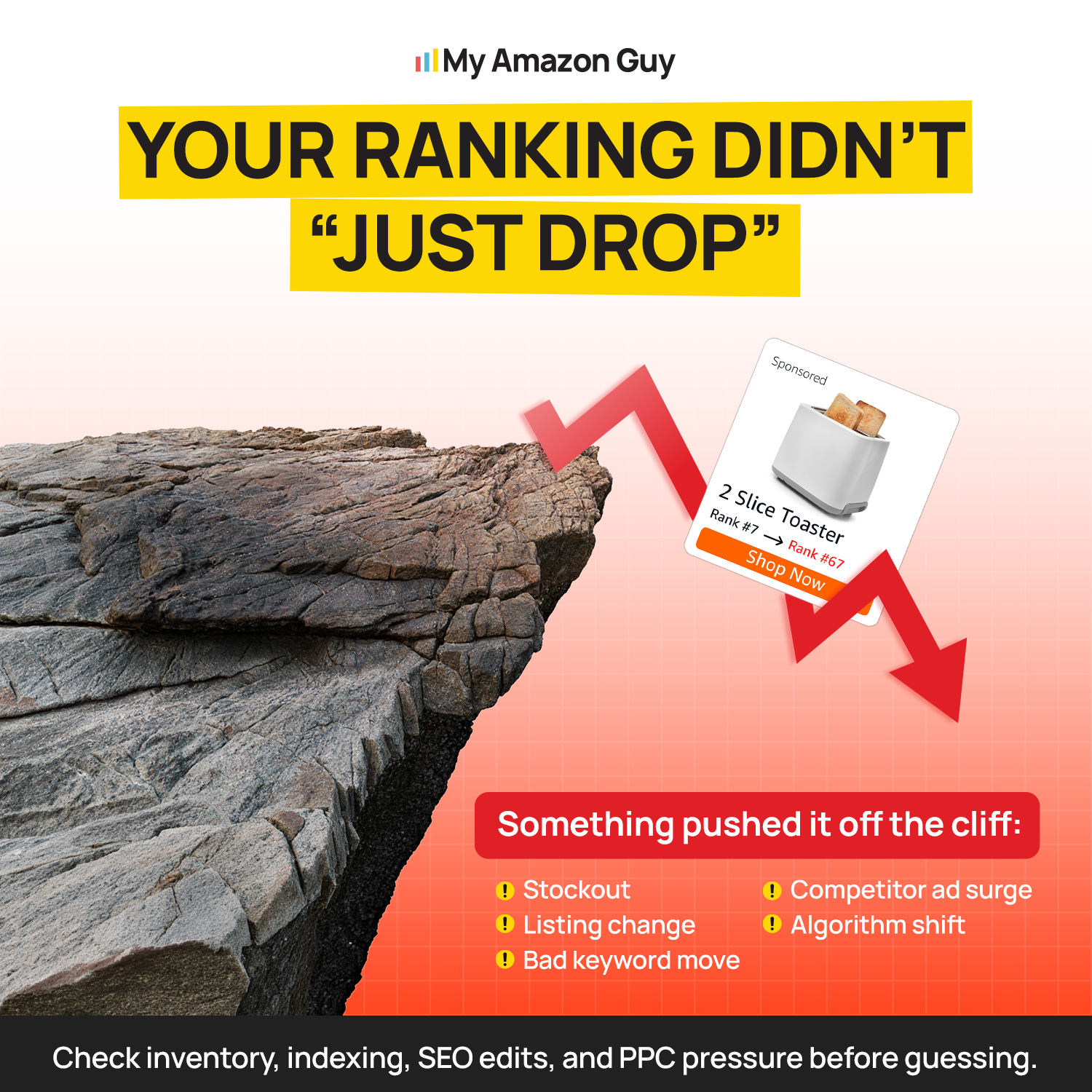
Your Ranking Didn’t “Just Drop”
How Did a 24-SKU Hair Care Brand Use Phased SEO?
A beauty brand with 24 SKUs came to us with fragmented variations, UPC mismatches, and no advertising plan to defend its rank. We fixed the catalog structure and compliance issues first, because no SEO phase works on a listing Amazon keeps suppressing.
Once the catalog was stable, we rolled out backend keyword work in phases and audited image alt text across the line. According to the hair care case study, conversion rate rose 12.4% over the prior year, and the brand reached $53,130.64 in monthly sales.
- 24 SKUs managed as one phased plan
- Variation and UPC fixes shipped before SEO work
- Backend keywords and alt text rolled out in phases
- TACoS held under 10% through 2024
- Monthly ad spend cut 89% while still hitting a 6.5 ROAS
The last two results show the framework’s real payoff. As organic rank climbed, the brand needed far less ad money to hold its sales.
How to Measure Amazon SEO Progress Phase by Phase
Measurement tells you when an ASIN is ready to move up. This section covers the KPIs, the review rhythm, and the tools that make it work.
Which KPIs Should I Track at Each Phase?
Track one primary KPI per phase so the team knows what “done” looks like. Secondary numbers matter, but one clear number keeps the work focused.
| Phase | Primary KPI | Where to find it |
|---|---|---|
|
Phase 1
|
Indexed keywords
|
Index checks and your keyword tool
|
|
Phase 2
|
Indexed keyword growth
|
Your keyword tool, compared to the Phase 1 baseline
|
|
Phase 3
|
Organic rank on strike zone terms
|
A rank tracker
|
|
Phase 4
|
Impression, click, and purchase share
|
Search Query Performance
|
|
Phase 5
|
Presence in AI assistant answers
|
Manual checks in Alexa for Shopping
|
|
Whole catalog
|
Conversion rate and TACoS
|
Business Reports and Amazon Ads reports
|
Conversion rate and TACoS sit across every phase for a reason. If either one gets worse while your SEO numbers improve, something outside the listing is pulling against you.
How Often Should I Review Amazon SEO Performance?
Different numbers move at different speeds, so each one gets its own rhythm. Checking everything every day just creates noise.
- Weekly: Run index checks on ASINs you edited recently and scan for suppressed listings.
- Monthly: Review Search Query Performance shares and strike zone rank for Phase 3 and 4 listings.
- Quarterly: Graduate, hold, or demote every ASIN on the ASIN Phase Map.
The quarterly review is where the framework earns its keep. It turns a pile of listing edits into a plan leadership can follow.
How Do I Check if My Amazon Listing Is Indexed for a Keyword?
Type your ASIN and the keyword together into the Amazon search bar. If your product shows up, Amazon has indexed it for that term.
This takes seconds and costs nothing, so make it part of your weekly routine. For bulk checks across dozens of terms, a keyword tool with an index checker saves time.
Which Tools Measure Amazon SEO Results?
You need Amazon’s own reports plus one or two third-party tools. Amazon’s data is first-party and accurate, while outside tools fill gaps like daily rank tracking.
- Brand Analytics shows top search terms and brand performance for Phases 2 to 5
- Search Query Performance shows your query share for Phase 4
- The Search Term Report shows which searches triggered your ads for Phases 1 to 3
- A reverse ASIN tool pulls competitor keywords for Phases 1 and 2
- Manage Your Experiments tests titles, images, and A+ Content for Phases 3 and 5
- A rank tracker follows daily organic rank for Phases 3 and 4
Start with what’s free inside Seller Central before you pay for anything. Our guide to the best Amazon SEO tools compares the paid options.
Advanced Amazon SEO Tactics for Brands With Working Fundamentals
These tactics help once your core listings hold rank. Use them on the wrong ASINs, and they cost more than they return.
How Do I Use Search Query Performance To Take Market Share?
Find queries where your impression share is strong, but your click or purchase share lags behind. Those gaps show exactly which part of the listing to fix.
Weak clicks usually point to the main image, title, or price shown in search. Weak purchases after good clicks usually point to reviews, A+ Content, or a better offer from a competitor.
How Do I Optimize Listings for Alexa for Shopping and AI Answers?
Write every bullet and A+ Content module as a direct answer to a buyer question. AI assistants pull products that clearly state who they’re for and what problem they solve.
Amazon renamed Rufus to Alexa for Shopping on May 13, 2026, so plan for one assistant across the app, the website, and Echo Show. Industry coverage of the change reports that Rufus reached more than 300 million customers in 2025, and one study found it narrowed a full page of results down to about five named products.
What Is COSMO and How Does It Affect Amazon SEO?
COSMO is a knowledge graph Amazon built to understand why people buy, not just what they type. It connects products to real-life context, like who uses them and what for.
For sellers, that means copy built only for keyword matching falls behind copy that explains use cases in plain words. Phase 5 exists to close that gap.
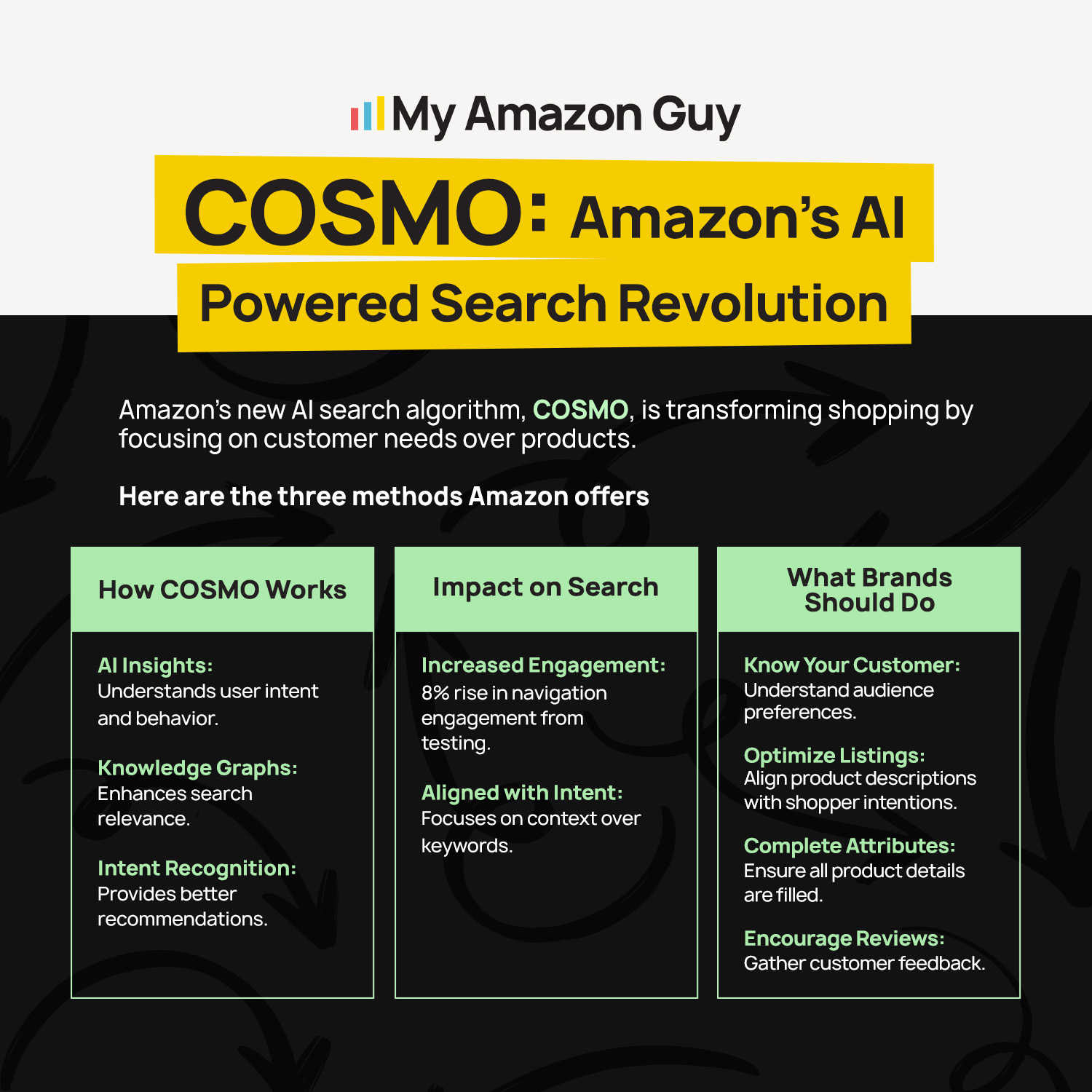
COSMO: Amazon’s AI Powered Search Revolution
Does Off-Amazon Traffic Help Organic Rank?
It can, and it can also cut your fees. Industry analysts report that outside traffic from social media and search engines can signal real demand to Amazon’s algorithm.
Amazon also rewards that traffic directly. Its Brand Referral Bonus program gives Brand Registry sellers a credit averaging 10% of qualifying sales when shoppers arrive through Amazon Attribution tags.
How Do New Ad Surfaces Like ChatGPT Ads Change SEO Planning?
They add a second path to discovery outside Amazon. Recent industry reporting shows that select U.S. advertisers can now buy ChatGPT ads through Amazon DSP in a pilot that began on September 10, 2026.
Those ads appear below ChatGPT’s answers, not inside them. So your organic listing content still decides whether an AI names your product, and the ads only buy a spot next to that answer.
Can the Framework Carry Over to Walmart and TikTok Shop?
Yes, because the logic of indexing first and pushing second works on any marketplace search engine. The data sources change, but the order of the phases holds.
We apply the same sequencing in our Walmart full service management and TikTok Shop setup work. Platform choice also shapes profit, since 2026 margin benchmarks put Amazon FBA net margins at 8% to 15% after fees, compared with 15% to 25% for DTC.
Amazon SEO Guide – How to rank #1 on Amazon without ads in 2026
FAQs About the Amazon SEO Framework
How Long Does Each Amazon SEO Phase Take?
Plan on 30 to 90 days per phase for most ASINs, since a phase ends on data, not on a date. Our SEO services page notes that indexing gains often show within four weeks, while bigger rank changes take three to six months.
Can I Skip Phase 1 if My Listing Already Sells?
Run a quick index check first, because plenty of selling listings still miss core terms. If the ASIN is missing terms its competitors rank for, a short Phase 1 pass comes before anything else.
Should I Optimize Parent or Child ASINs First?
Fix the parent-child structure first, then optimize the best-selling child in each family. Broken variations split reviews across listings, and that drags down every child in the group.
Can Frequent Listing Edits Hurt Rankings?
Frequent edits make it hard to know what worked, and big title changes can drop terms you already rank for. Batch your edits and give each ASIN at least two weeks before judging the change.
Does the Framework Work for Brand-New Listings With No Sales?
Yes, and new listings benefit most, since they start cleanly in Phase 1. Pair that phase with launch ads, because 2026 TACoS benchmarks show new launches often run 25% to 40% TACoS while organic rank builds.
How Is This Different From a One-Time Listing Optimization?
A one-time optimization fixes a listing once, while the framework decides what each listing needs next. For a catalog with dozens of ASINs at different stages, that ongoing decision is where most of the growth comes from.
Put Every ASIN in the Right SEO Phase
The Amazon SEO framework works because it matches the work to where each listing stands today. Indexing comes first; strike zone and market share work follow once the data supports them, and AI answer optimization protects the rank you already earned.
A multi-ASIN catalog grows fastest when every ASIN moves through the phases on its own schedule. Sort your listings with the readiness scorecard, track one KPI per phase, and graduate ASINs only when their numbers say they’re ready.
Are you running the same SEO tactics on every listing and still watching half your catalog stay buried? Contact our full-service Amazon agency and let our Amazon SEO experts map every ASIN to its phase with a free catalog audit.