
Your keyword ranks climbed for ten weeks, then flatlined, and raising bids only raised your ad bill. The fix usually isn’t in your ads, because Amazon incremental indexing backend keywords decide whether your listing keeps reaching searches it has never shown up for.
Most launch-day backends repeat the title almost word for word, which leaves your hidden search terms field doing almost no work. This guide shows you how to find those wasted bytes, swap them for net new terms, and confirm that Amazon actually indexes them.
We’ve managed $1.4B+ in ecommerce revenue. Phase 2 of our SEO framework came out of seeing this exact month three stall across hundreds of catalogs, so every step here comes from real audits.
Our Amazon agency talks about what incremental indexing is, when a listing is ready for it, and the seven steps to run it in this guide. We also discuss which KPIs prove it worked and how Rufus changes the way Amazon reads your keywords.
Table of Contents
See how much organic reach your listing is leaving on the table in one free review.
Incremental indexing is the second phase of a structured Amazon SEO process. It replaces duplicate backend words with net new terms, so a listing can show up for searches it misses today.
- Duplicate backend words waste bytes
- Pink keywords repeat your title
- Rebuild the master keyword list
- Fill all 249 bytes wisely
- Verify new terms by day 14
A stalled listing rarely needs bigger bids. Clean up the backend first, then use ads to push the terms that finally index.
SEO Phases for Enhanced Product Indexing and Rankings
What Is Amazon Incremental Indexing?
Amazon incremental indexing is the second pass on a listing’s keywords, done after the core terms are already in place. It targets the searches your ASIN still misses, using backend space you already have.
What Does Incremental Indexing Mean on Amazon?
It means adding new keywords in small, controlled rounds instead of rewriting the whole listing at once. Each round removes words Amazon already credits and replaces them with terms the listing has never been found for.
Why Do Keyword Ranks Stall at Month Three?
New listings pick up indexed terms quickly while Amazon learns what the product is, then level off once the obvious terms are covered. The backend is usually the bottleneck, because most sellers wrote it before the title was final.
What Are Pink Keywords, and Why Do They Waste Backend Space?
Pink keywords are backend words that already appear in your title, bullets, or description, and many SEO audits highlight them in pink to flag the repeats. Amazon advises treating the backend as overflow for terms that don’t fit on the page, so repeating title keywords there adds nothing.
What Do Amazon Sellers Get Wrong About Indexing?
Most sellers confuse indexing with ranking, since indexing decides whether you appear for a search at all and ranking decides where you appear. They also expect PPC to index new words, but ads can only push terms that already exist in your copy or backend.
- Indexing is pass or fail
- Ranking is your position after passing
- Repeating a word adds nothing
How Incremental Indexing Fits Your Amazon SEO Strategy
Incremental indexing is one phase in a five-phase Amazon SEO process, and it only works when the phase before it is finished. Run it too early, and you spread a thin keyword pool even thinner.
| Phase | Goal | Start when |
|---|---|---|
|
1. Search terms
|
Set core keywords
|
Listing is live
|
|
2. Incremental indexing
|
Add net new terms
|
Indexing levels off
|
|
3. Strike zone
|
Push terms to page one
|
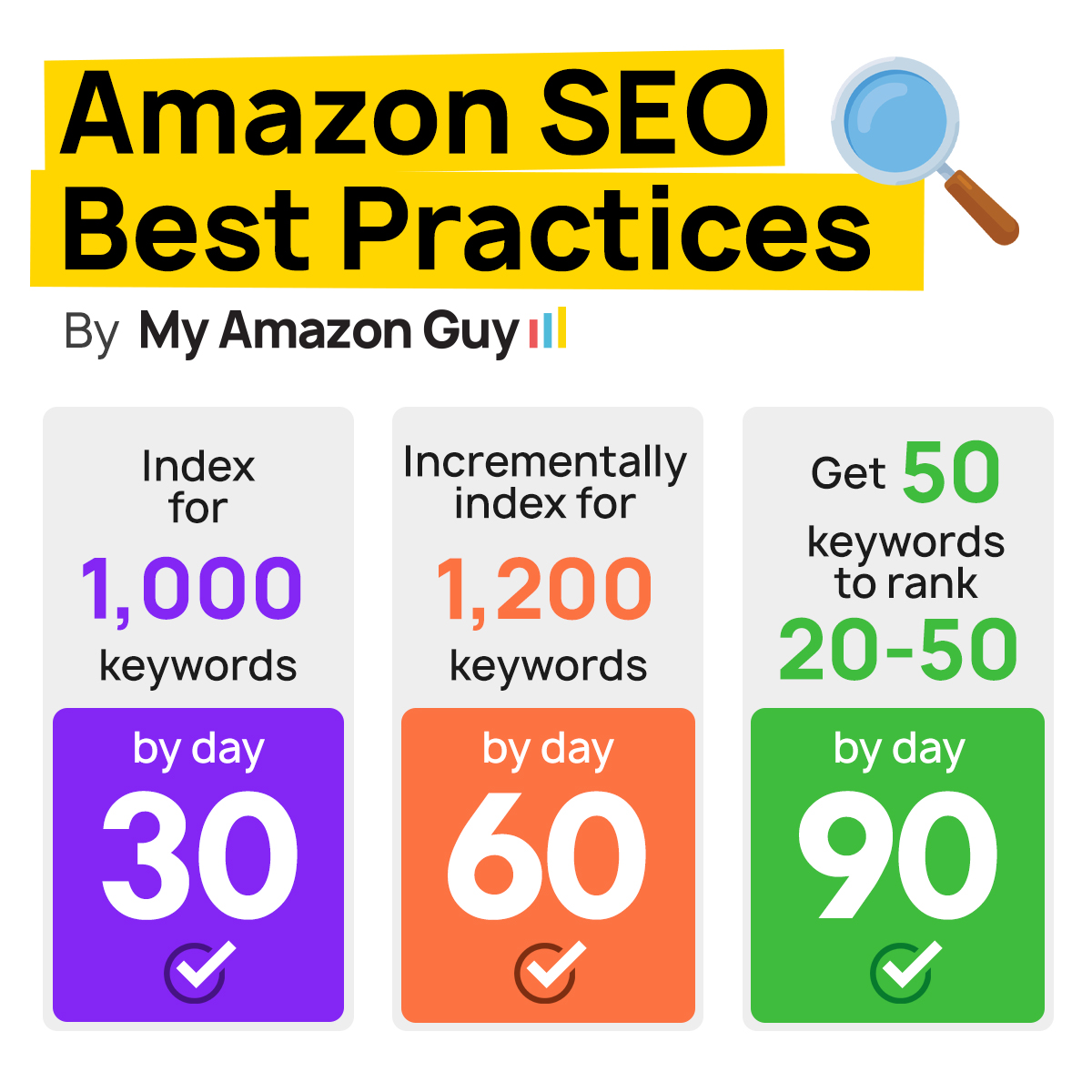
Ranks sit at 20 to 50
|
|
4. Market share
|
Grow share on top queries
|
Listing is mature
|
|
5. AI search
|
Get read by Rufus
|
Coverage is stable
|
Each phase hands the next one a bigger pool of indexed terms to work with. That’s why Phase 2 comes right after Phase 1, since Phase 3 can only push terms that are already indexed.
Amazon SEO & Listing Optimization: The 5-Phase Ranking Strategy
When Is a Listing Ready for Phase 2?
A listing is ready once Phase 1 changes are live and a reverse ASIN tool shows 200 or more organic keywords. Lock the title before you start, because every title edit changes which backend words count as duplicates.
How Does Phase 2 Change by Growth Stage?
The core method stays the same, but the focus shifts as the catalog grows. Match the work to where the brand sits today.
- Month three, remove pink words first
- Hero ASIN, add PPC long-tail terms
- Multi-ASIN, give each child unique words
- Mature brand, refresh every quarter
What Are the Warning Signs and Good Targets for Phase 2?
These targets come from hands-on catalog audits, not official Amazon guidance. Adjust them to how deep search demand runs in your category.
- Pink words, target zero
- Bytes used, target 230 to 249
- New terms, target 20 or more
- Keyword count, climbing within 30 days
How to Fix Amazon Incremental Indexing Backend Keywords
This seven-step process shows how to index Amazon keywords that your listing misses today, using the backend space you already have. Plan on about two hours per ASIN the first time, and less once you have done it a few times.
Step 1: Confirm the Listing Qualifies
Pull a reverse ASIN report and confirm the listing ranks organically for 200 or more keywords. Then make sure every Phase 1 change is actually live on the detail page, not just saved as a draft.
Step 2: Run a Pink Keyword Audit
Paste your title, bullets, description, and backend into one sheet, then highlight every backend word that also shows up in the visible copy. In one illustrative lunch bag listing, 16 of 19 launch backend words were already in the title, and the rewrite went from 3 net new terms to 34.
Step 3: Rebuild Your Master Keyword List
Pull fresh reverse ASIN data on your listing and on the top competitors in your niche. Merge it with your Sponsored Products search term report and your Search Query Performance data so every candidate term has real shopper demand behind it.
Boost Visibility with Optimized Backend Keywords
Step 4: Filter for Net New Terms
Remove every term already in your copy, along with competitor brand names and ASINs, since those can get a listing suppressed. Keep the misspellings, Spanish terms, synonyms, and use case words that shoppers actually type.
Step 5: Rewrite the 249 Bytes
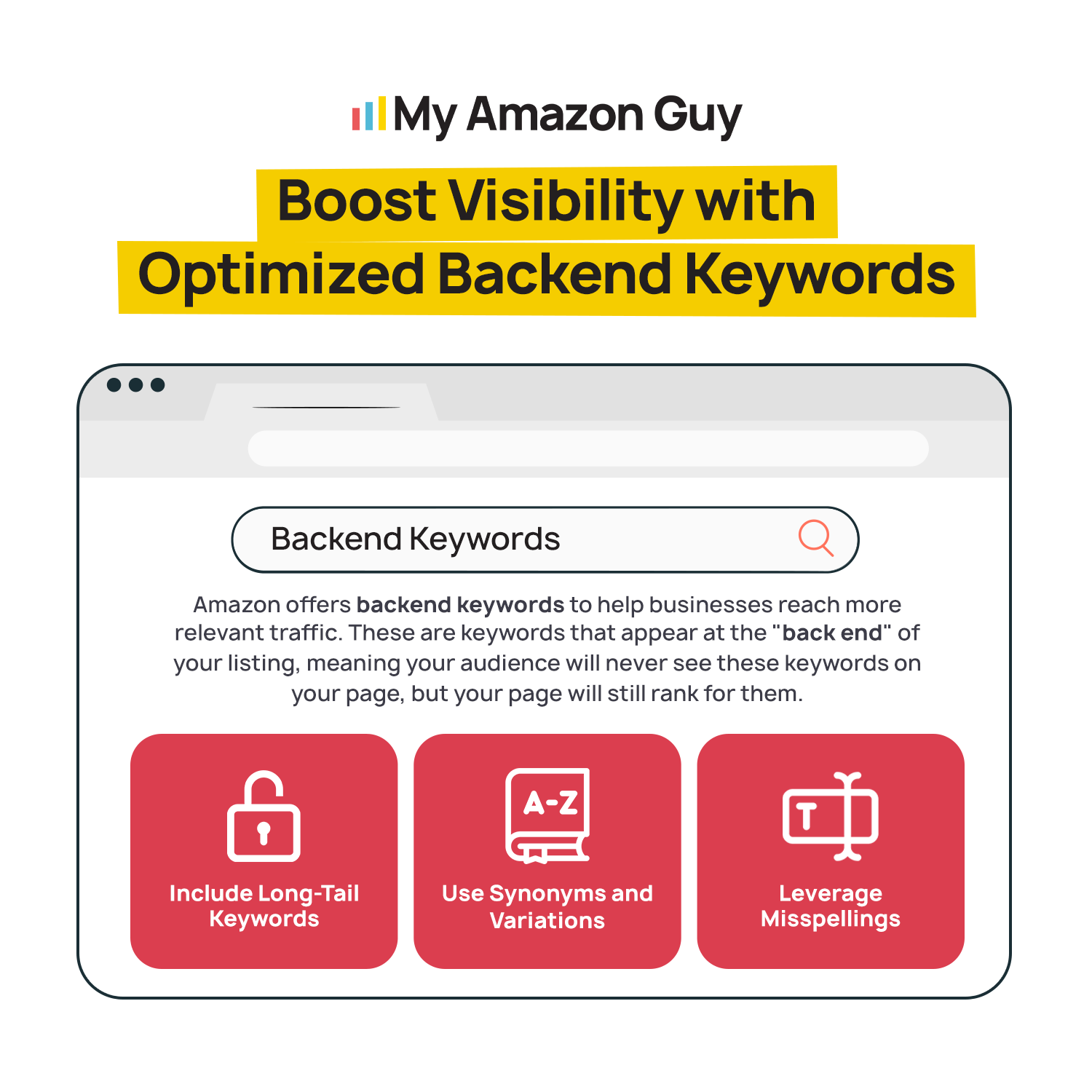
Good Amazon backend search terms optimization means lowercase words, single spaces, and no commas or repeats. The limit is 249 bytes rather than 250 characters; accented letters count as two bytes each, and terms past the limit may not index.
Step 6: QA and Submit the Change
Have a second person compare the new string against your visible copy to catch any repeats you stopped noticing. Then submit the update in Seller Central and screenshot the before and after for your records.
Step 7: Verify Indexing at Day 7 and Day 14
Search each new term on Amazon together with your ASIN, or run the full list through an index checker. Mark each term as indexed or not at day 7 and again at day 14, and avoid editing the title during that window, since a title change can drop keywords that were already indexed.
Get a clear plan to turn a flat keyword count back into steady organic growth.
How to Measure Incremental Indexing Results
Incremental indexing is easy to measure because the backend change gives you a clear before and after. Record your baseline numbers before you submit the new search terms, so you can prove the results later instead of guessing.
Which KPIs Prove Phase 2 Worked?
Four numbers tell you whether the new backend terms are indexing and whether that reach is turning into sales. Track them on the same schedule for every ASIN you update, so the results stay comparable across your catalog.
| KPI | Where to find it | Good result |
|---|---|---|
|
Organic keyword count
|
Reverse ASIN tool
|
Reverse ASIN tool
|
|
New term index rate
|
Index checker
|
Most indexed by day 14
|
|
Organic sessions
|
Business Reports
|
Up vs prior 30 days
|
|
TACoS |
Ads console
|
Flat or falling
|
Organic keyword count and index rate show that the backend change worked mechanically. Organic sessions and TACoS show that it worked financially, and those are the numbers most founders care about.
How Often Should You Report on Indexing?
Check every new term at day 7 and day 14 after a change, then roll those results into a monthly SEO report. Refresh hero ASIN backends every quarter as well, since seasonal phrasing and new competitor language shift what shoppers type.
Which Tools Measure Indexing Accurately?
A manual Amazon search with your ASIN and the keyword together is the simplest free way to check if a listing is indexed for a keyword. Larger catalogs should pair an index checker with Brand Analytics, which reports impressions, clicks, cart adds, and purchases straight from Amazon.
Once a listing is fully indexed, those same Brand Analytics numbers become your Phase 4 scoreboard. Our guide to reading Amazon SQP market share data shows what each share tells you and what to fix first.
Advanced Incremental Indexing Tactics for Mature Listings
Once your backend is clean and your new terms are indexing, the next gains come from how those terms work with the rest of the listing. These tactics are for brands that have already finished Phase 1 and Phase 2 and want to keep their indexed reach growing.
1. Move Backend Winners Into Rufus-Readable Copy
Amazon reported that 250 million shoppers used Rufus in 2025, and those shoppers were 60% more likely to complete a purchase. Rufus relies mostly on visible copy and attributes, so move your best-performing backend terms into bullets as plain use case language, which is the core of AI search optimization.
2. Mine PPC Search Term Reports for Your Next Refresh
Your search term report shows which shopper queries already convert, which proves a term is relevant before you spend a single backend byte on it. Prioritize non-branded winners, since category searches tend to drive more incremental sales than branded ones.
3. Give Each Variation Child Its Own Backend Terms
When children differ in size, color, or audience, each one should use its bytes on the words that make it different. Roll out new terms in staged batches across the family so you can tell which change actually moved the needle.
Amazon SEO Best Practices
Case Study: How a Keto Supplement Brand Turned Indexing Gaps Into Page One Rankings
A keto electrolyte brand doing about $1M a year on Amazon was getting most of its sales from a small set of branded searches. Weak organic indexing left non-branded category demand almost untouched, and its PPC campaigns were competing with its own organic listings for the same shoppers.
In early 2026, the brand’s titles, copy, and backend keywords were audited to close the indexing gaps, and its PPC was split into branded and non-branded campaigns. Weekly sales rose from $7,961 to $11,765, about 48%, and priority search terms reached page one organically by spring.
Frequently Asked Questions About Amazon Incremental Indexing
What is incremental indexing on Amazon?
Incremental indexing is the process of replacing duplicate backend words with new search terms your listing has never ranked for. It is the second phase of a structured Amazon SEO process, done after your core keywords are in place.
How do I index more keywords on Amazon?
Remove backend words that already appear in your title or bullets, then fill that space with misspellings, synonyms, and use case terms. The field is capped at 249 bytes, so every repeated word takes space a new term could use.
Can I use competitor brand names in Amazon search terms?
No, competitor brand names break Amazon's search terms rules and can get your listing suppressed. Use generic category words and the problems your product solves instead.
What happens if my Amazon backend search terms go over 249 bytes?
Terms past the 249-byte limit may not index at all, so the extra words do nothing for your reach. Check the byte count before you submit, since accented letters and symbols use more than one byte each.
Do misspellings and Spanish keywords help Amazon indexing?
Yes, as long as shoppers actually type them when they search. Pull them from your search term reports instead of guessing.
Does Amazon Rufus use backend search terms?
Rufus relies mainly on visible copy, product attributes, and reviews, while backend terms mostly support standard keyword matching. Put your most important terms in your bullets so both Rufus and regular search can read them.
Stop Paying Rent on Words Amazon Already Knows
When keyword ranks stall around month three, the problem is usually a backend still full of words your title already covers. Amazon incremental indexing backend keywords fix this by swapping those repeats for net new terms, so your listing reaches searches it has never shown up for.
The process works best in a set order, which is to audit for pink keywords, rebuild your keyword list, rewrite all 249 bytes, and verify every new term by day 14. Once those terms index, they become the base for strike zone pushes, smarter PPC, and better visibility in Rufus.
Are your keyword ranks stuck even though your ad spend keeps climbing? Contact our full-service Amazon agency and let our Amazon experts turn your backend into fresh organic reach.
Let’s walk through your backend together and find the searches your listing keeps missing.